Configuration and Setup 3-3
See the section “Locating the Interface Cable Connector Panel” for further nstructions.
3
Connection tp printer - printer end
Connect the other end of the USB interface cable or LAN cable to the large format printer.
See the section “Locating the Interface Cable Connector Panel” for detailed instructions
for your specific scanner model.
4
Quick clean for dust
Clean your scanner’s surface so dirt and dust are not dragged into the scan area with the
original. Wipe the glass with a dry cloth to remove any dust in the scan area.
5
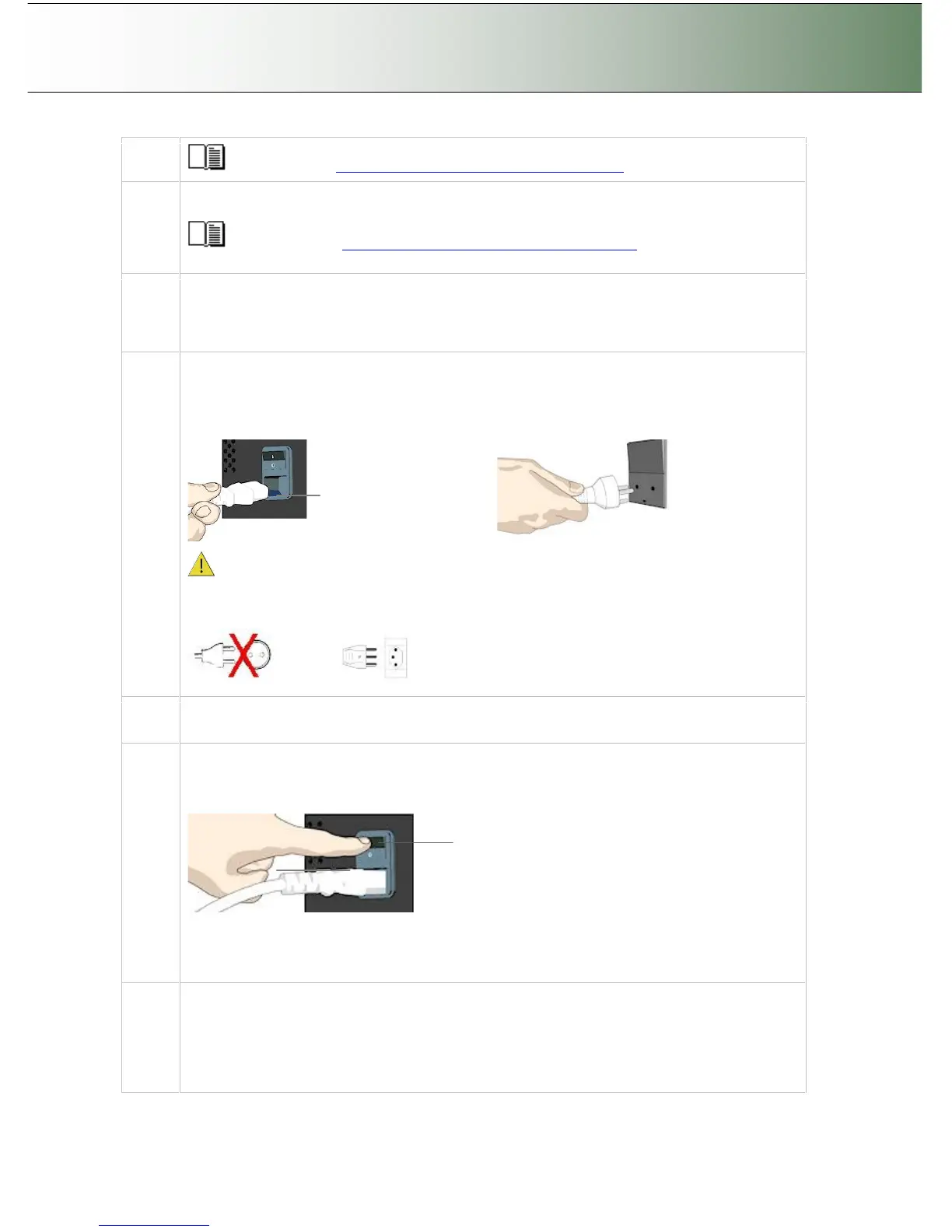
Connect scanner power cable
At back of the scanner, you will find the scanner-end power cable socket, just below the Main
Poer Switch. Connect the cable to the scanner plug socket and then the other end to your
grounded power source. Do not yet turn on the Outlet switch on the scanner.
Scanner-end power socket
Caution: The scanner is equipped with a three-wire (pin) grounding type plug. If you cannot
insert the plug into your outlet, contact your electrician to replace the outlet and ensure a
grounded power connection. Do not try to defeat or ignore the purpose of the grounding-type
plug.
6
Connect the printer’s power cable.
See your printer’s documentation for instructions.
7
Turn (power) on the scanner and the printer
To turn on the scanner - at back of the scanner, above the scanner-end power cable plug you
will find the main power switch. Flip the main power switch to ON (marked “I”). The scanner
starts the init and self test sequence and you must wait until these are finished.
Main Power switch
Press the “I” to turn on.
The Main Power switch is found at the back of the scanner
See your printer’s documentation for instructions on connecting the printer’s power cables and
turning the printer to ON. .
8
Perform Preliminary Maintenance - Calibration
You will need to use a PC with WIDEsystemNET and Scanner Maintenance software installed.
To run scanner maintenance:
Use a local or LAN connected PC with WIDEsystem and Scanner Maintenance installed. Left
click on the WIDEsystem scanner Icon and select Launch Scanner Maintenance from the menu.



 To Next Page