114 • Crestron Zūm® Wired Solutions Product Manual — Doc. 9349B
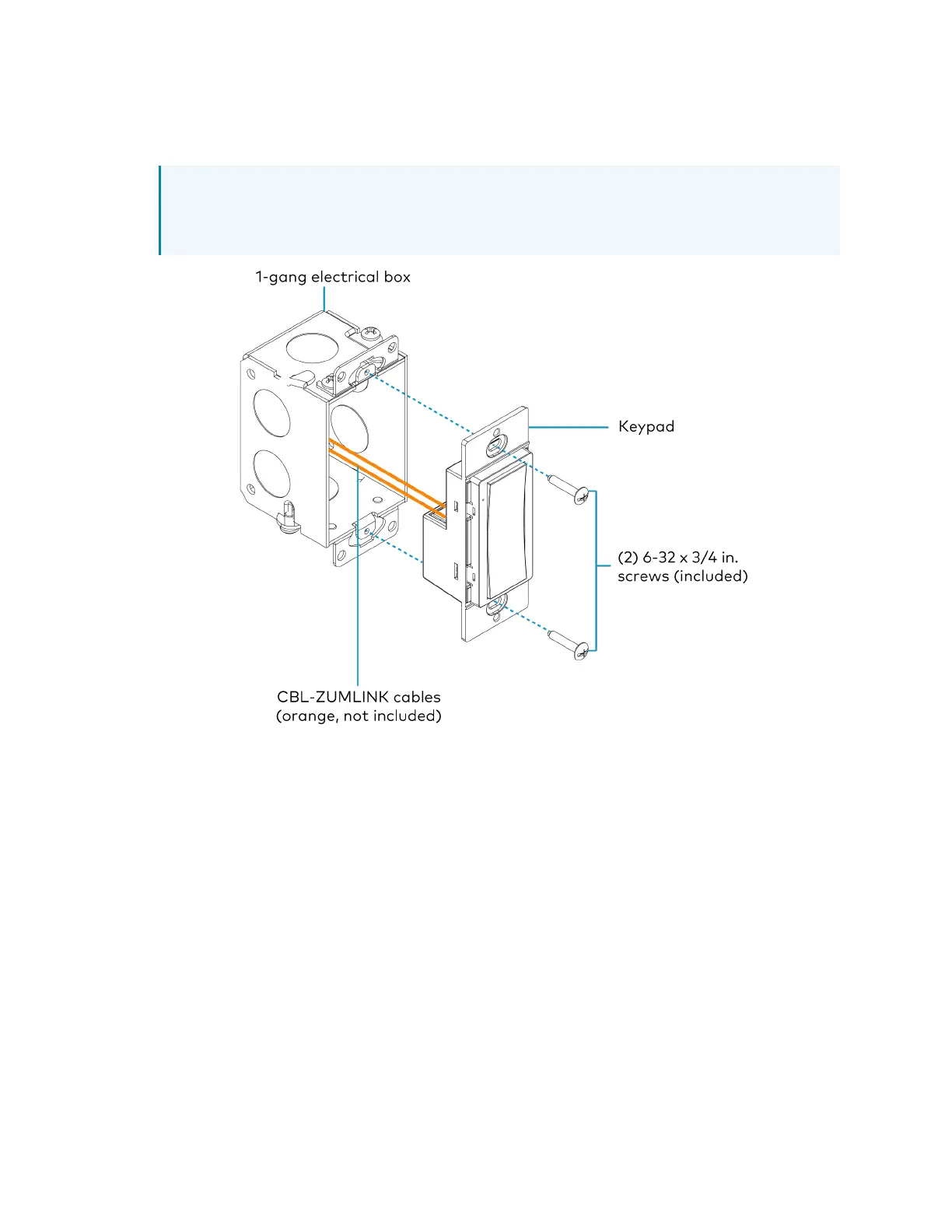
1. Holding the keypad with the LED on the left, place it in the electrical box.
2. Secure the keypad using the included #6-32 x 3/4in. truss screws.
CAUTION: Excess wire pinched between the keypad and electrical box could short out.
Make sure all excess wire is completely inside the electrical box and not between the
box and the keypad.
3. Attach the desired decorator-style faceplate (not included).
4. Turn the system power on.


 To Next Page