Product Manual — Doc. 9349B Crestron Zūm® Wired Solutions • 157
Load Controllers Zūm App Configuration
The following sections describe Zūm app configuration for the ZUMNET-JBOX-16A-LV,
ZUMLINK-JBOX-16A-LV, ZUMLINK-JBOX-20A-PLUG, and ZUMLINK-JBOX-20A-SW load
controllers.
For the ZUMNET-JBOX-DALI and ZUMLINK-EXP-16A-DIMU load controllers, refer to DALI Load
Controller Zūm App Configuration on page 166 and Universal Dimmer Load Controller Zūm App
Configuration on page 188.
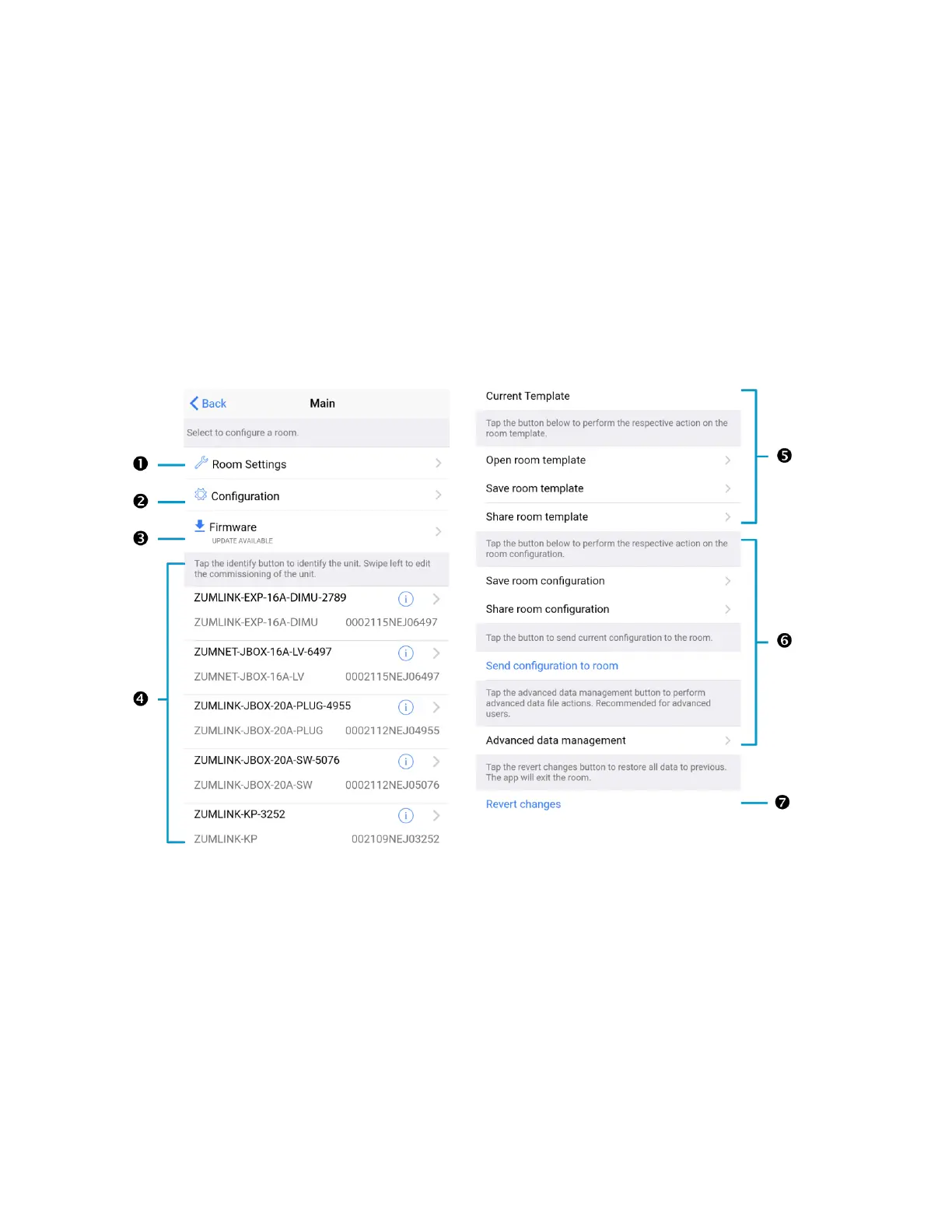
Zūm App Main Screen
From the Nearby Rooms screen, tap the desired room to open the Main screen. The following
sections describe the actions available for each area of the Main screen.



 To Next Page