Product Manual — Doc. 9349B Crestron Zūm® Wired Solutions • 115
Replace the Rocker Button/Button Tree and Bezel
The ZUMLINK-KP comes preassembled with the ZUMLINK-BTNR rocker button. Follow the
procedure below to replace the bezel and rocker button with a new bezel and rocker
button/button tree.
1. Remove the faceplate from the keypad.
If a Crestron FP-G series faceplate (not included) is installed, remove only the cover.
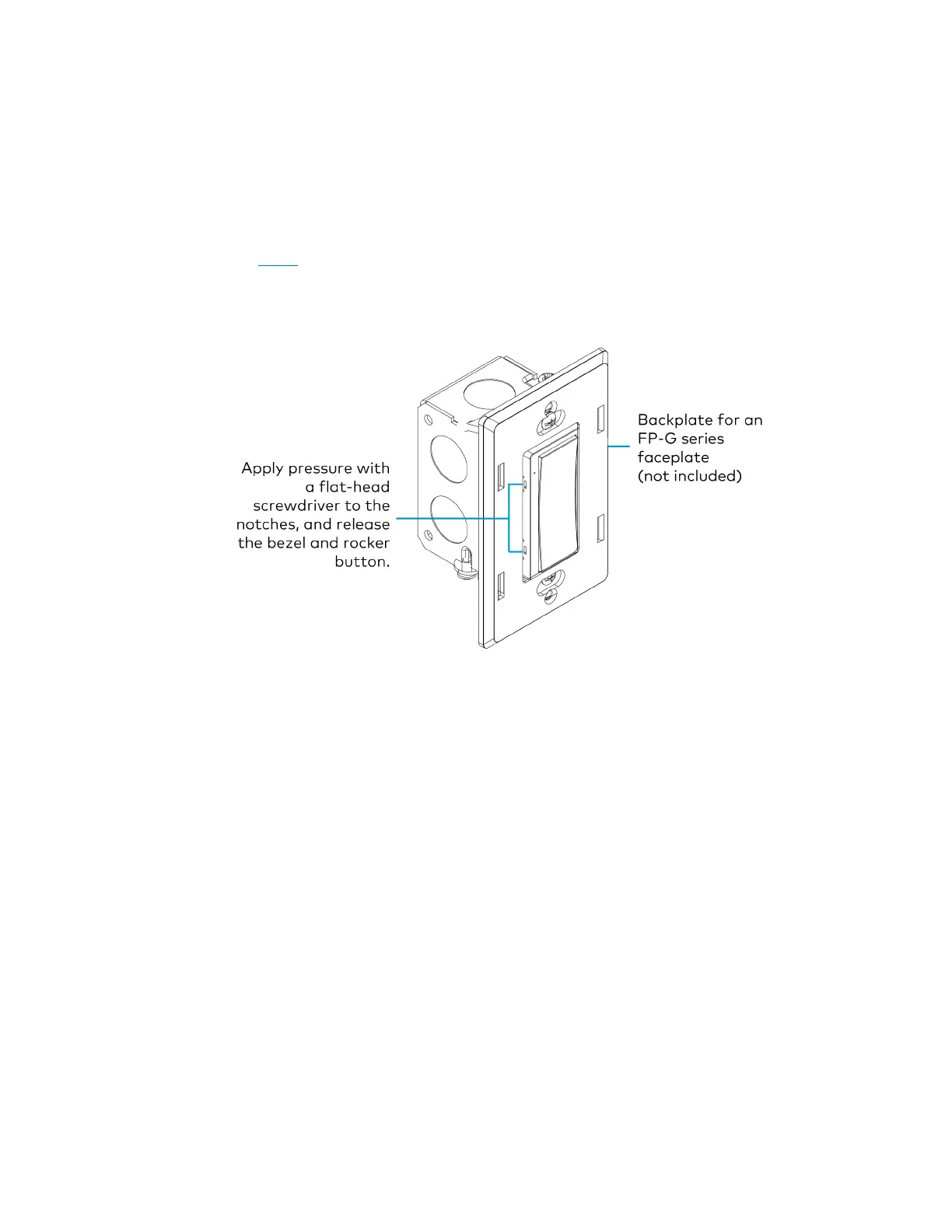
2. Use a flat-head screwdriver to remove the bezel and rocker button by pressing the
screwdriver into the notches on the side of the keypad.
The bezel and rocker button release from the keypad.
3. Position the replacement rocker button/button tree on the keypad.



 To Next Page