220 • Crestron Zūm® Wired Solutions Product Manual — Doc. 9349B
Web Interface Overview
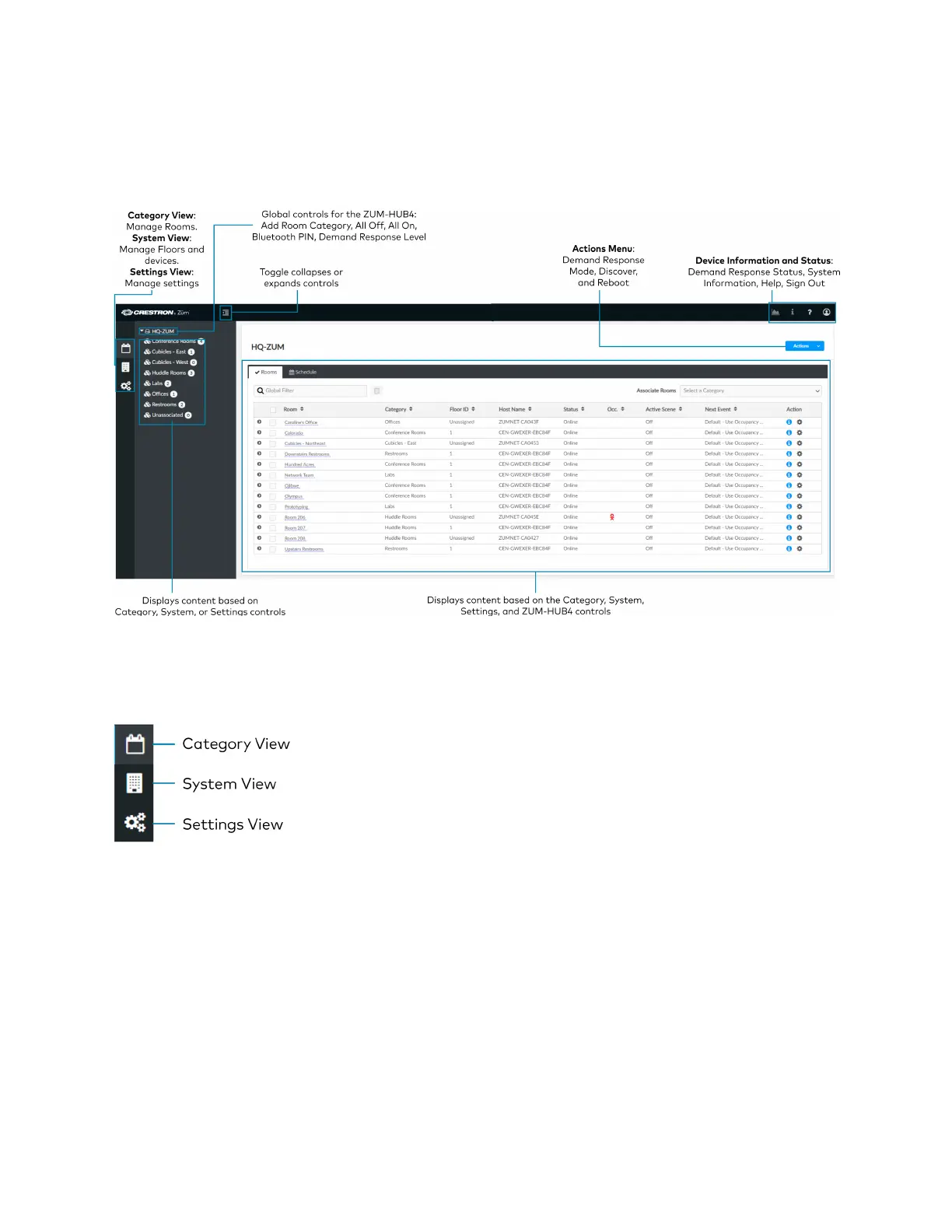
The web interface gives users the ability to configure room behavior globally across the
ZUM-HUB4, by Room Category, by Floor, and by Room.
Category View, System View, and Settings View
The web interface has three configuration sections: Category View to manage Rooms, System
View to manage Floors and devices, and Settings View to manage settings.
Category View
The Category View lists room categories and rooms (in the Rooms tab) that have been
discovered by the ZUM-HUB4. Room Categories are intended to be groupings of all rooms that
are a similar type (for example, office or conference rooms) to provide easy monitoring and
control. Rooms that have not been assigned to a Room Category are kept in the Unassociated
category. Select the Schedule tab to edit default behavior for Day Patterns, Room States and
Holidays.
l
Manage Rooms on page 236
l
Manage Room Categories



 To Next Page