236 • Crestron Zūm® Wired Solutions Product Manual — Doc. 9349B
Manage Rooms
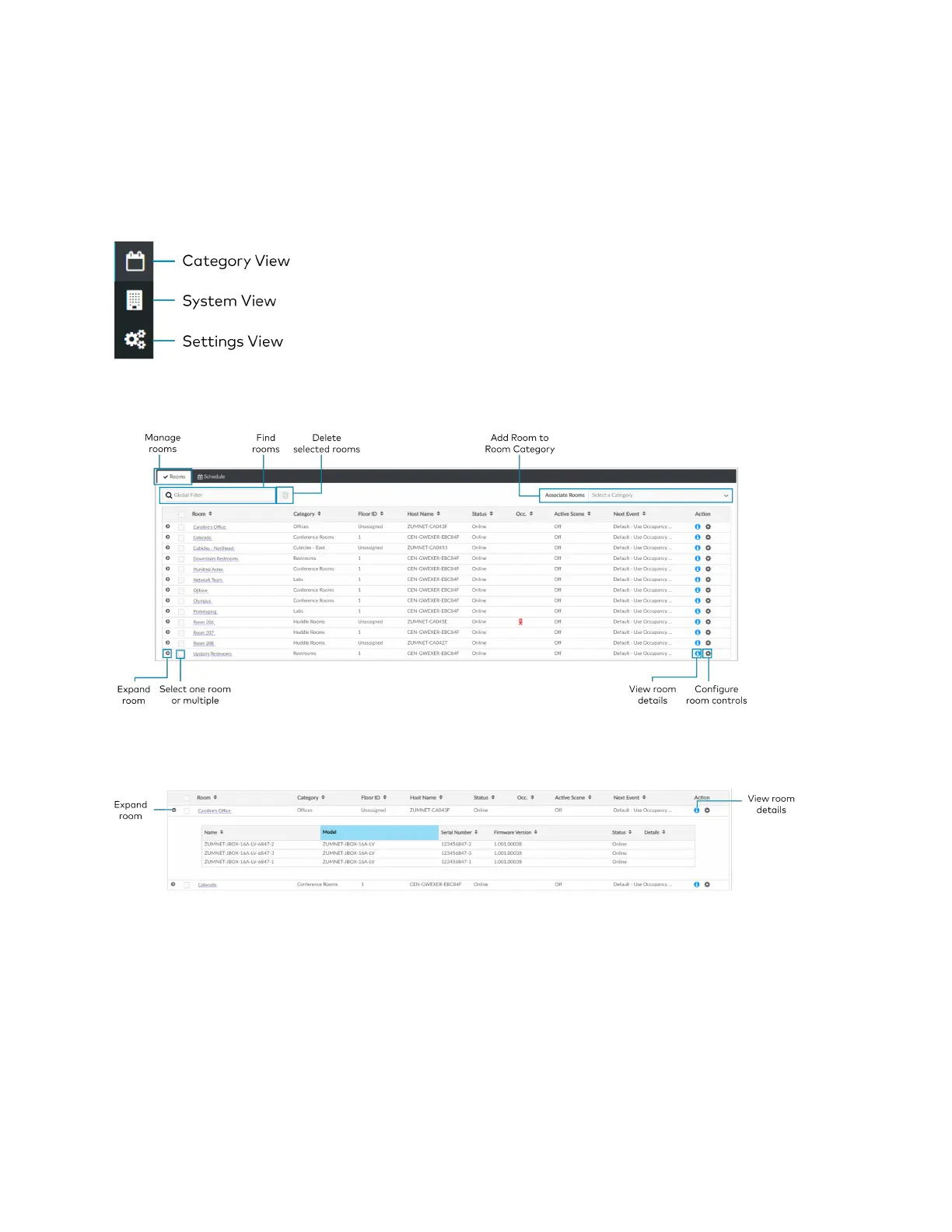
The Rooms tabs lists the Rooms discovered by the ZUM-HUB4 or the rooms assigned to a
selected Room Category. Use the Rooms tab search for a room, delete rooms, reassign room
categories, edit a room name, view room details, or control a room. Access the Rooms tab
through either the Category View or the System View tabs.
Rooms must be discovered by the ZUM-HUB4 before performing any procedure in this section.
Refer to Discover Rooms on page 224.
Review Rooms
The Room list displays room information including built-in components.
l
Room: Displays the room name
l
Category: Displays the Room Category
l
Floor ID: Displays the Floor ID. The Floor ID can be set in the Hardware Management tab
of the Systems View. A Floor ID cannot be assigned to an External Room.
l
Host Name: Displays the Host Name of room's main device.
l
Status: Displays the room status Online of Offline.



 To Next Page