Product Manual — Doc. 9349B Crestron Zūm® Wired Solutions • 237
l
Occ: Identifies a room with an Occupancy Sensor. The Occupancy sensor symbols ( )
displays when occupancy is detected.
l
Active Scene: Displays the current Scene.
l
Next Event: Displays the upcoming event.
l
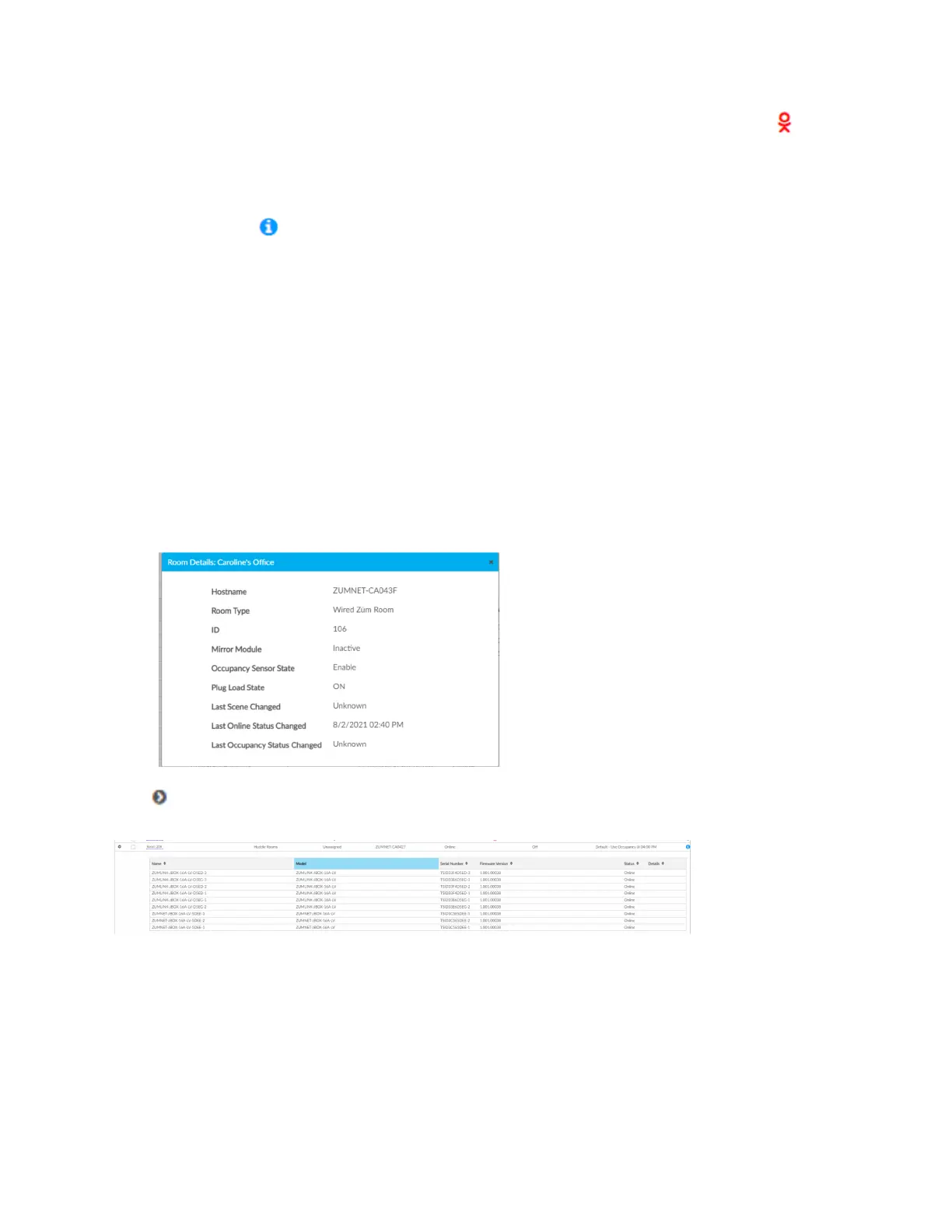
Information ( ): Displays room details.
o
Hostname: Displays the Hostname.
o
Room Type: Wired, Wireless, or External room
o
ID: Displays the IP ID for a Wired room, the RF ID for a Wireless room, and the
Module ID for an External room
o
Mirror Module: Indicates whether the room is associated with a Mirror Room
o
Occupancy Sensor State: Displays if the Occupancy Sensor is Enabled or Disabled
o
Plug Load State: Displays if the Plug Load is ON or OFF
o
Last Scene Changed: Displays the date and time of the last Scene change.
o
Last Online Status Changed: Displays the date and time of the last Online Status
change
o
Last Occupancy Status Changed: Displays the date and time of the last Occupancy
Status change
Click to expand the room to display information regarding the components. The Name, Model,
Serial Number, Firmware Version, and Status of the devices are defined.



 To Next Page