162 • Crestron Zūm® Wired Solutions Product Manual — Doc. 9349B
To calibrate the daylight settings:
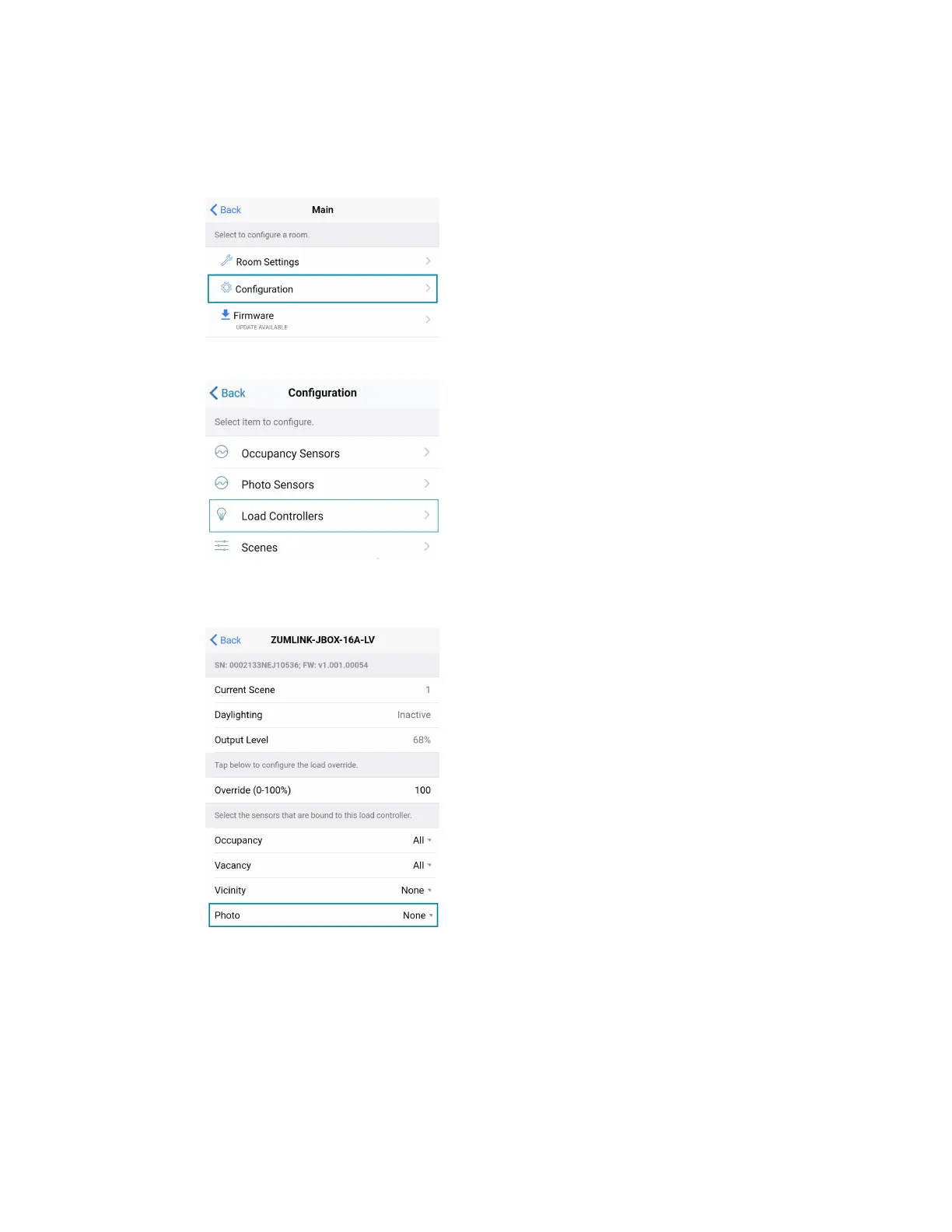
1. Assign the photocell component to the load controller that will participate in Daylighting.
a. From the Main screen, click Configuration.
b. Click Load Controllers.
c. Click the desired load controller.
d. For Photo, select a photocell from the drop-down menu.



 To Next Page