192 • Crestron Zūm® Wired Solutions Product Manual — Doc. 9349B
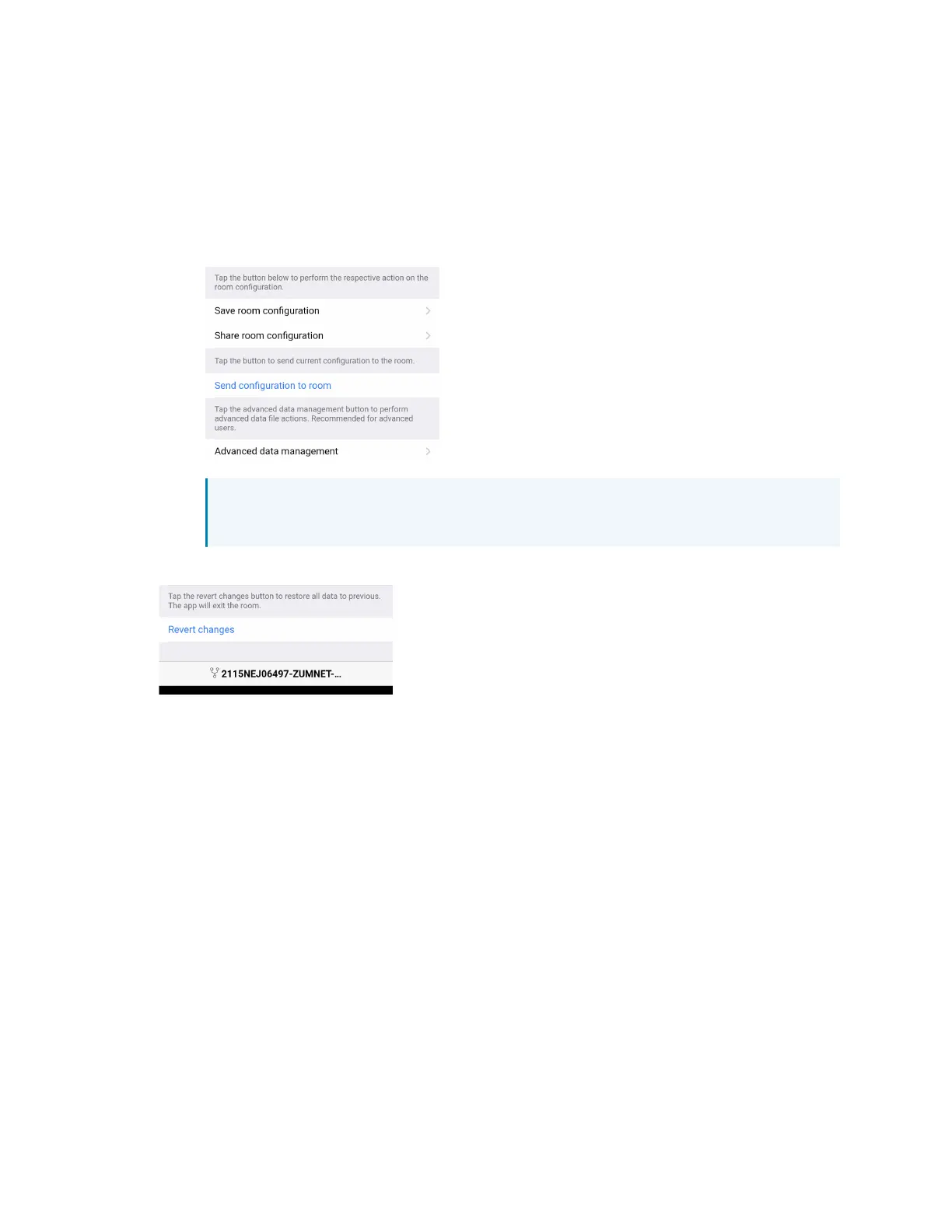
6. Configuration Data:
l
Save room configuration: Save the room configuration data in the space.
l
Share room configuration: Share the room configuration data in the space.
l
Send configuration to room: Send room logic changes made in the app to the room.
l
Advanced data management: Review the Map, Logic, and Settings of the data
currently loaded. Load, save or share new Map, Logic, or Settings data.
NOTE: Changes made in the app are not sent to the room until they are
deployed using the Send configuration to room button.
7. Revert changes: Restore all non-deployed changes made since launching the app.
Calibrate Daylighting Settings
The photocell component of a Zūm Net load controller, Zūm Link load controller, or Zūm Link
universal dimmer load controller detects the amount of ambient light in the room. When a space
is calibrated for Daylighting and Scene 1 is called, the photocell will detect the ambient light
levels and dim the lights accordingly.
Calibrating Daylighting requires four main steps:
1. Assign the photocell component of a load controller to the load controller.
2. Send the new configuration to the space.
3. Adjust the light level in the space.
4. Calibrate Daylighting.



 To Next Page