Product Manual — Doc. 9349B Crestron Zūm® Wired Solutions • 197
Advanced Properties
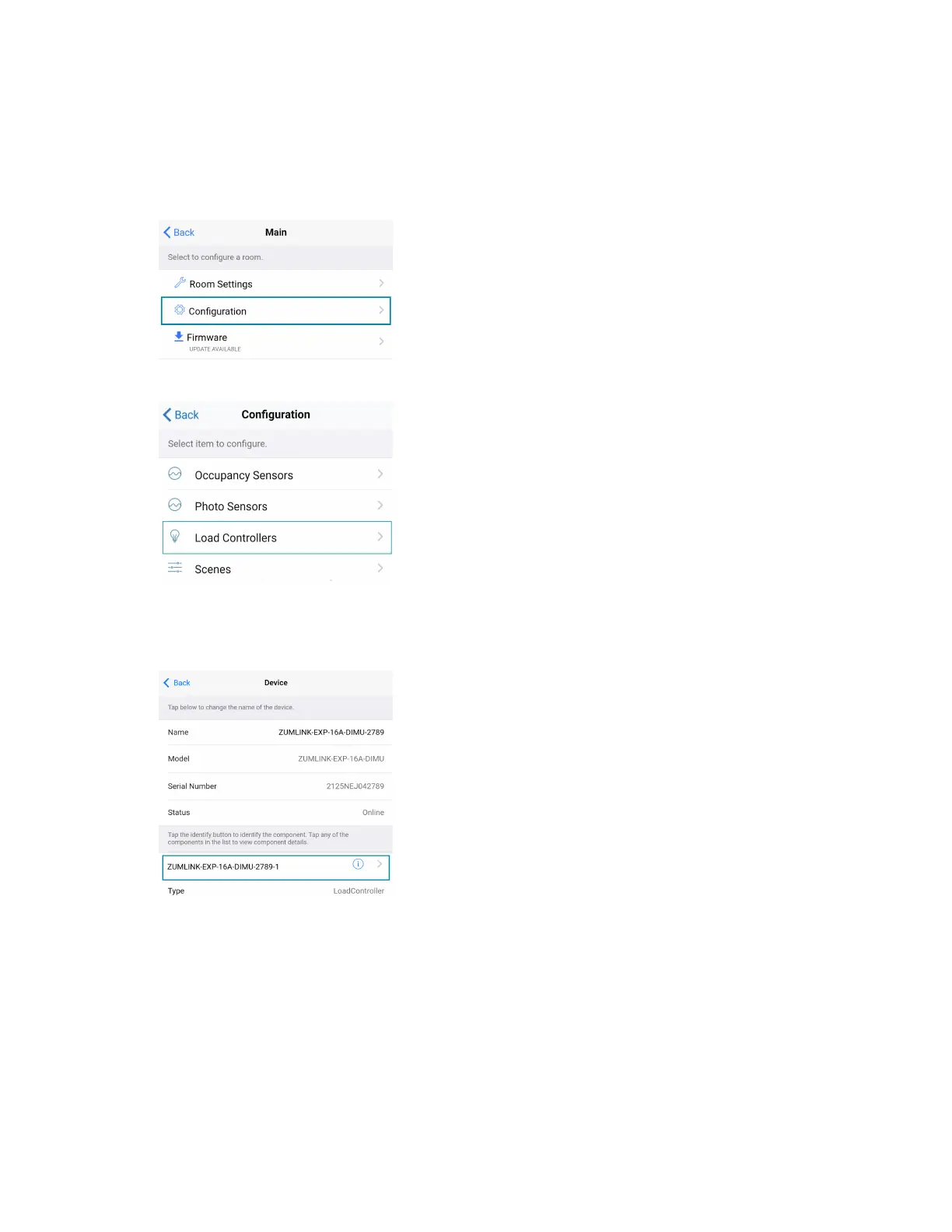
Use the Advanced Properties to change the phase and zero-cross settings. To navigate to the
Advanced Properties:
1. From the Main screen, select Configuration.
2. Select Load Controllers. A list of load controllers appears.
3. Select the universal dimmer from the list of load controllers.
4. Select the universal dimmer load controller component to open the load controller
settings.


 To Next Page
 Loading...









