Configuring Ports
Page 99
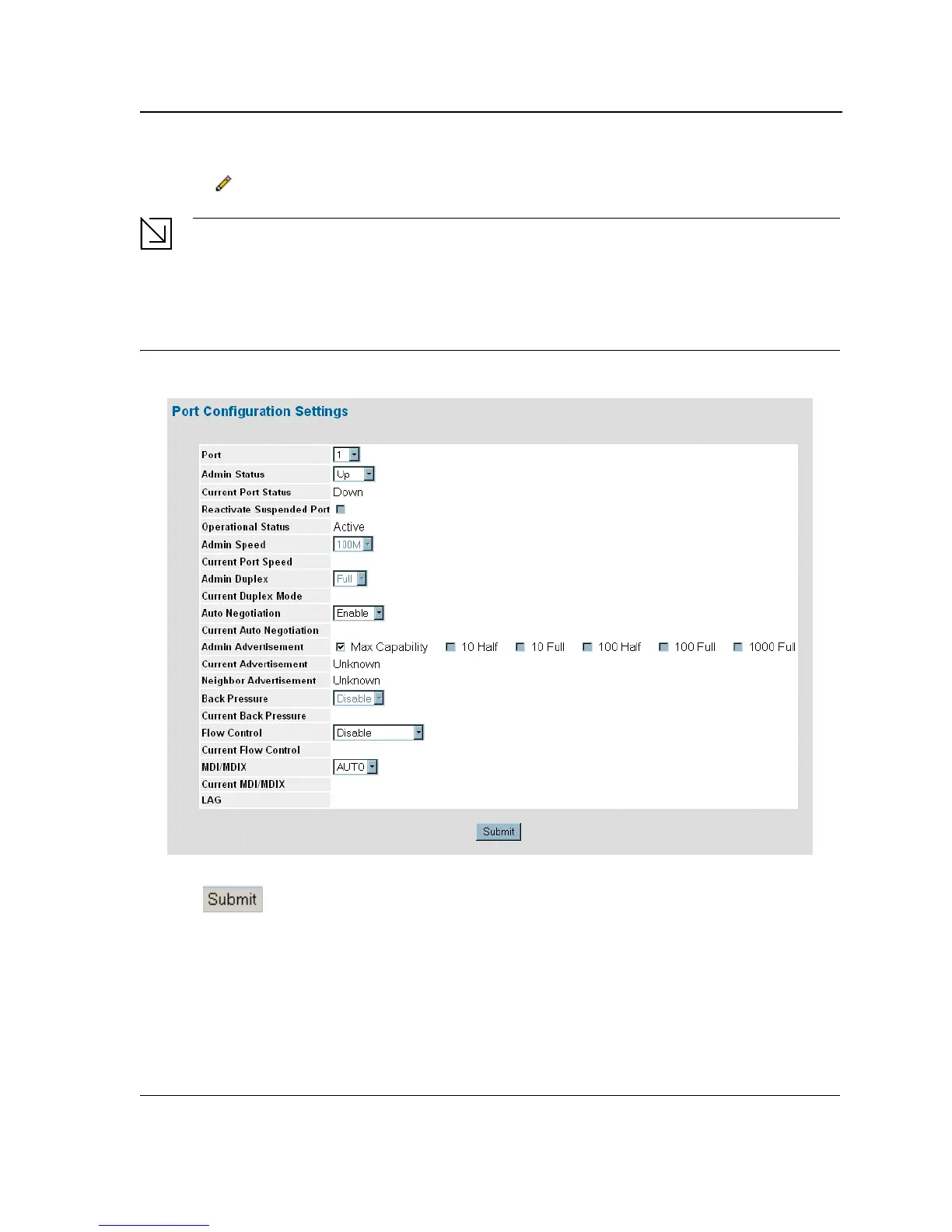
2. Click . The Port or LAG Interface Settings Page opens:
Note
In addition to the fields in the Interface Configuration Page, the Port or LAG Configuration Settings Page
includes the field Reactivate Suspended Port or Reactivate Suspended Lag. Select this field to return
a suspended port or LAG to active status.
Figure 52: Port Configuration Settings Page
3. Modify the Admin Speed, Admin Duplex, and Admin Advertisement fields.
4. Click . The parameters are saved, and the device is updated.













 To Next Page