D-Link DES-3010FA/GA User Guide
Page 172
Defining SNMP Communities
Access rights are managed by defining communities in the SNMP Communities Page. When the community
names are changed, access rights are also changed. SNMP communities are defined only for SNMP v1 and
SNMP v2c. To define SNMP communities:
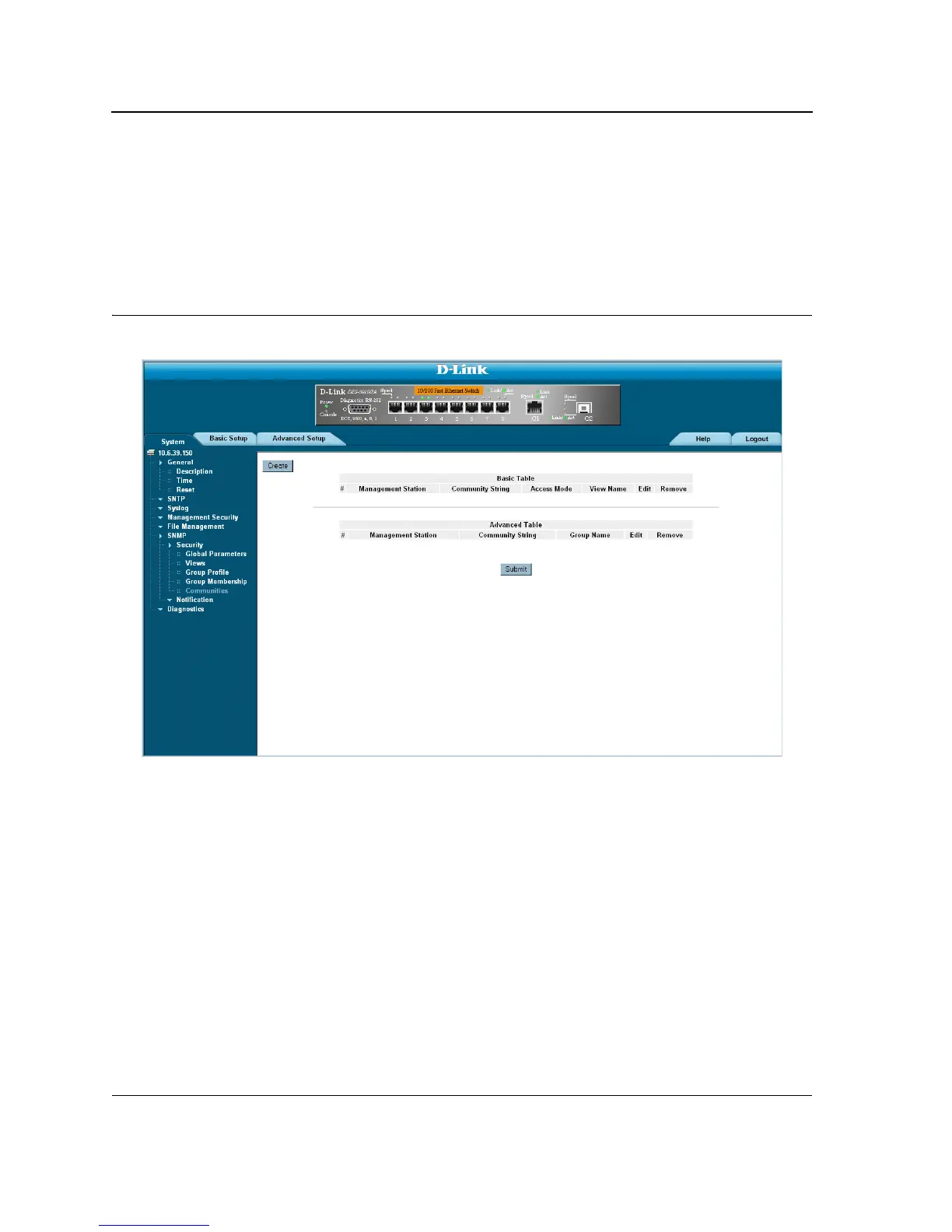
1. Click System > SNMP > Security > Communities. The SNMP Communities Page opens:
Figure 109:SNMP Communities Page
The SNMP Communities Page is divided into the following tables:
• Basic Table
• Advanced Table
SNMP Communities Basic Table
The SNMP Communities Basic Table contains the following fields:
• Management Station — Displays the management station IP address for which the basic SNMP community
is defined.
• Community String — Defines the password used to authenticate the management station to the device.
• Access Mode — Defines the access rights of the community. The possible field values are:
– Read Only — Management access is restricted to read-only, and changes cannot be made to the
community.
– Read Write — Management access is read-write and changes can be made to the device configuration,
but not to the community.













 To Next Page