Mounting Device
Connecting the Device
Page 29
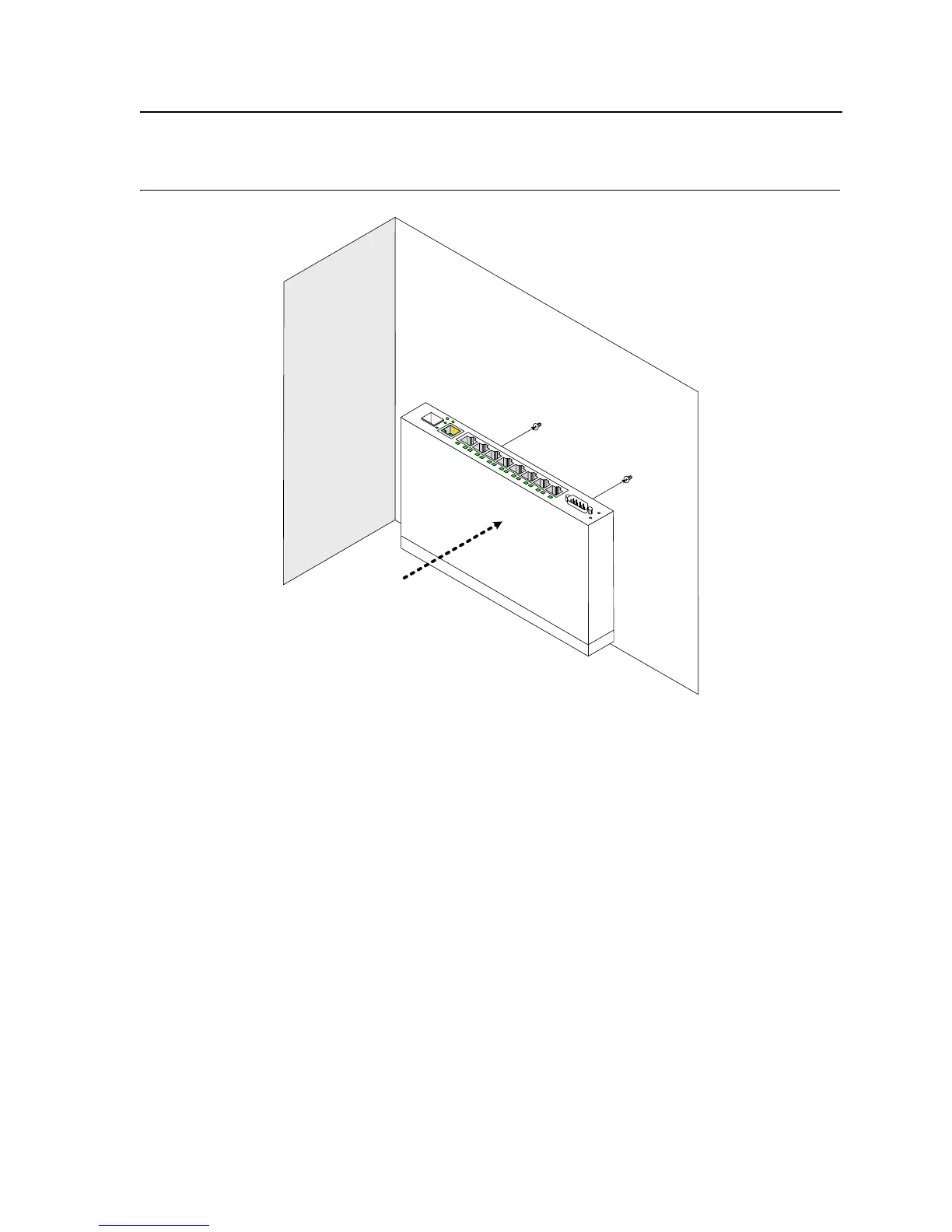
Figure 14: Mounting the device on the wall
Connecting the Device
This section describes how to connect the device, and includes the following sections:
• Connecting the Switch to a Terminal
• AC Power Connection
Connecting the Switch to a Terminal
The device is connected to a terminal through an console port on the front panel, which enables a connection to a
terminal desktop system running terminal emulation software for monitoring and configuring the device.
The terminal must be a VT100 compatible terminal or a desktop or portable system with a serial port and running
VT100 terminal emulation software.
To connect a terminal to the device Console port, perform the following:
1. Connect a cable to the terminal running VT100 terminal emulation software.
2. Ensure that the terminal emulation software is set as follows:
a) Select the appropriate port to connect to the device.
b) Set the data rate to 9600 baud.
c) Set the data format to 8 data bits, 1 stop bit, and no parity.
Wall













 To Next Page