D-Link DES-3010FA/GA User Guide
Page 210
Viewing Optical Transceivers
The Optical Transceiver page allows network managers to perform tests on Fiber Optic cables. Optical transceiver
diagnostics can be performed only when the link is present. To test cables:
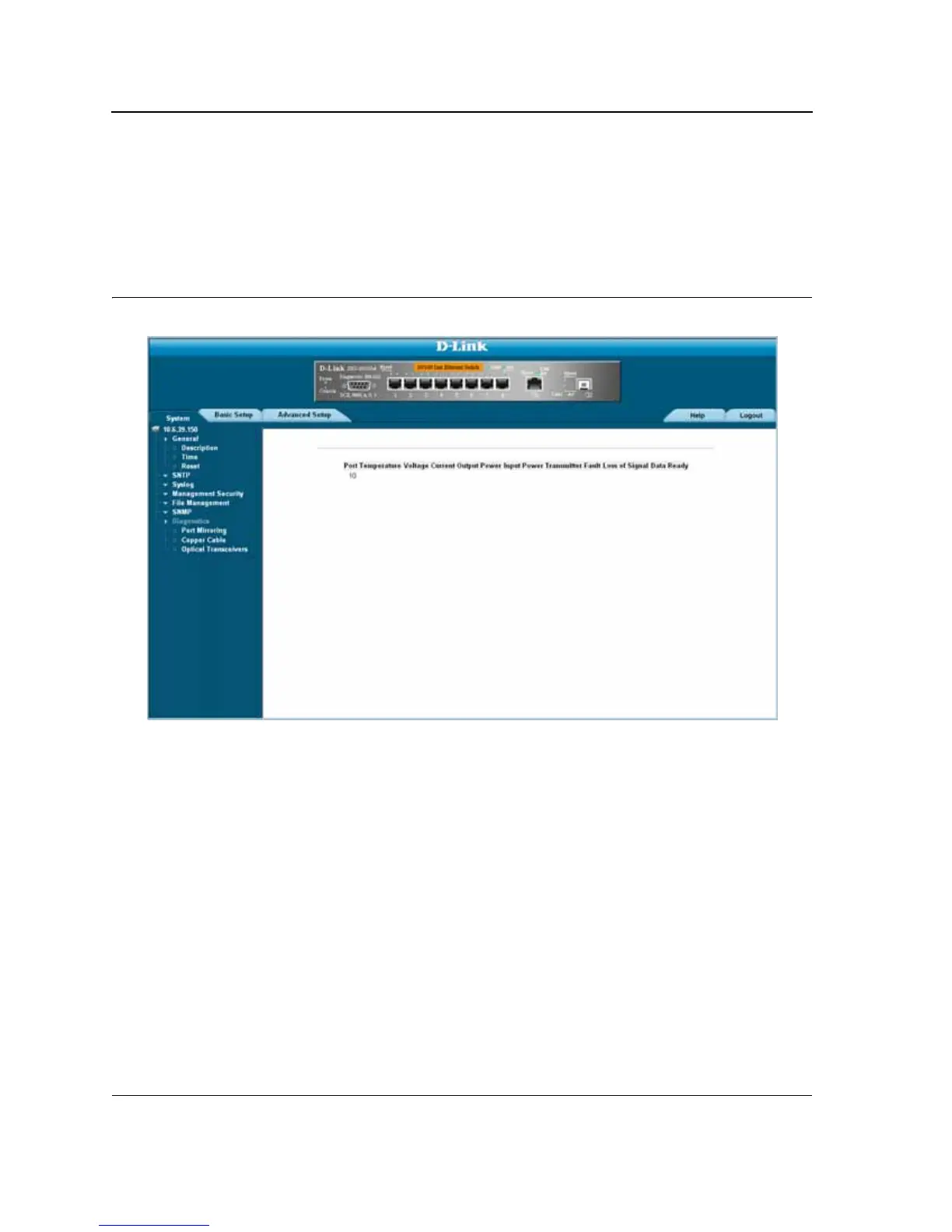
• Click Advanced Setup > Diagnostics > Optical Transceivers tab. The Optical Transceivers Page opens:
Figure 136:Optical Transceivers Page
The Optical Transceivers Page contains the field:
• Port — Displays the port IP address on which the cable is tested.
• Temperature — Displays the temperature (C) at which the cable is operating.
• Voltage — Displays the voltage at which the cable is operating.
• Current — Displays the current at which the cable is operating.
• Output Power — Indicates the rate at which the output power is transmitted.
• Input Power — Indicates the rate at which the input power is transmitted.
• Transmitter Fault — Indicates if a fault occurred during transmission.
• Loss of Signal — Indicates if a signal loss occurred in the cable.
• Data Ready — Indicates the transceiver has achieved power up and data is ready.













 To Next Page