Configuring Device Security
Configuring Network Security
Page 89
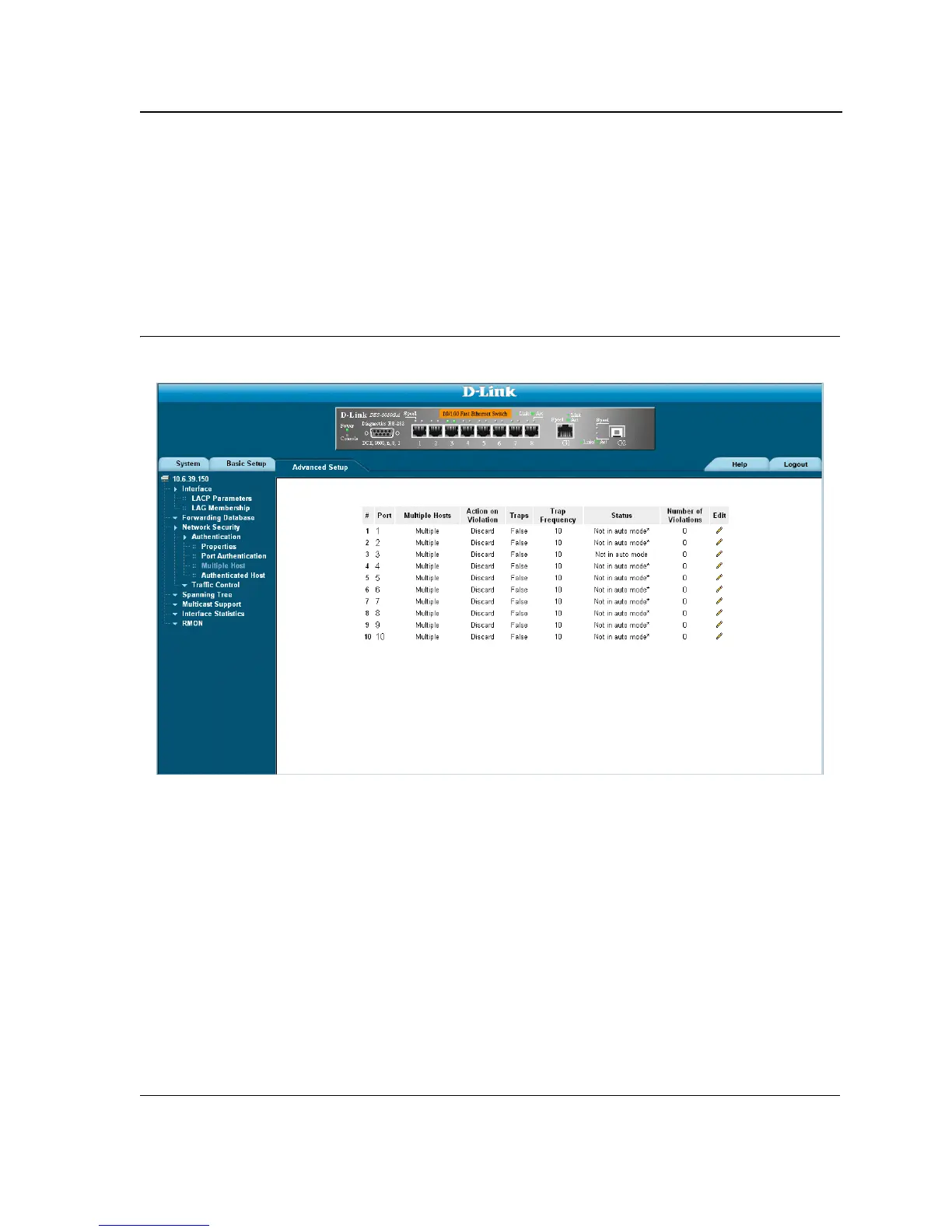
Configuring Multiple Hosts
The Multiple Host Page allows network managers to configure advanced port-based authentication settings for
specific ports and VLANs. For more information on advanced port-based authentication, see “Advanced Port-
Based Authentication” on page 83. To define the network authentication global properties:
1. Click Advanced Setup > Network Security > Authentication > Multiple Host. The Multiple Host Page
opens.
Figure 44: Multiple Host Page
The Multiple Host Page contains the following fields:
• Port — Displays the port number for which advanced port-based authentication is enabled.
• Multiple Hosts — Indicates whether multiple hosts are enabled. Multiple hosts must be enabled in order to
either disable the ingress-filter, or to use port-lock security on the selected port. The possible field values are:
– Multiple — Multiple hosts are enabled.
– Disable— Multiple hosts are disabled.
• Action on Violation — Defines the action to be applied to packets arriving in single-host mode, from a host
whose MAC address is not the supplicant MAC address. The possible field values are:
– Forward — Forwards the packet.
– Discard — Discards the packets. This is the default value.
– Shutdown — Discards the packets and shuts down the port. The ports remains shut down until
reactivated, or until the device is reset.













 To Next Page