Viewing Statistics
Viewing Interface Statistics
Page 229
Transmit Statistics
• Total Bytes (Octets) — Displays the number of octets transmitted from the selected interface.
• Unicast Packets — Displays the number of Unicast packets transmitted from the selected interface.
• Multicast Packets — Displays the number of Multicast packets transmitted from the selected interface.
• Broadcast Packets — Displays the number of Broadcast packets transmitted from the selected interface.
2. Select an interface in the Interface field. The interface statistics are displayed.
Resetting Interface Statistics Counters
1. Open the Interface Statistics Page.
2. Click . The interface statistics counters are cleared.
Viewing Etherlike Statistics
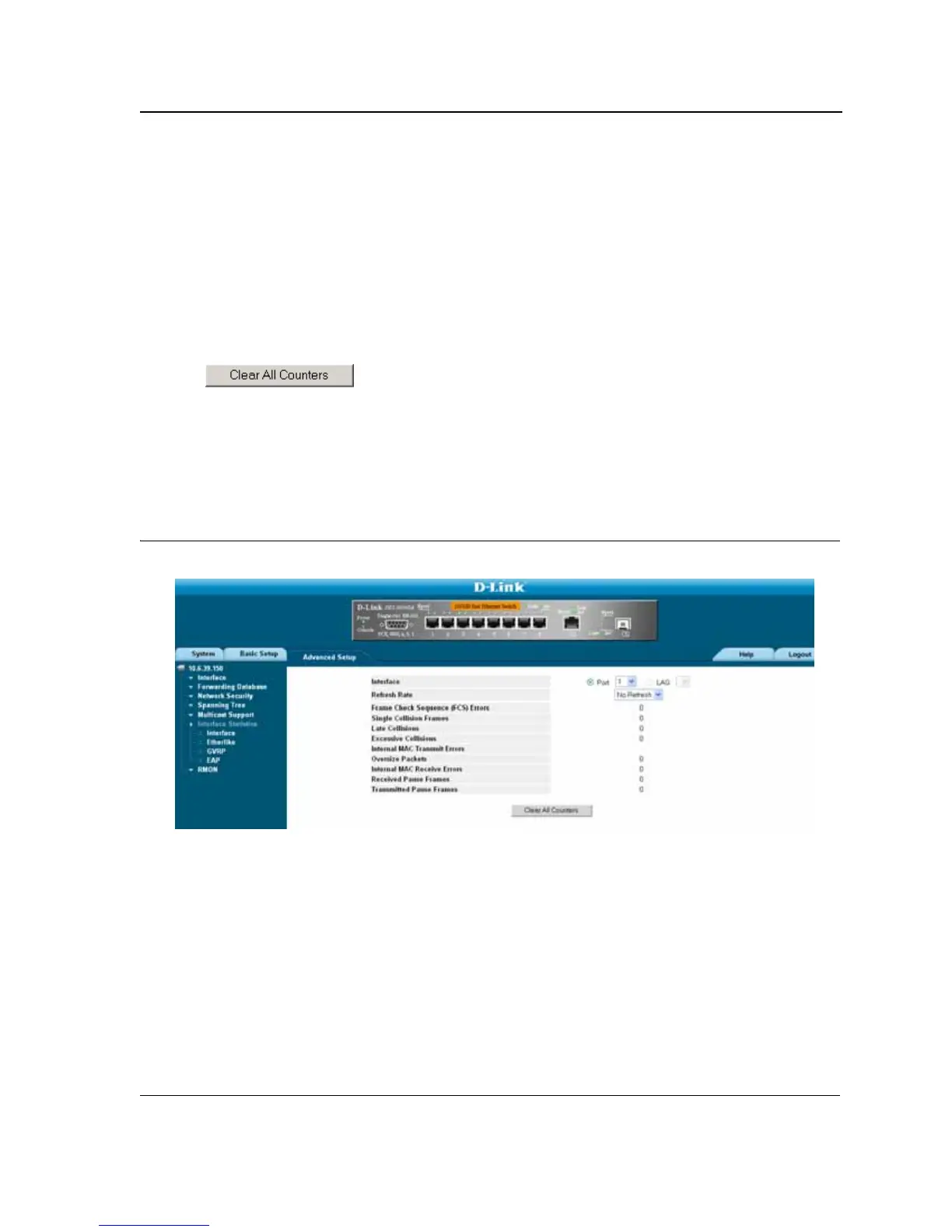
The Etherlike Statistics Page contains interface statistics. To view Etherlike Statistics:
1. Click Advanced Setup > Interfaces Statistics > Etherlike. The Etherlike Statistics Page opens:
Figure 147:Etherlike Statistics Page
The Etherlike Statistics Page contains the following fields:













 To Next Page