D-Link DES-3010FA/GA User Guide
Page 162
Configuring SNMP Security
This section contains information for configuring SNMP security parameters, and contains the following topics:
• Defining SNMP Security
• Defining SNMP Views
• Defining SNMP Group Profiles
• Defining SNMP Group Members
• Defining SNMP Communities
Defining SNMP Security
The SNMP Security Global Parameters Page permits the enabling of both SNMP and Authentication notifications.
To define the SNMP security parameters:
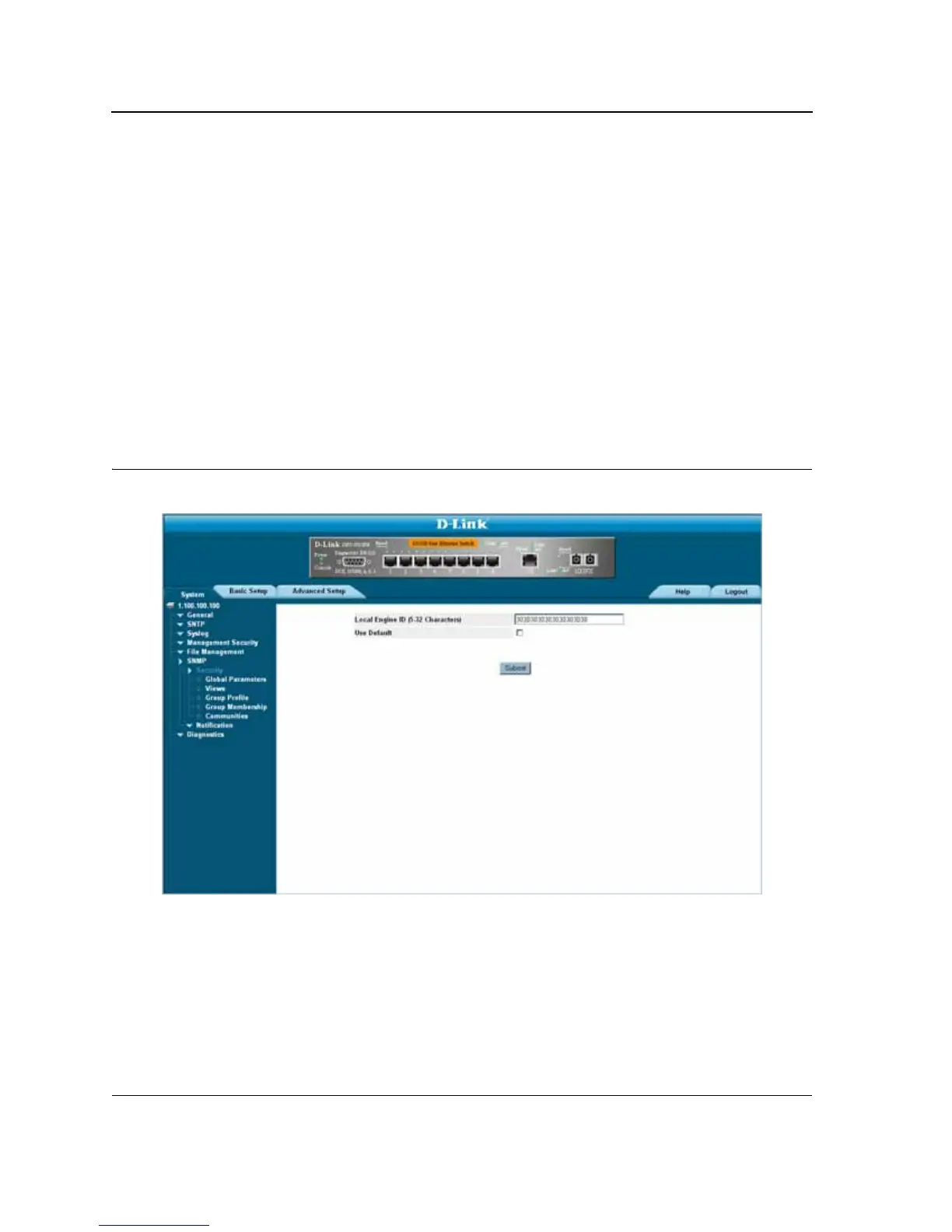
1. Click System > SNMP > Security Global Parameters. The SNMP Security Global Parameters Page opens:
Figure 100:SNMP Security Global Parameters Page
The SNMP Security Global Parameters Page contains the following fields:
• Local Engine ID — Displays the local device Engine ID. The field value is a hexadecimal string. Each byte in
hexadecimal character strings is two hexadecimal digits. Each byte can be separated by a period or a colon.
The Engine ID must be defined before SNMPv3 is enabled. Select a default Engine ID that is comprised of an
Enterprise number and the default MAC address.













 To Next Page