Configuring Spanning Tree
Defining Multiple Spanning Tree
Page 151
Defining MSTP Interface Settings
Network Administrators can assign MSTP Interface settings in the MSTP Instance Settings Page
.
To define MSTP
interface settings:
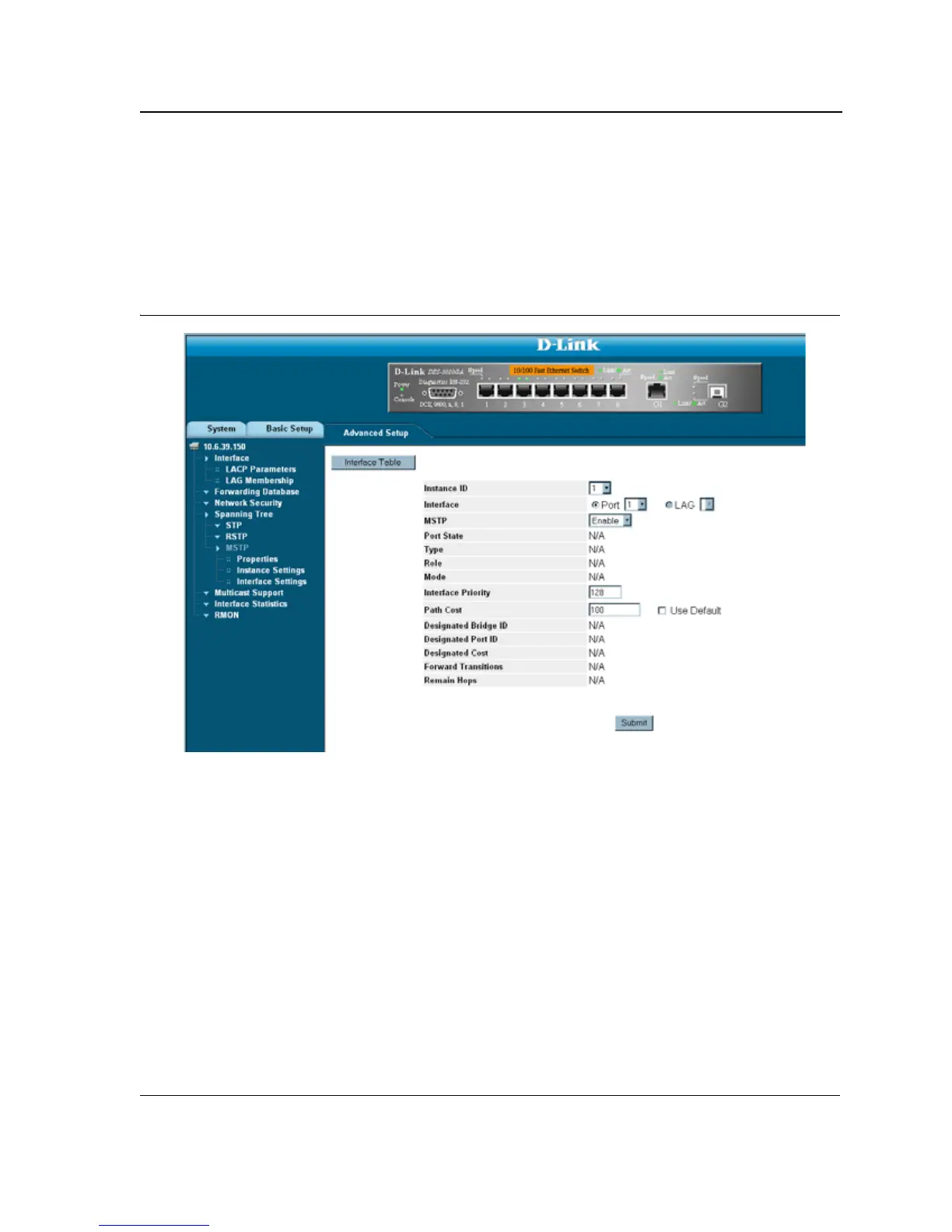
1. Click Advanced Setup > Spanning Tree > MSTP > Interface Settings. The MSTP Interface Settings Page
opens:
Figure 93: MSTP Interface Settings Page
The
MSTP Instance Settings Page contains the following fields:
• Instance ID — Lists the MSTP instances configured on the device. Possible field range is 0-15.
• Interface — Displays the interface for which the MSTP settings are displayed. The possible field values are:
– Port — Specifies the port for which the MSTP settings are displayed.
– LAG — Specifies the LAG for which the MSTP settings are displayed.
• MSTP — Specifies whether or not MSTP is enable on the interface. The possible field values are:
– Enabled — Enables MSTP on the interface.
– Disabled — Disables MSTP on the interface.
• Port State— Indicates whether the port is enabled for the specific instance. The possible field values are:
– Enabled — Enables the port for the specific instance.
– Disabled — Disables the port for the specific instance.













 To Next Page