Managing Device Diagnostics
Configuring Port Mirroring
Page 207
Configuring Port Mirroring
Port mirroring monitors and mirrors network traffic by forwarding copies of incoming and outgoing packets from
one port to a monitoring port. Port mirroring can be used as a diagnostic tool as well as a debugging feature. Port
mirroring also enables switch performance monitoring.
Network administrators can configure port mirroring by selecting a specific port from which to copy all packets,
and other ports to which the packets copied.
To enable port mirroring:
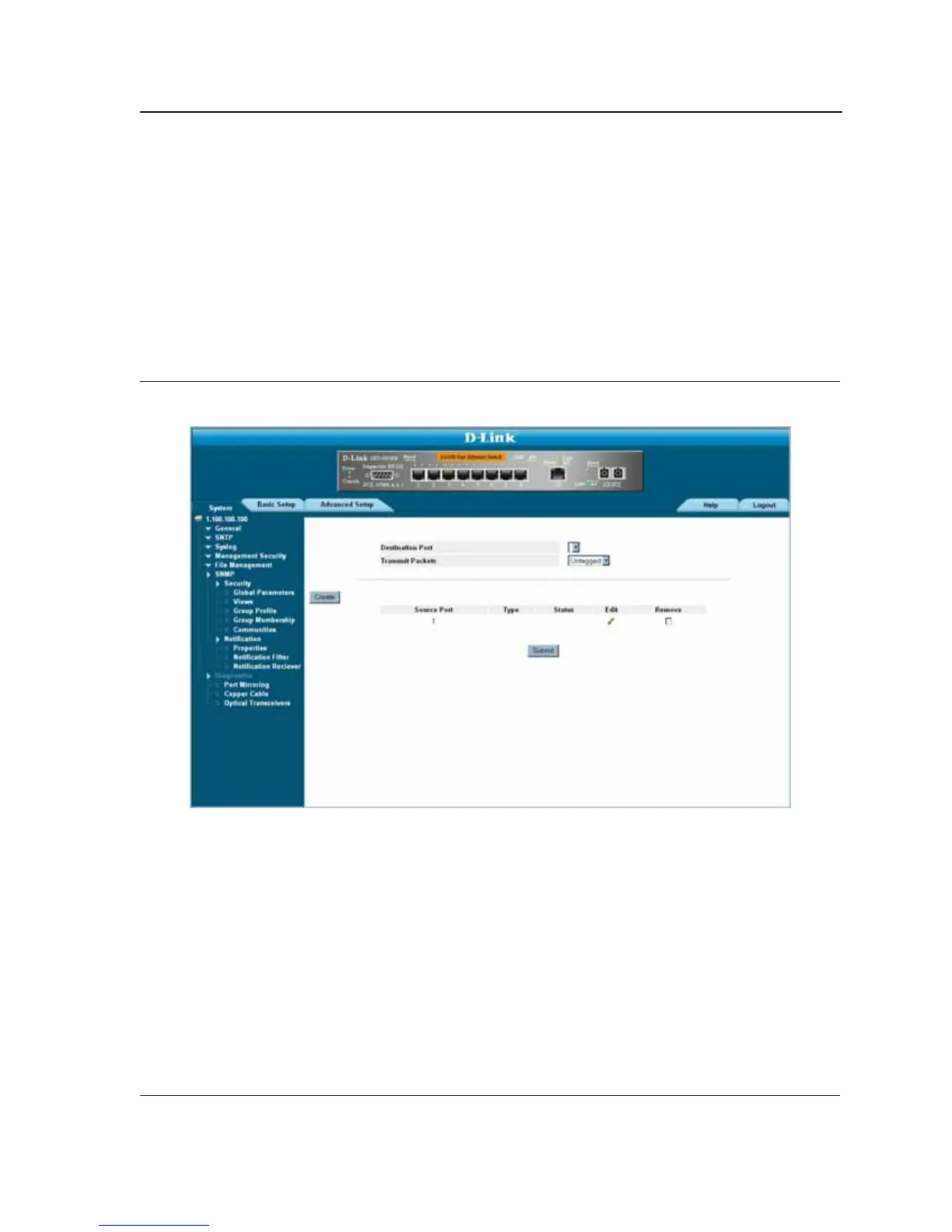
1. Click System > Diagnostics > Port Mirroring. The Port Mirroring Page opens:
Figure 132:Port Mirroring Page
The Port Mirroring Page contains the following fields:
• Destination Port — Defines the port number to which port traffic is copied.
• Transmit Packets — Defines the how the packets are mirrored. The possible field values are:
– Untagged — Mirrors packets as untagged VLAN packets. This is the default value.
– Tagged — Mirrors packets as tagged VLAN packets.
• Source Port — Indicates the port from which the packets are mirrored.
• Type — Indicates the port mode configuration for port mirroring. The possible field values are:
– RX — Defines the port mirroring on receiving ports.
– TX — Defines the port mirroring on transmitting ports.
– Both — Defines the port mirroring on both receiving and transmitting ports. This is the default value.
• Status — Indicates if the port is currently monitored. The possible field values are:













 To Next Page