D-Link DES-3010FA/GA User Guide
Page 136
• Remove — Removes the entry. The possible field values are:
– Checked — Removes the selected entry.
– Unchecked — Maintains the current static forwarding database.
Note
To prevent static MAC addresses from being deleted when the device is reset, make sure that the port
attached to the MAC address is locked.
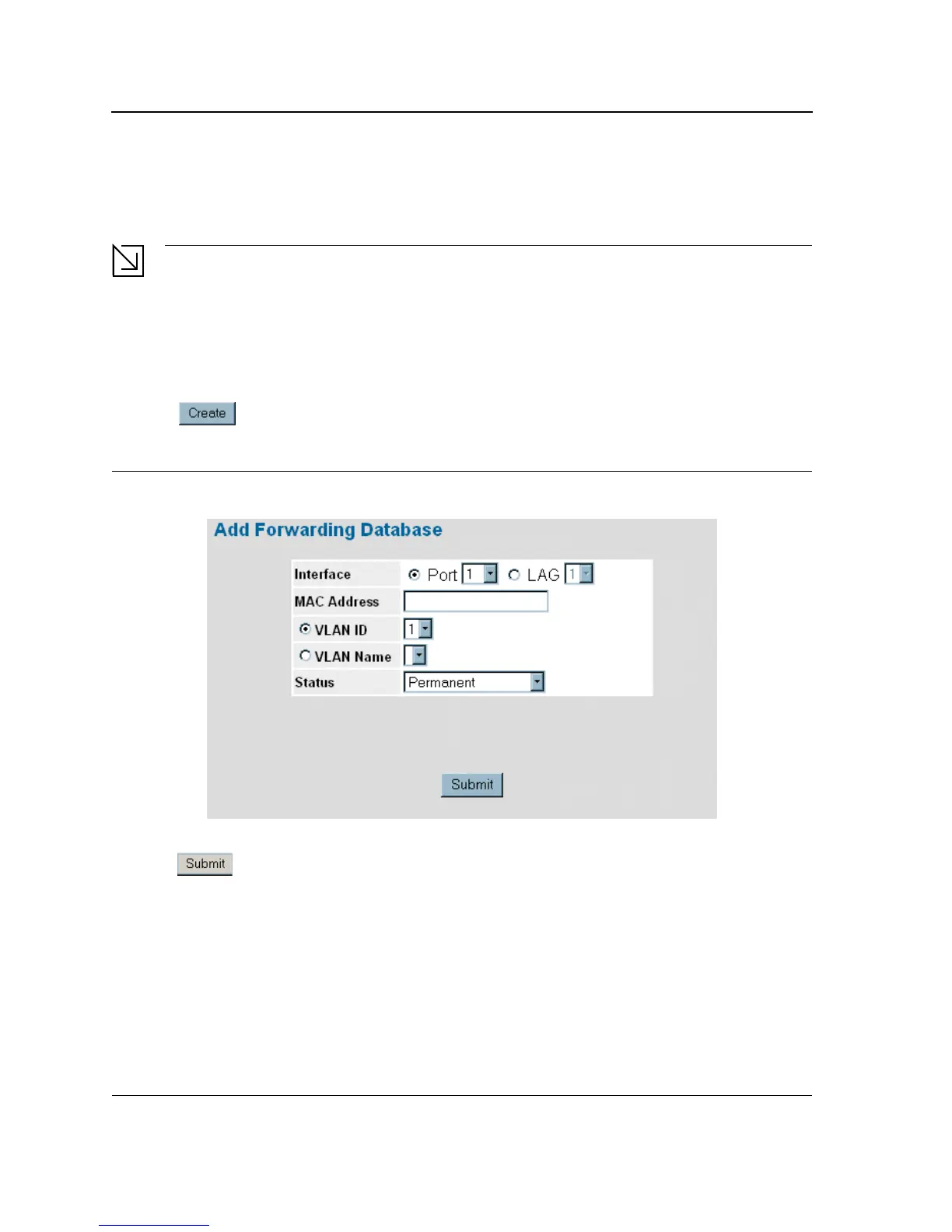
To add a new static forwarding database entry:
1. Click Advanced Setup > Forwarding Database > Static Addresses. The Forwarding Database Static
Addresses Page opens.
2. Click . The Add Forwarding Database Page opens:
Figure 83: Add Forwarding Database Page
3. Define the Interface, MAC Address, VLAN ID or VLAN Name, and Status fields.
4. Click . The forwarding database information is modified, and the device is updated.













 To Next Page