Configuring Spanning Tree
Defining Multiple Spanning Tree
Page 149
by which frames can be transmitted. In configuring MSTP, the MST region to which the device belongs is defined.
A configuration consists of the name, revision, and region to which the device belongs.
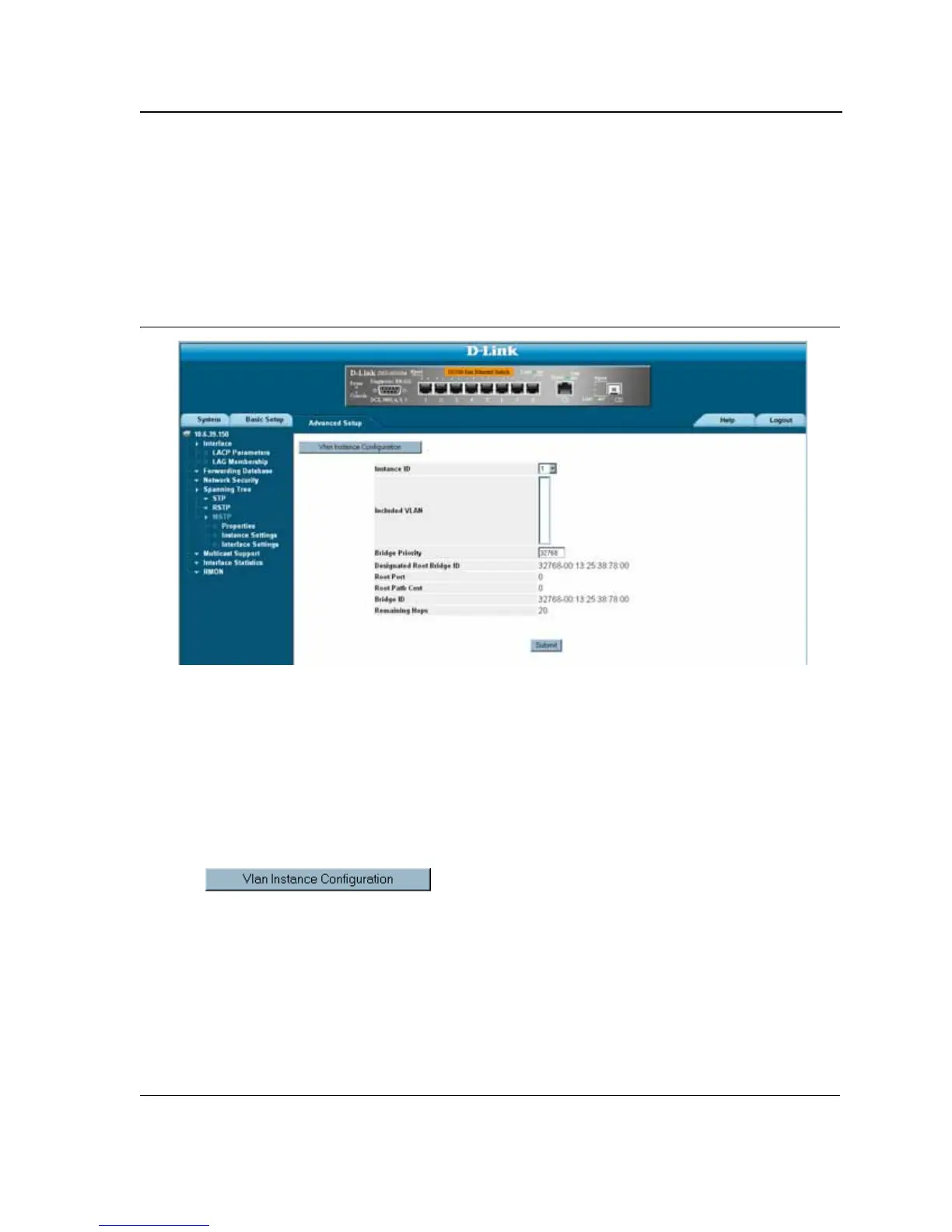
Network administrators can define the MSTP instance settings using the MSTP Instance Settings Page
.
To define
MSTP instance settings:
1. Click Advanced Setup > Spanning Tree > MSTP > Instance Settings. The MSTP Instance Settings Page
opens:
Figure 91: MSTP Instance Settings Page
The MSTP Instance Settings Page
contains the following fields:
• Instance ID — Specifies the VLAN group to which the interface is assigned.
• Included VLAN — Maps the selected VLANs to the selected instance. Each VLAN belongs to one instance.
• Bridge Priority — Specifies the selected spanning tree instance device priority. The field range is 0-61440
• Designated Root Bridge ID — Indicates the ID of the bridge with the lowest path cost to the instance ID.
• Root Port — Indicates the selected instance’s root port.
• Root Path Cost — Indicates the selected instance’s path cost.
• Bridge ID — Indicates the bridge ID of the selected instance.
• Remaining Hops — Indicates the number of hops remaining to the next destination.
2. Click . The VLAN Instance Configuration Table opens:













 To Next Page