D-Link DES-3010FA/GA User Guide
Page 158
The following table contains the IGMP port and LAG members management settings:
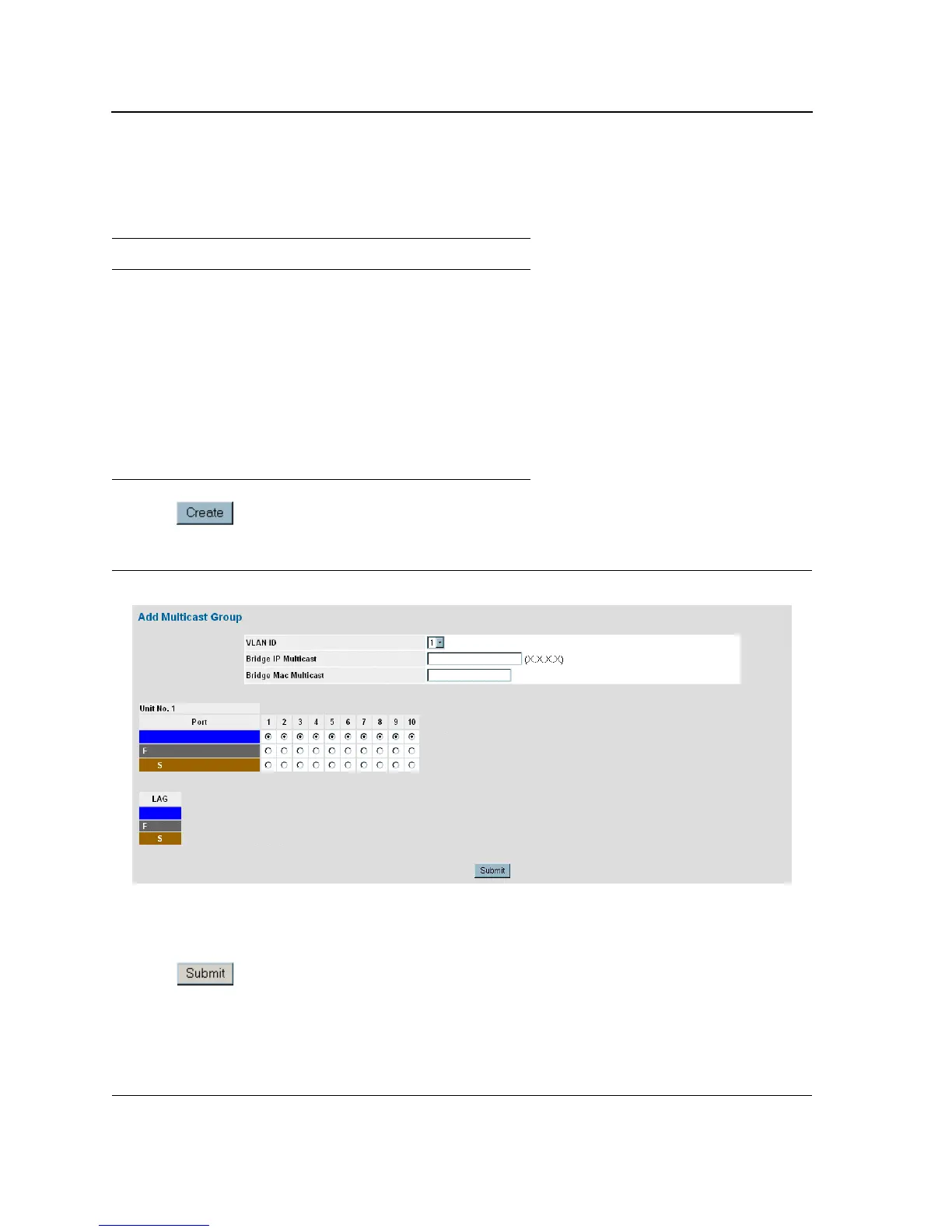
2. Click . The Add Multicast Group Page opens:
Figure 98: Add Multicast Group Page
3. Define the VLAN ID, Bridge Multicast IP Address, and Bridge Multicast MAC Address fields.
4. Select ports to join the Multicast group.
5. Define the Multicast port settings.
6. Click . The Multicast group is defined, and the device is updated.
Table 14: IGMP Port/LAG Members Table Control Settings
Port Control Definition
D Dynamically joins ports/LAG to the Multicast
group in the Current Row.
S Attaches the port to the Multicast group as
static member in the Static Row.
The port/LAG has joined the Multicast group
statically in the Current Row.
F Forbidden ports are not included the Multicast
group, even if IGMP snooping designated the
port to join a Multicast group.
Blank The port is not attached to a Multicast group.













 To Next Page