Configuring SNMP
Configuring SNMP Security
Page 167
– Authentication — Authenticates SNMP messages, and ensures that the SNMP message’s origin is
authenticated.
– Privacy — Encrypts SNMP messages.
• Operation — Defines the group access rights. The possible field values are:
– Read — Management access is restricted to read-only, and changes cannot be made to the assigned
SNMP view.
– Write — Management access is read-write and changes can be made to the assigned SNMP view.
– Notify — Sends traps for the assigned SNMP view.
• Remove — Removes SNMP groups. The possible field values are:
– Checked — Removes the selected SNMP group.
– Unchecked — Maintains the SNMP groups.
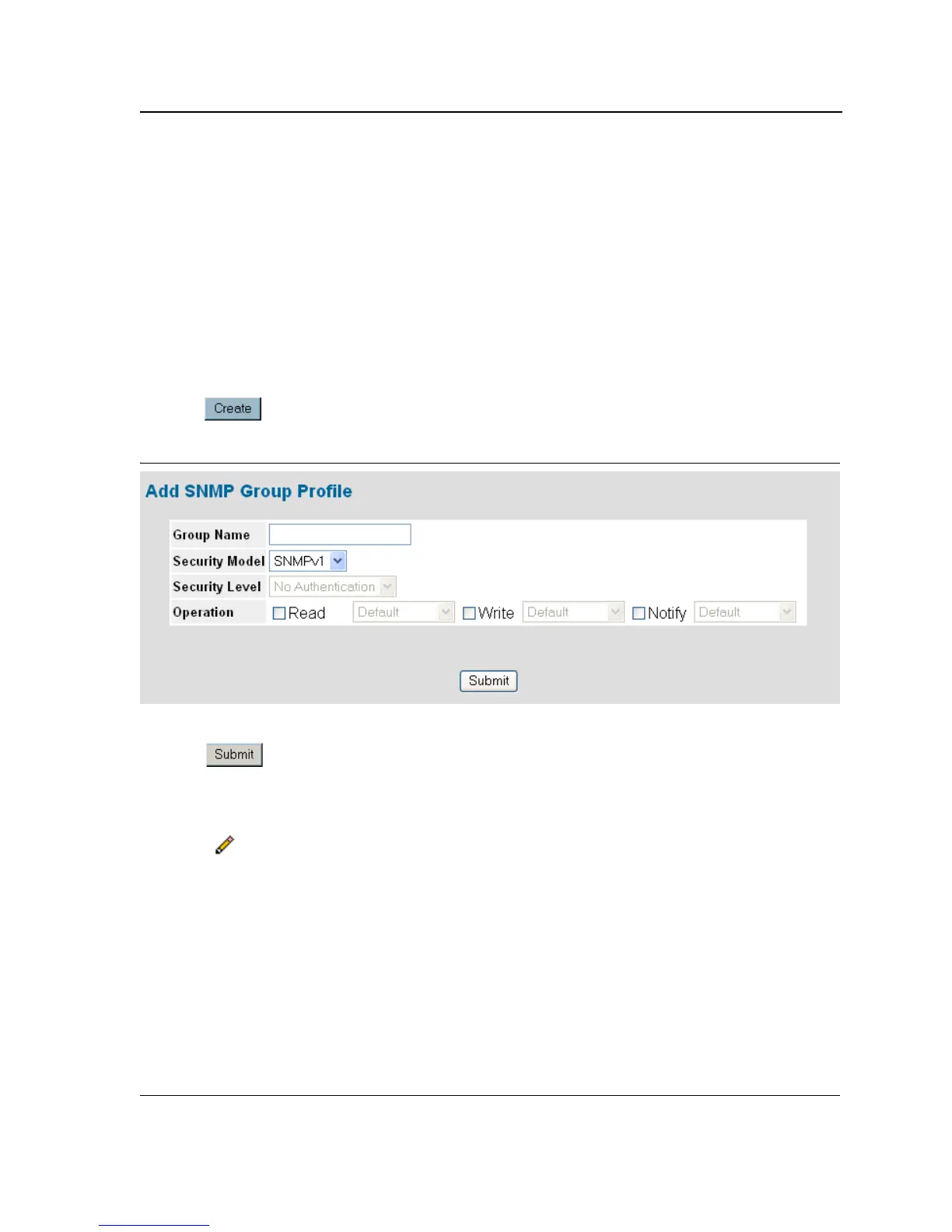
2. Click . The Add SNMP Group Profile Page opens:
Figure 104: Add SNMP Group Profile Page
3. Define the Group Name, Security Model, Security Level, and Operation fields.
4. Click . The SNMP group profile is added, and the device is updated.
To modify SNMP Group Settings:
1. Click System > SNMP > Security > Group Profile. The SNMP Group Profile Page opens.
2. Click . The SNMP Group Profile Settings Page opens:













 To Next Page