D-Link DES-3010FA/GA User Guide
Page 182
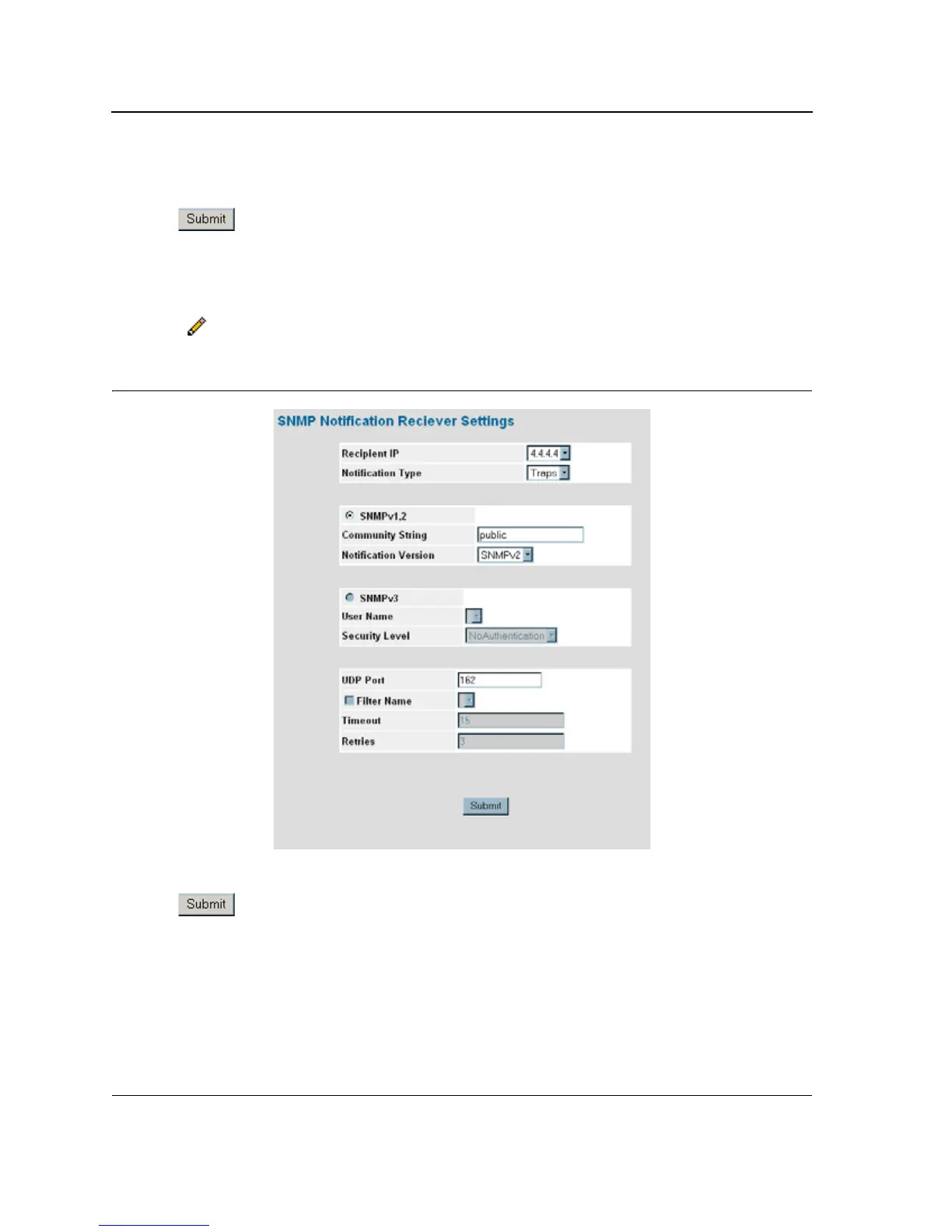
3. Define the Recipient IP, Notification Type, SNMPV1,v2c or SNMPv3, UPD Port, Filter Name, TImeout, and
Retries fields.
4. Click . The SNMP Notification recipients are defined, and the device is updated.
To modify SNMP notification recipients:
1. Click System > SNMP > Notification > Notification Receiver. The SNMP Notification Receiver Page
opens.
2. Click . The SNMP Notification Receiver Settings Page opens:
Figure 117:SNMP Notification Receiver Settings Page
3. Modify the Notification Type, SNMPV1,v2c or SNMPv3, UPD Port, Filter Name, TImeout, and Retries fields.
4. Click . The SNMP notification recipients are defined, and the device is updated.













 To Next Page