Configuring Device Security
Configuring Management Security
Page 77
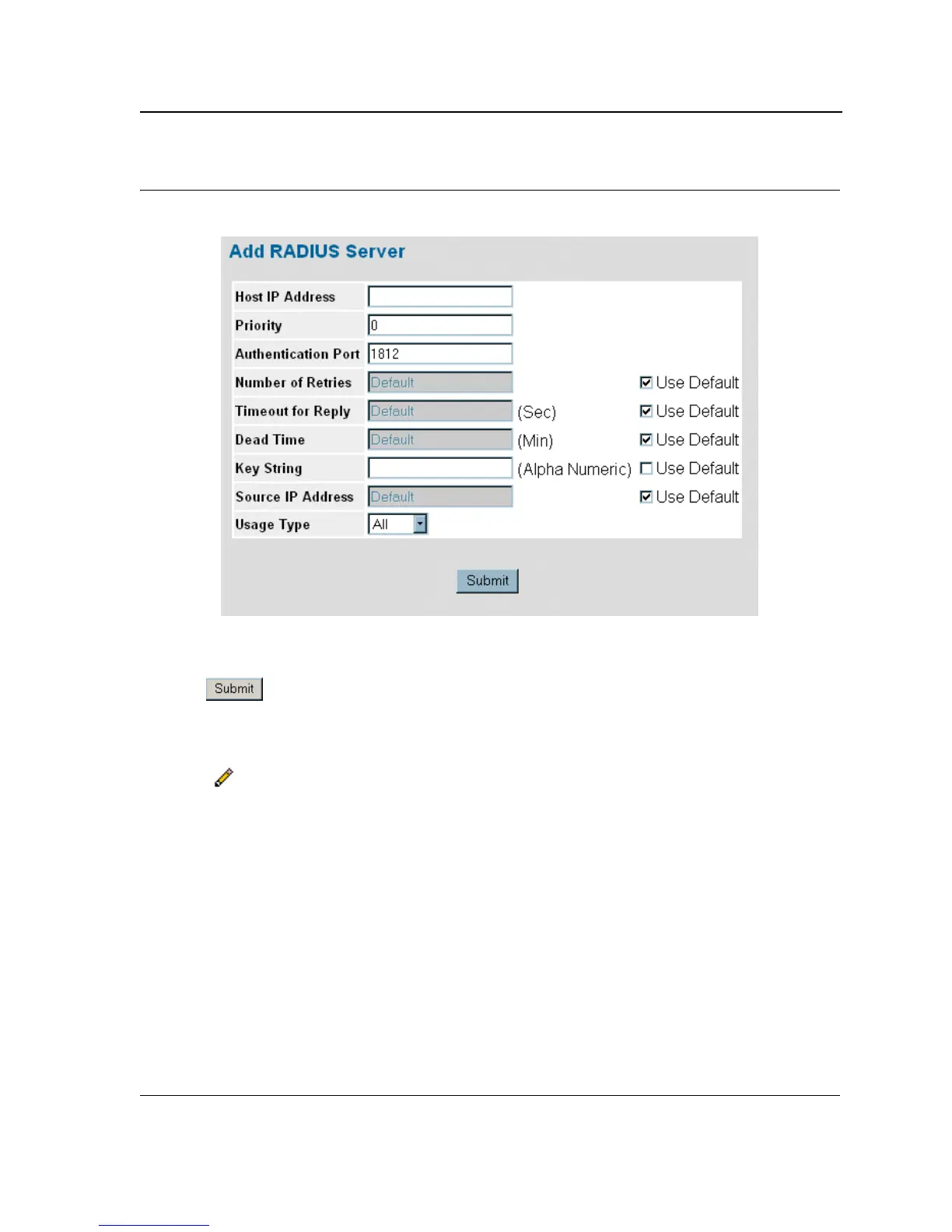
Figure 35: Add Radius Server Page
3. Define the Host IP Address, Priority, Authenticated Port, Timeout for Reply, Dead Time, and Usage Type
fields.
4. Click . The RADIUS server is added, and the device is updated.
To edit RADIUS Server Settings:
1. Click System > Management Security > Authentication > Radius. The RADIUS Page opens.
2. Click . The RADIUS Server Settings Page opens:













 To Next Page