User's Manual
73
page.
Step 1 Select
Setting
>
System
>
Account
>
Onvif User
.
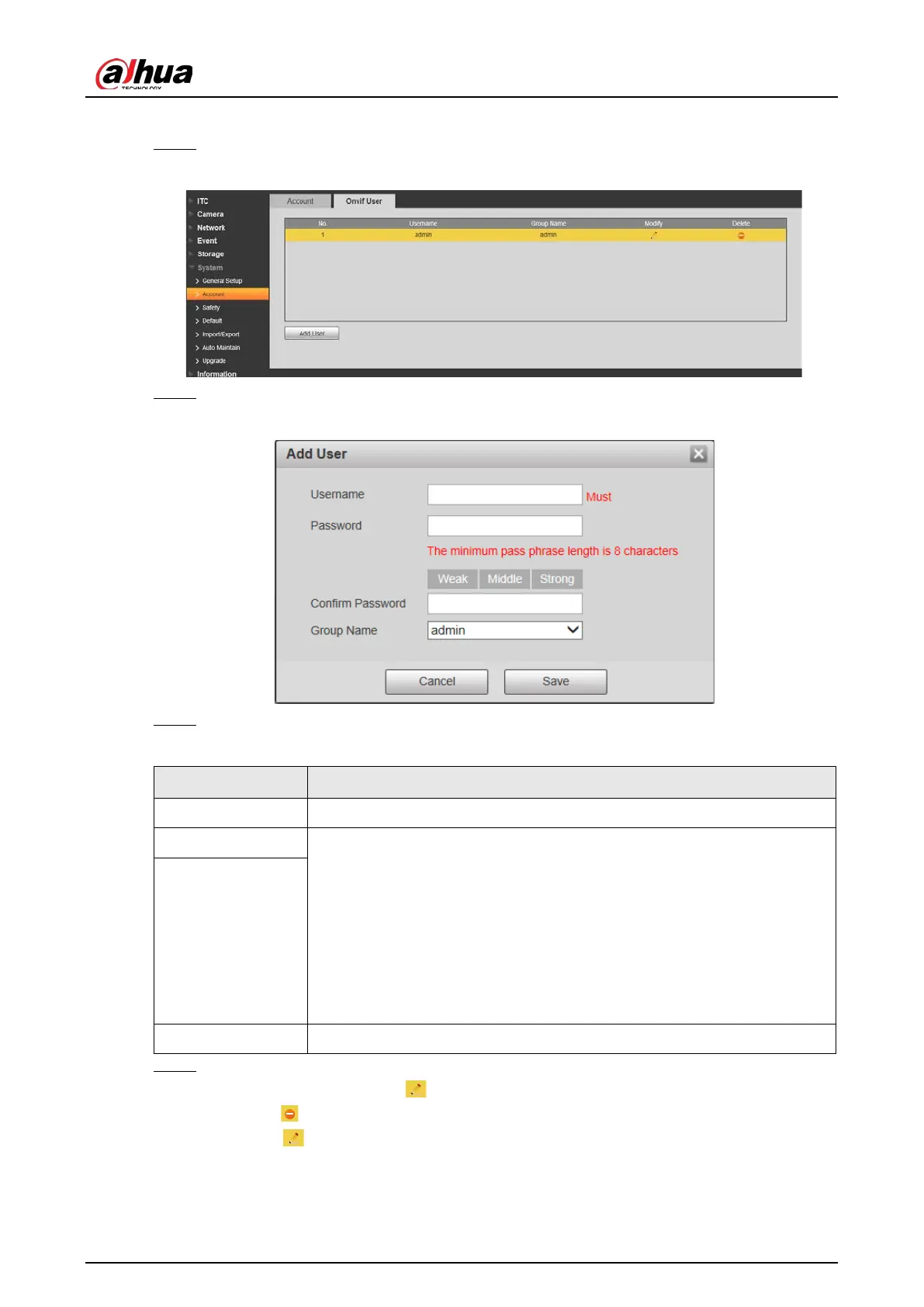
Figure 4-84 Onvif user
Step 2 Click
Add User
.
Figure 4-85 Add user
Step 3 Configure parameters.
Table 4-43 User parameter description
Parameter Description
Username The unique identification of user. You cannot use existing user name.
Password The password of user, and confirm password.
●
The password can be set from 8 characters to 32 nonblank characters,
and contains at least two types from upper case, lower case, number,
and special characters (excluding ' " ; : &)
●
Follow the password security notice to set a high security level
password.
●
The new password should be in accordance with the confirm
password.
Confirm Password
Group Name The group that users belong to. Each group has different authorities.
Step 4 Click
Save
.
●
After adding user, click to change user password, group, memo, and authorities;
click to delete the added user, admin user cannot be deleted.
●
Click in the admin row to modify user name, and email address.


 To Next Page
 Loading...