User's Manual
76
3. Enter the required information such as region, IP or domain name, and then click
Create
.
The entered
IP or Domain name
must be the same as the IP or domain name of the
Camera.
4. Click
Install
under
Request Created
, and then click
Download
to download root
certificate.
The system pops up
Save As
dialog box, select storage path, and then click
Save
.
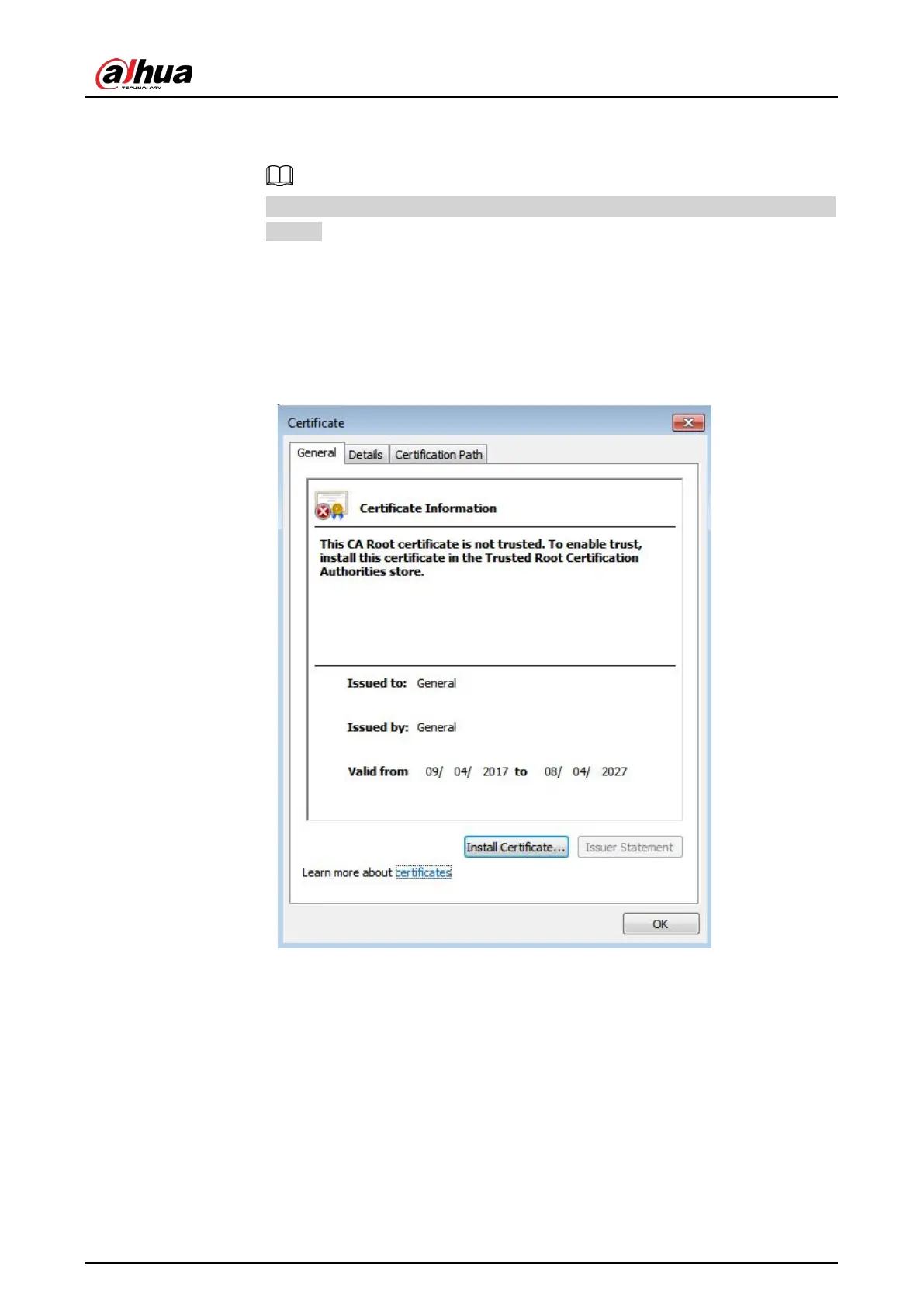
5. Double-click the RootCert.cer icon.
6. Click
Install Certificate…
Figure 4-89 Install certificate
7. Click
Next
.
The
Certificate Store
page is displayed. You can select automatically select the
certificate store based on the type of certificate or place all certificates in custom
certificate store.


 To Next Page
 Loading...