SiEN18-622 Field Setting for SkyAir Indoor Unit
Test Operation 175
4.5.5 Fan Speed Changeover When Thermostat is OFF
By setting to “Set Fan Speed,” you can switch the fan speed to the set fan speed when the
heating thermostat is OFF.
∗ Since there is concern about draft if using “fan speed up when thermostat is OFF,” you should
take the setup location into consideration.
Setting Table
4.5.6 Wireless Setting (Address and MAIN/SUB Setting)
Explanation If several infrared remote control units are used together in the same room (including the case
where both group control and individual remote control control are used together), be sure to set
the addresses for the receiver and infrared remote control. (For group control, see the attached
installation manual for the indoor unit.) If using together with a wired remote control, you have to
change the main/sub setting or the receiver.
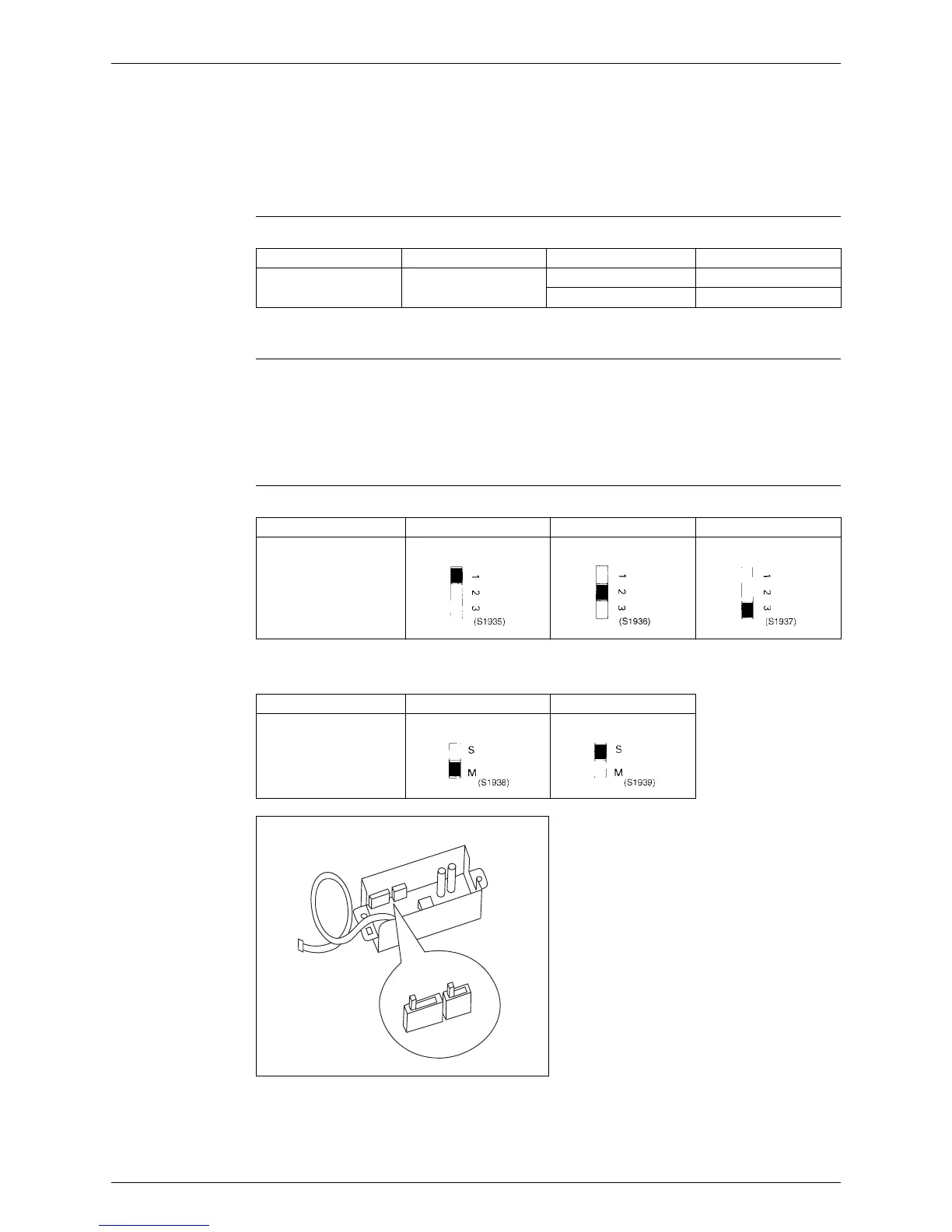
Receiver Setting Set the wireless address switch (SS2) on the transmitter board according to the table below.
When using both a wired and a infrared remote control for 1 indoor unit, the wired controller
should be set to MAIN. Therefore, set the MAIN/SUB switch (SS1) of the transmitter board to
SUB.
After completing setting, seal off the opening of the address switch and the MAIN/SUB switch
with the attached sealing pad.
Mode No. First Code No. Second Code No. Setting
12(22) 3 01 LL Fan Speed
02 Set Fan Speed
Unit No. No.1 No.2 No.3
Wireless Address
Switch (SS2)
MAIN SUB
MAIN/SUB Switch
(SS1)
123 MS
SS2 SS1
(S1940)






 To Next Page