Field Setting for SkyAir Indoor Unit SiEN18-622
176 Test Operation
Address Setting
(It is Factory Set
to “1”)
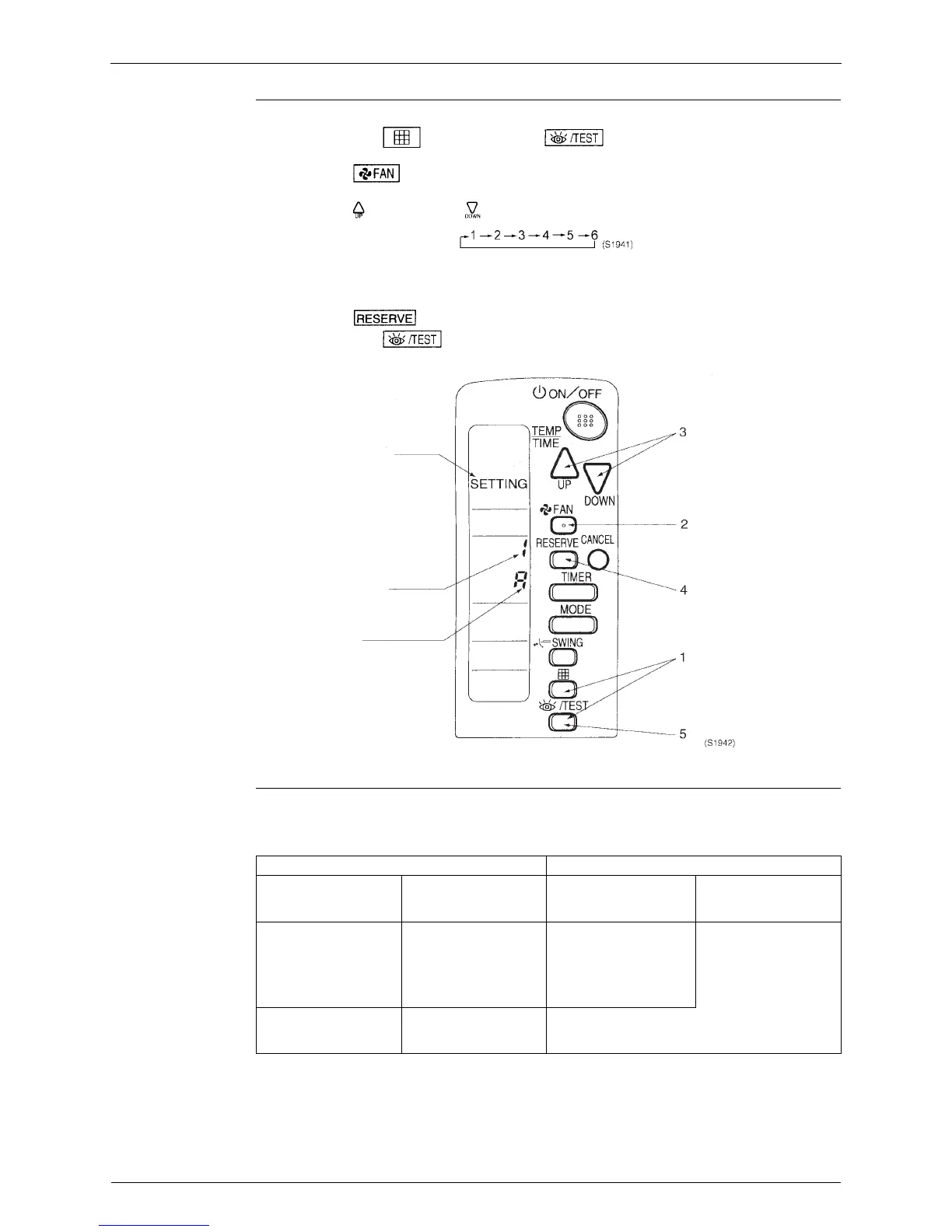
<Setting from the remote control>
1. Hold down the “ ” button and the “ ” button for at least 4 seconds, to get
the FIELD SET MODE. (Indicated in the display area in the figure at below).
2. Press the “ ” button and select a multiple setting (A/b). Each time the button is
pressed the display switches between “A” and “b”.
3. Press the “ ” button and “ ” button to set the address.
Address can be set from 1 to 6, but set it to 1 ~ 3 and to same address as the receiver. (The
receiver does not work with address 4 ~ 6.)
4. Press the “ ” button to enter the setting.
5. Hold down the “ ” button for at least 1 second to quit the FIELD SET MODE and
return to the normal display.
Multiple Settings
A/b
When the indoor is being operating by outside control (central remote control, etc.), it
sometimes does not respond to ON/OFF and temperature setting commands from this remote
control. Check what setting the customer wants and make the multiple setting as shown below.
Mode
Address
Multiple setting
Remote Control Indoor Unit
Multiple Setting Remote Control
Display
Controlled by other Air
Conditioners and
Devices
For other than on Left
A: Standard All items Displayed. Commands other than
ON/OFF and
Temperature Setting
Accepted. (1 LONG
BEEP or 3 SHORT
BEEPS Emitted)
b: Multiple display Operations set only is
displayed shortly after
execution.
All Commands Accepted (2 SHORT BEEPS)






 To Next Page