SiEN18-622 Instruction
System Configuration 215
Notes on louvers angles
Notes on flap angle
To 3-D Airflow
1. 3. Press the “SWING button ” and the “SWING button ”:
the “ ” and “ ” display will light up and the flap and louvers will move in turn.
To cancel 3-D Airflow
2. 4. Press either the “SWING button ” or the “SWING button ”.
ATTENTION
• Always use a remote control to adjust the louvers angles. Inside the air outlet, a fan is rotating at a high speed.
• When “
SWING button
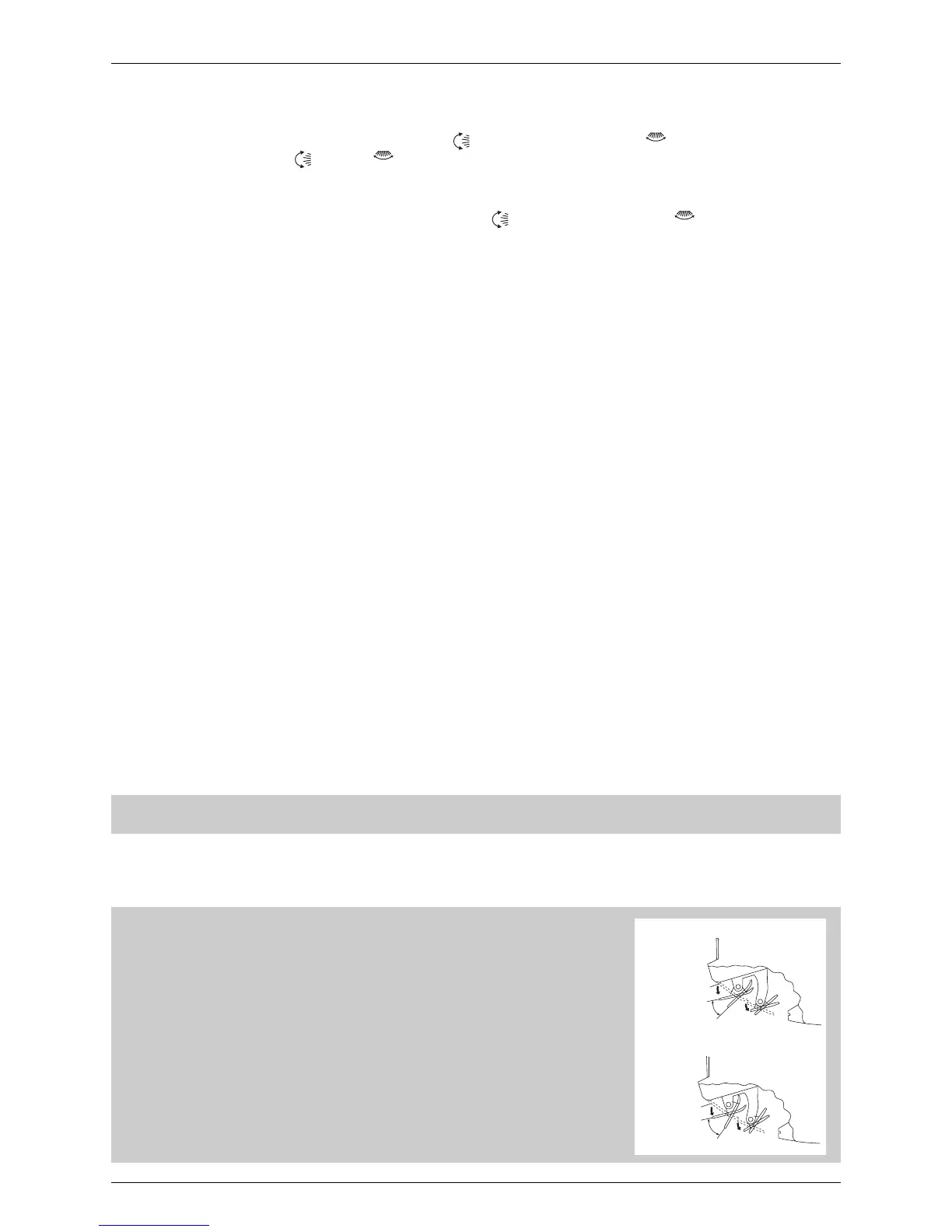
” is selected, the flaps swinging range depends on the
operation mode. (See the figure.)
Three-Dimensional (3-D) Airflow
• Using three-dimensional airflow circulates cold air, which tends to collected at
the bottom of the room, and hot air, which tends to collect near the ceiling,
throughout the room, preventing areas of cold and hot developing.
ATTENTION
• Always use a remote control to adjust the flaps angle. If you attempt to move it
forcibly with hand when it is swinging, the mechanism may be broken.
• Be careful when adjusting the louvers. Inside the air outlet, fan is rotating at a
high speed.
STOP
In COOL or DRY mode
STOP
In HEAT or FAN mode
COOL
approx. 10˚~40˚
DRY
approx. 5˚~35˚
HEAT
approx. 15˚~55˚
FAN
approx. 5˚~55˚






 To Next Page