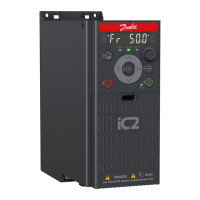
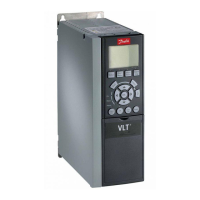
Replace worn or damaged parts with original spare parts. For service and support, contact the local supplier. DrivePro® services extend
the lifetime and increase the performance of iC2-Micro Frequency Converters with commissioning and timely scheduled maintenance
services. DrivePro® services are tailored to applications and operating conditions.
When planning the installation, proper access for service and maintenance needs must be considered. In general, it is recommended to
ensure:
l Access to power cabling and connectors.
l Access to control wiring.
l Access to clean the cooling system (cooling channel and fan filters).
l Access to the port to connect the drive to a PC.
6.6.4 Heat Sink and Fan Maintenance and Service
The heat sink fins pick up dust from the cooling air. If the heat sink is not clean, the drive runs into overtemperature warnings and faults.
When necessary, clean the heat sink.
The lifespan of the cooling fan in the drive depends on the fan running time, ambient temperature, and dust concentration. Selecting the
fan control mode in parameter P 6.5.1 Fan Control Mode and controlling the fan automatically increases the lifespan of the fan. Fan fault
can be predicted by the increase of fan bearing noise. If the drive is running in a critical part of a process, it is recommended to replace
the fan once these symptoms occur.
Fans can be removed from the drive for cleaning. Replacement of fans is also available from Danfoss.
l For the code numbers of replaceable cooling fans, refer to 8.2 Ordering Accessories and Spare Parts.
l For detailed steps on replacing fans, refer to the Fan Replacement Installation Guides for iC2-Micro Frequency Converters.
6.7 Mechanical Installation
6.7.1 Mounting Considerations
When selecting and planning the installation site, observe the following considerations:
l The mounting surface supports the weight of the drive.
l The mounting surface must be non-flammable.
l The drive is installed vertically, but in special cases it can also be mounted in alternate directions. Installing the drive in alternate
directions affects the performance of the drive. For more information, see 6.7.3 Mounting Directions.
l Proper inlet and outlet spacing secures free airflow over the heat sink to enable proper cooling.
l The drives can be mounted side by side to save space in cabinets, or when mounted on walls in control rooms.
l There must be enough space in front of the drive for operating the control panel.
l Ensure proper space for the installation and placement of cables used for connecting the drive.
l
WARNING
SHOCK HAZARD
Touching an uncovered motor, mains, or DC connection plug or terminal can result in death or serious injury.
l All plugs and terminal protection covers for the motor, mains, and DC connections must be installed
within the IP20 enclosure to provide an IP20 protection rating. If plug and terminal covers are not
installed, the protection rating is considered IP00.
l To remove covers or open doors for service access, enough space must be left in front of the drive.
68 | Danfoss A/S © 2024.08 AJ402315027937en-000401 / 130R1239
Design Guide | iC2-Micro Frequency Converters Mechanical Installation Considerations


 To Next Page