NOTE:
The handles in front control panel are not intended to lift the system.
Control panel
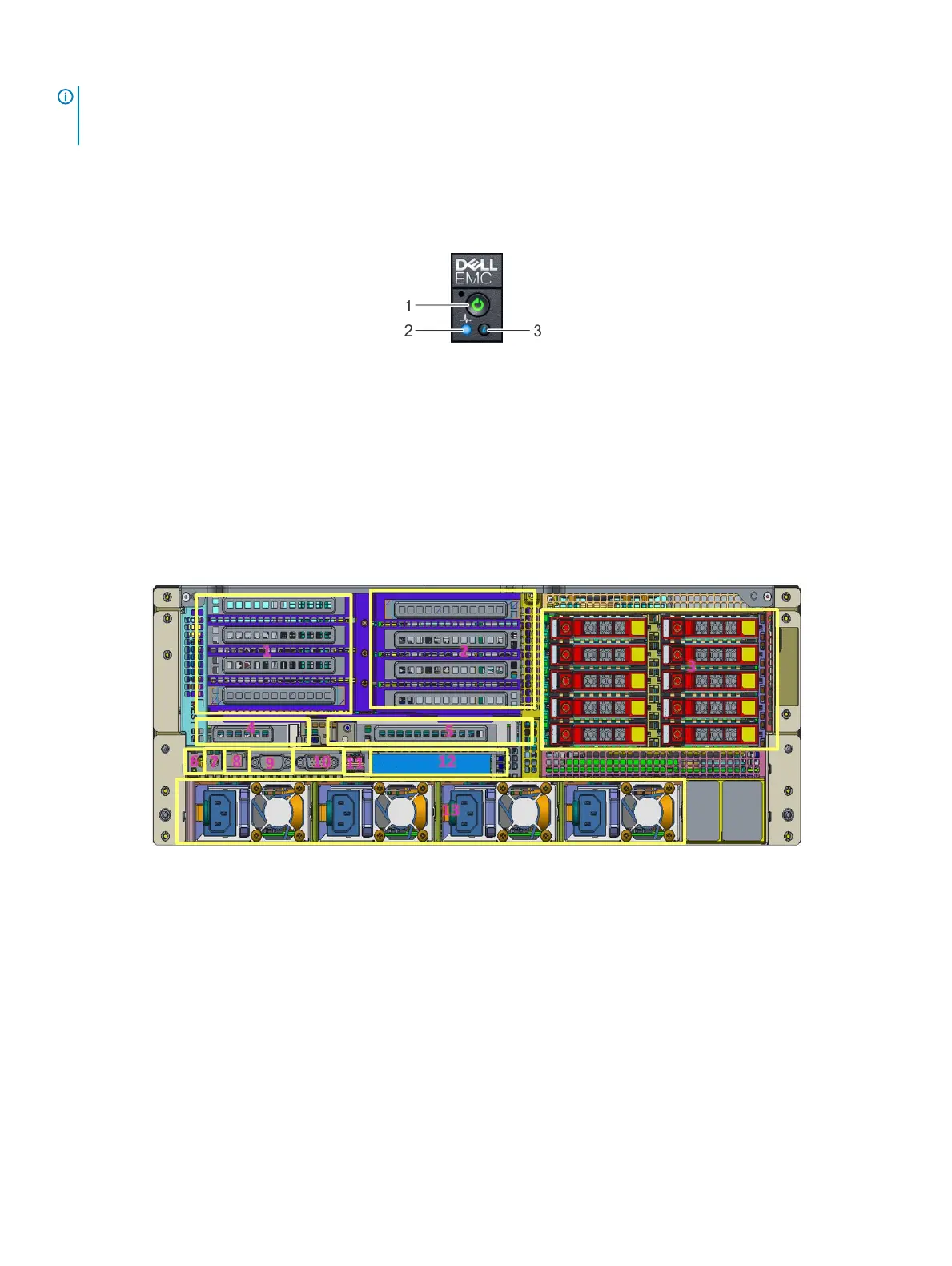
Figure 4. Right control panel view
1 Power-on indicator/power button 2 System-health indicator
3 System identication button
Rear view of the system
Figure 5. Rear view of the system
1
Slots-4, 5, 14, 15 2 Slots-[19..16]
3 Drive-[0..9] 4 Slot-1
5 Slot-3 6 ID
7 Power-Jack 8 RJ45
9 DB9 10 DB15
11 2x USB-3.0 12 2x RJ45 + 2xSFP+
13 Power Supply 1 to 4
10 Dell EMC DSS8440 system overview















 To Next Page