Front control module
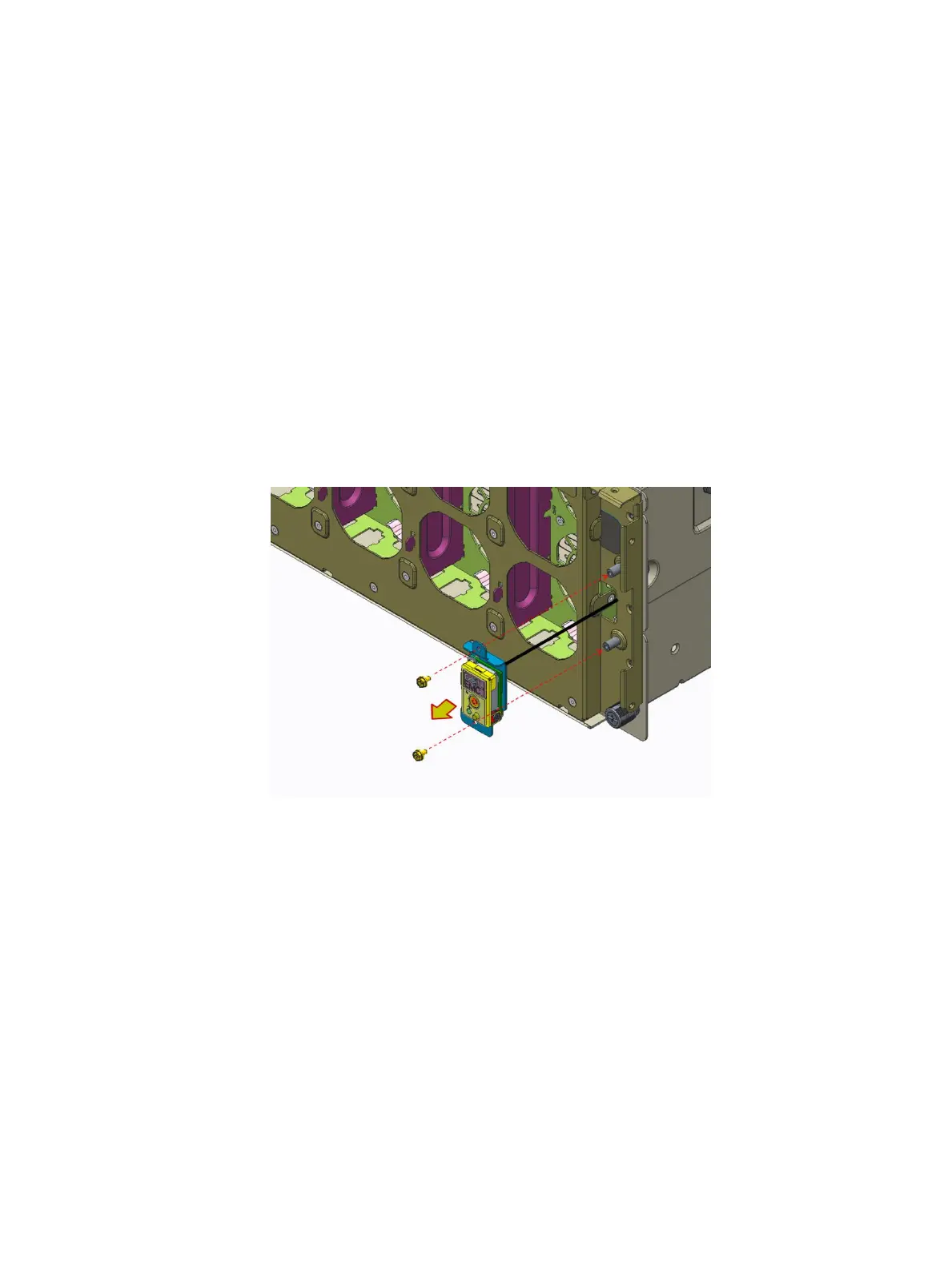
Removing the front control module
Prerequisites
1 Follow the safety guidelines listed in Safety instructions.
2 Follow the procedure listed in Before working inside your system.
3 Remove the following:
a System cover.
b Front bezel
c Buttery module
Steps
1 Disconnect front control module cable from system board.
2 Loosen the two screws.
3 Lift the front control module from the fan cage.
Figure 69. Removing the front control module
Next step
1 Install the front control module.
Installing the right control panel
Prerequisite
1 Follow the safety guidelines listed in Safety instructions.
Steps
1 Install the front control module into the chassis.
2 Secure the front control module using two screws.
Installing and removing system components
87















 To Next Page