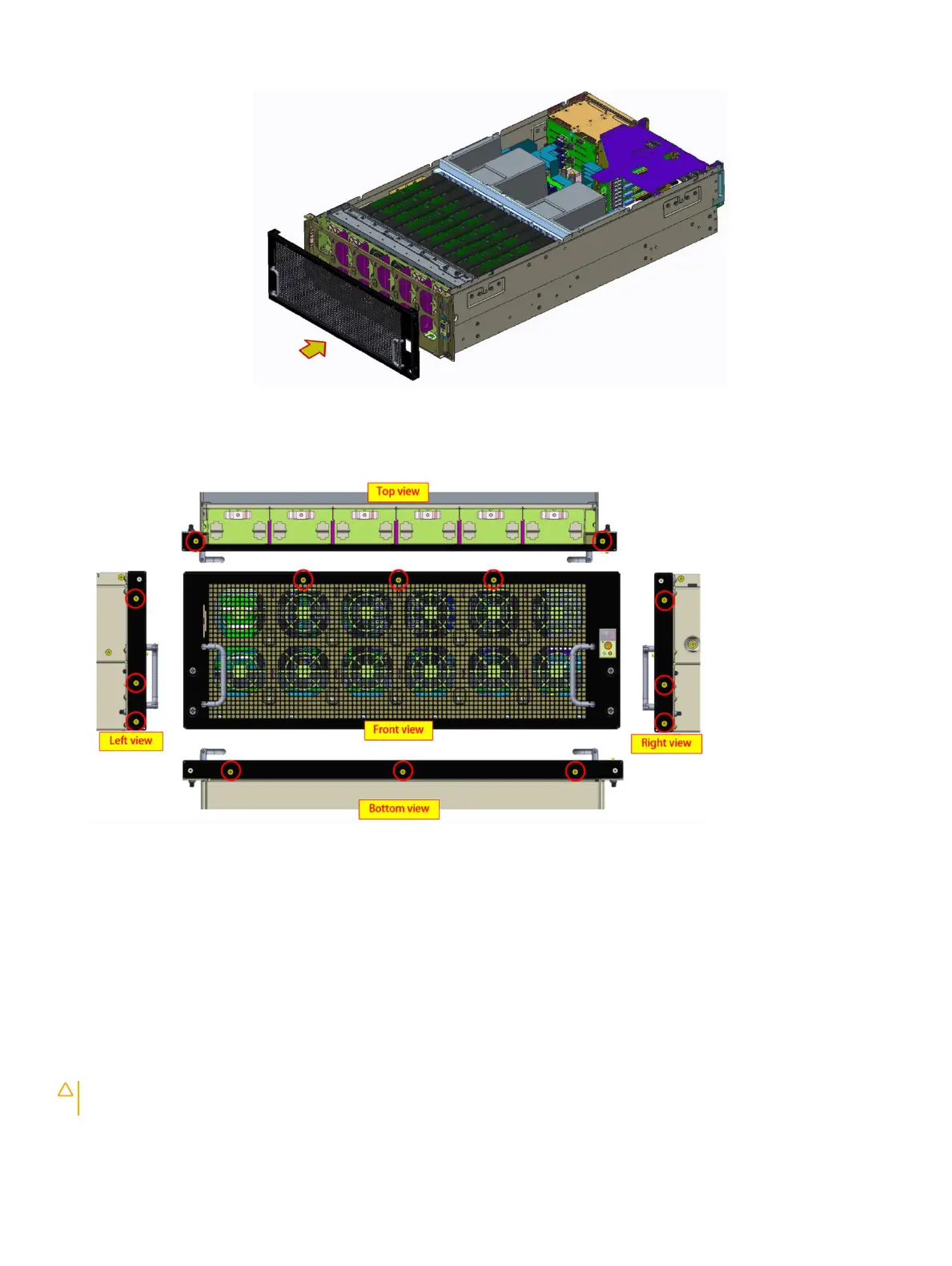
Figure 13. Installing the front bezel
2 Tighten the screws to secure the front bezel to the fan cage.
Next steps
1 Install the system cover
2 Follow the procedure listed in After working inside your system
Air shroud
Removing the air shroud
Prerequisites
CAUTION
: Never operate your system with the air shroud removed. The system may get overheated quickly, resulting in
shutdown of the system and loss of data.
1 Follow the safety guidelines listed in Safety instructions.
46
Installing and removing system components















 To Next Page