Installing the system board tray module
Prerequisite
1 Follow the safety guidelines listed in Safety instructions.
Steps
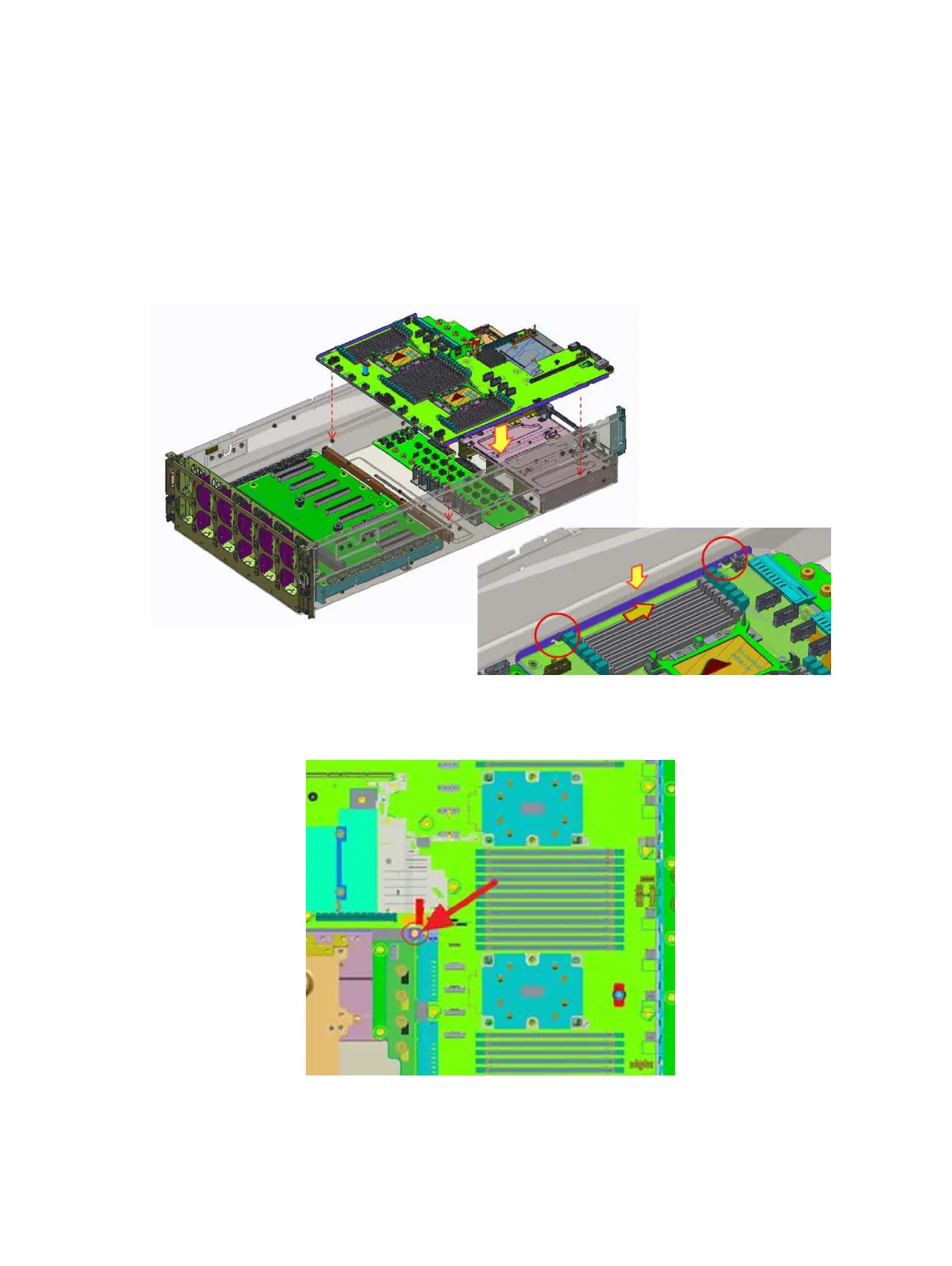
1 Align the location pin to install system board tray module.
2 Slide the system board tray to T stando and make sure the T stando can x system board tray exactly.
Figure 57. Installing the drive backplane
3 To tighten the screw at the red mark position.
Figure 58. Tighten one screw
78
Installing and removing system components















 To Next Page