Next steps
1 Install the buttery module.
2 Install the top cover.
3 Follow the procedure listed in After working inside your system.
4 While booting, press F2 to enter the System Setup and ensure that the battery is operating properly.
5 Enter the correct time and date in the System Setup Time and Date elds.
6 Exit the System Setup.
Power distribution board
Removing the power distribution board
Prerequisites
1 Follow the safety guidelines listed in Safety instructions.
2 Follow the procedure listed in Before working inside your system.
3 Remove the following:
a Remove the system cover.
b Remove the power supplies..
c Remove the air shroud.
d Remove the system board tray module
e Disconnect all the cables from the power distribution board.
Steps
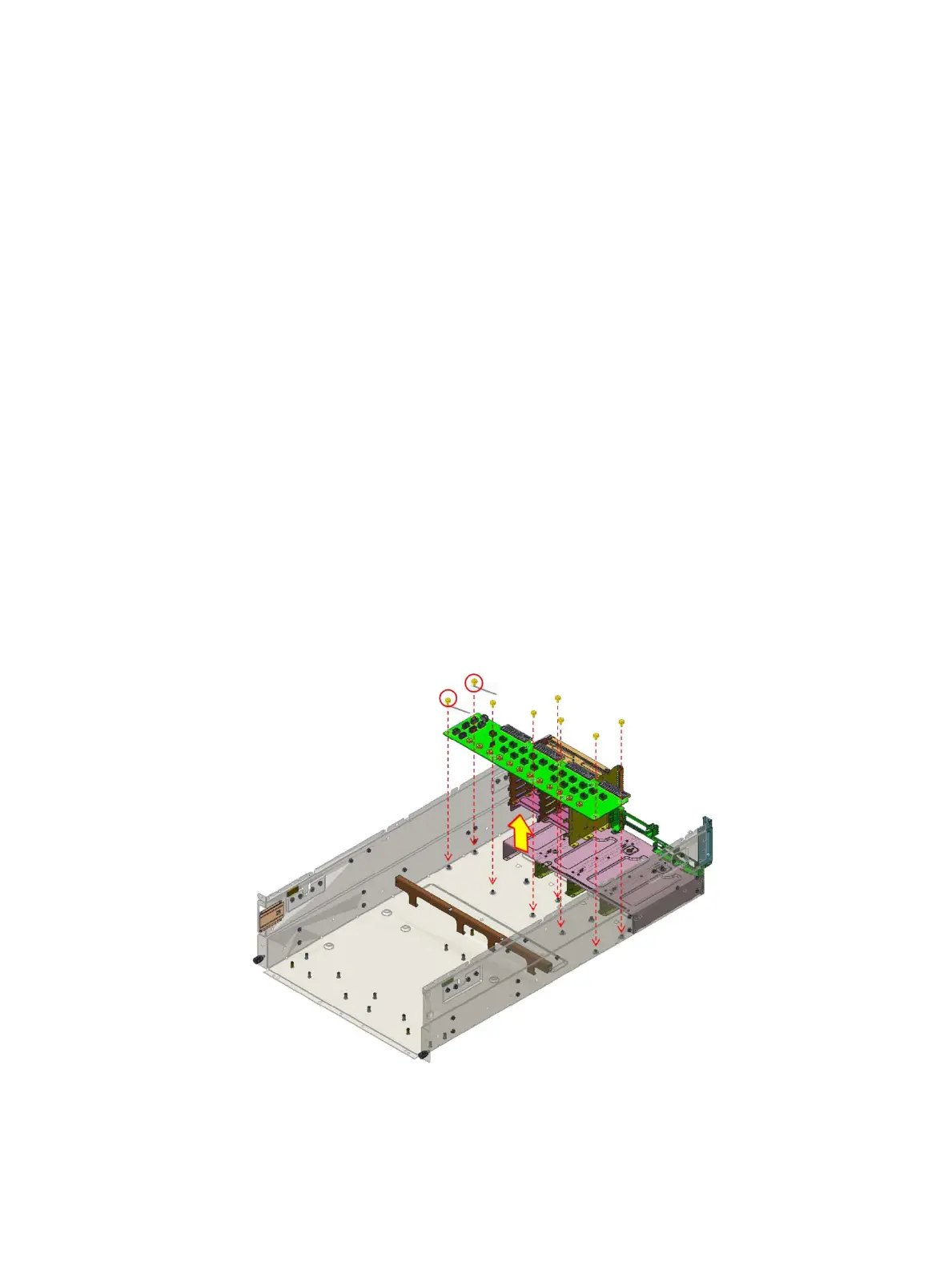
1 Remove the eighteen screws securing the power interposer board to the system board chassis.
2 Lift the power distribution board from the system chassis.
Figure 65. Removing power distribution board
Installing and removing system components
83















 To Next Page