Steps
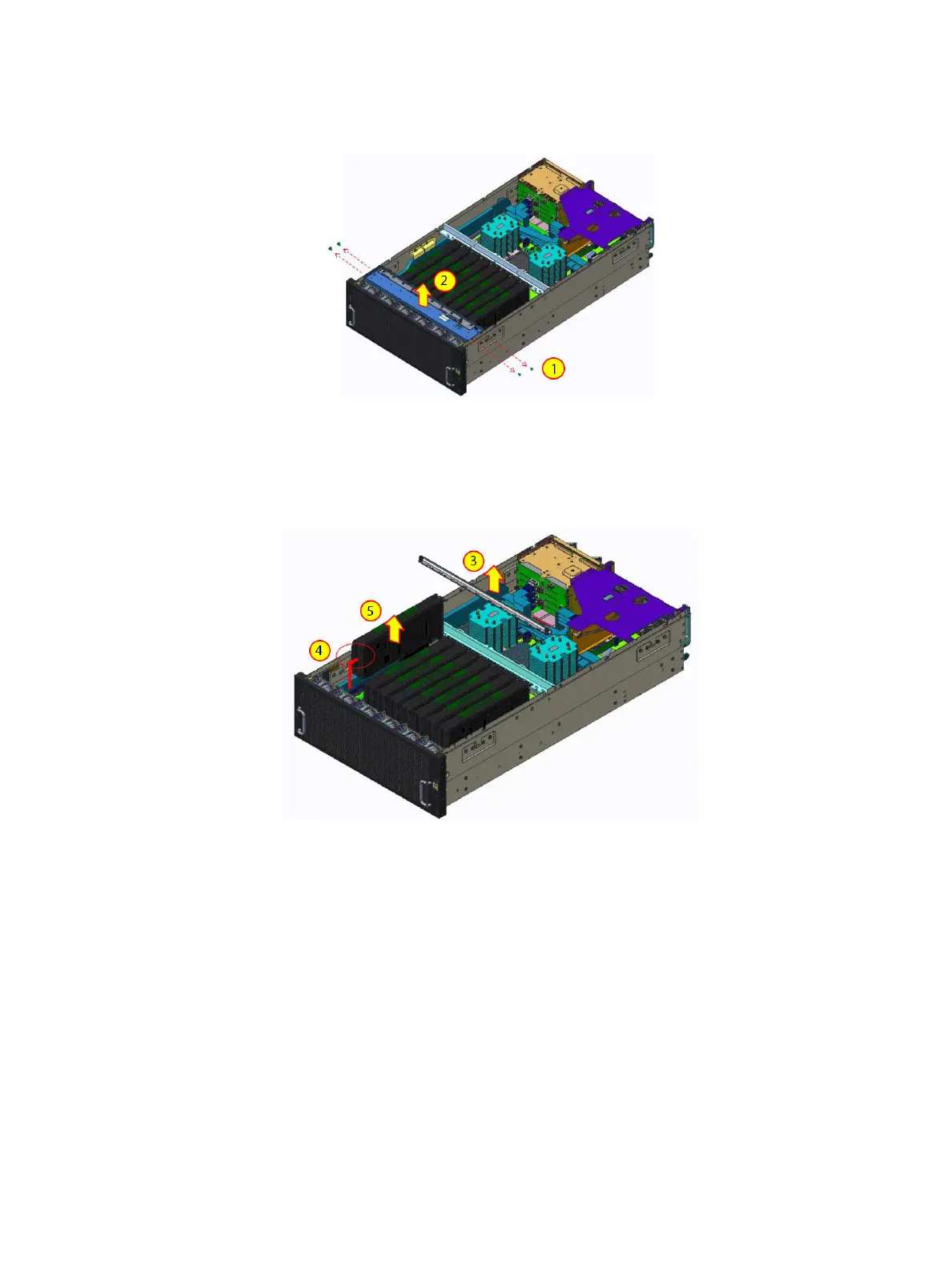
1 Remove the screws securing the GPU clamp.
2 Lift the GPU clamp from the system.
Figure 24. Removing the GPU clamp
3 Release two captive plungers on the GPU holding bracket and slide sideway to lift it from the system
4 Disconnect power cable from GPU card
5 Lift the GPU card from the system.
Figure 25. Removing GPU card
Installing a GPU
Prerequisite
1 Follow the safety guidelines listed in Safety instructions.
Steps
1 Insert the GPU card into chassis.
2 Connect the GPU card power cable.
3 Slide the GPU holding bracket and until the captive plunger secure the GPU support bracket.
54
Installing and removing system components















 To Next Page