System cover
Removing the system cover
Prerequisites
1 Follow the safety guidelines listed in Safety instructions.
2 Power o the system and all attached peripherals.
3 Disconnect the system from the electrical outlet and disconnect the peripherals.
Steps
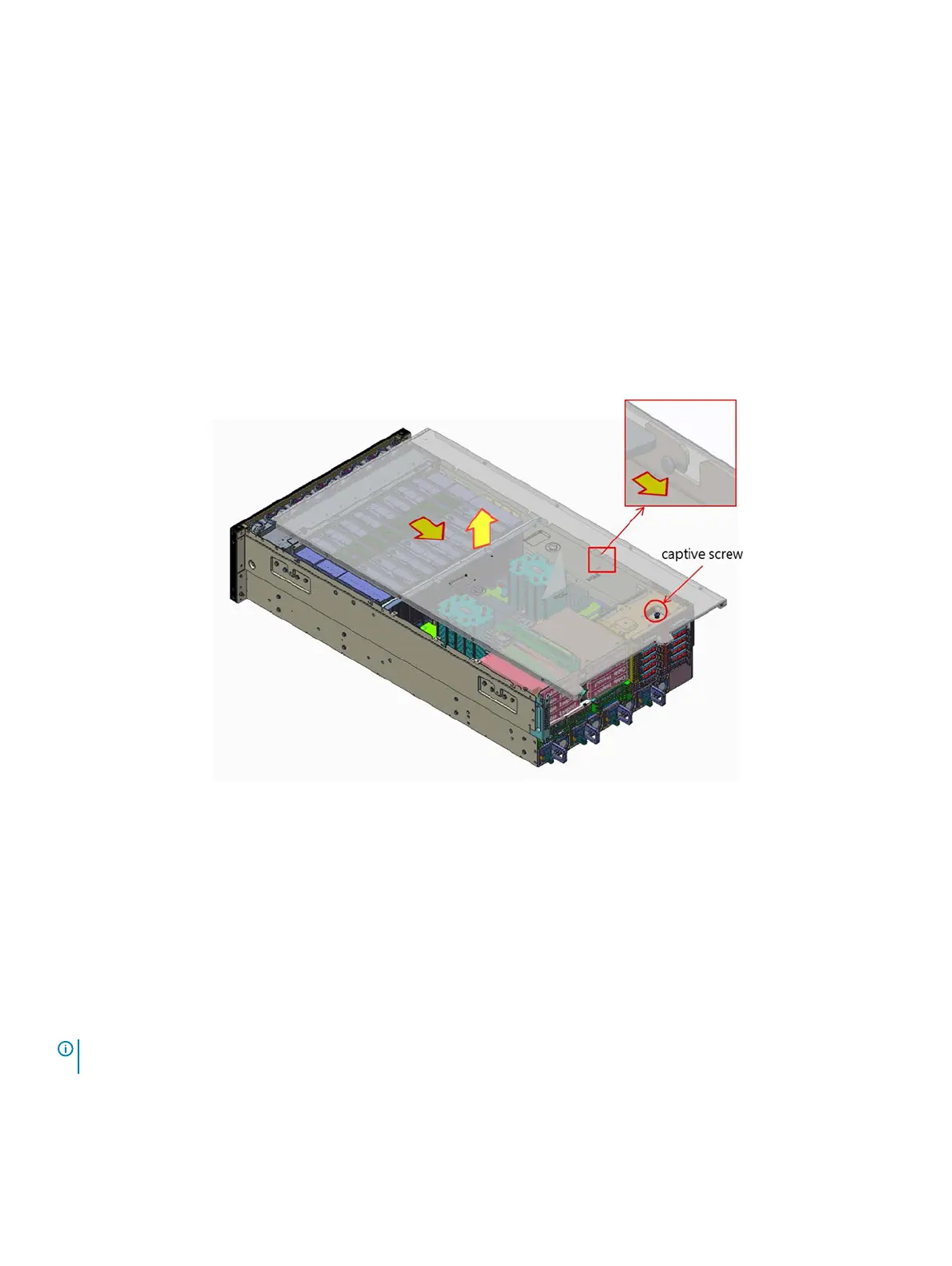
1 Loosen and remove the captive screw on the system cover
2 Slid the system cover backwards and lift the cover from the system.
Figure 9. Removing the system cover
Next step
Install the system cover.
Installing the system cover
Prerequisite
1 Follow the safety guidelines listed in Safety instructions.
NOTE
: Ensure that all internal cables are connected and placed out of the way and no tools or extra parts are left inside the
system.
Steps
1 Align the tabs on the system cover with the guide slots on the chassis.
2 Tighten the captive screw.
Installing and removing system components
43















 To Next Page