Icon Indicator, button,
or connector
Description
NOTE: On APCI-compliant operating system, turning o the system using
power button causes the system to perform a graceful shutdown before power
to the system is turned o.
Health indicator Indicates the health of the system.
• If the system is powered on and in good health, the indicator lights solid blue. No
corrective action is required.
• The indicator blinks amber if the system is on or in standby, and if any error exists (For
example, a failed fan). See the System Event Log or system messages for the specic
issue. For information about the event and error messages generated by the system
rmware and agents that monitor system components, see the Error Code Lookup
page at qrl.dell.comInvalid memory congurations can cause a blank screen or no
video output. See the Getting help section.
System
identication
button
The identication button on the front and back panels can be used to locate a particular
system within a rack. When one of these buttons is pressed, the corresponding system
identication button on the back ashes until one of the buttons is pressed again.
Press the system identication button to turn the system ID on or o.
If the system stops responding during POST, press and hold the system ID button for
more than ve seconds to enter BIOS progress mode.
To reset iDRAC (if not disabled in F2 iDRAC setup), press and hold the button for more
than 15 seconds.
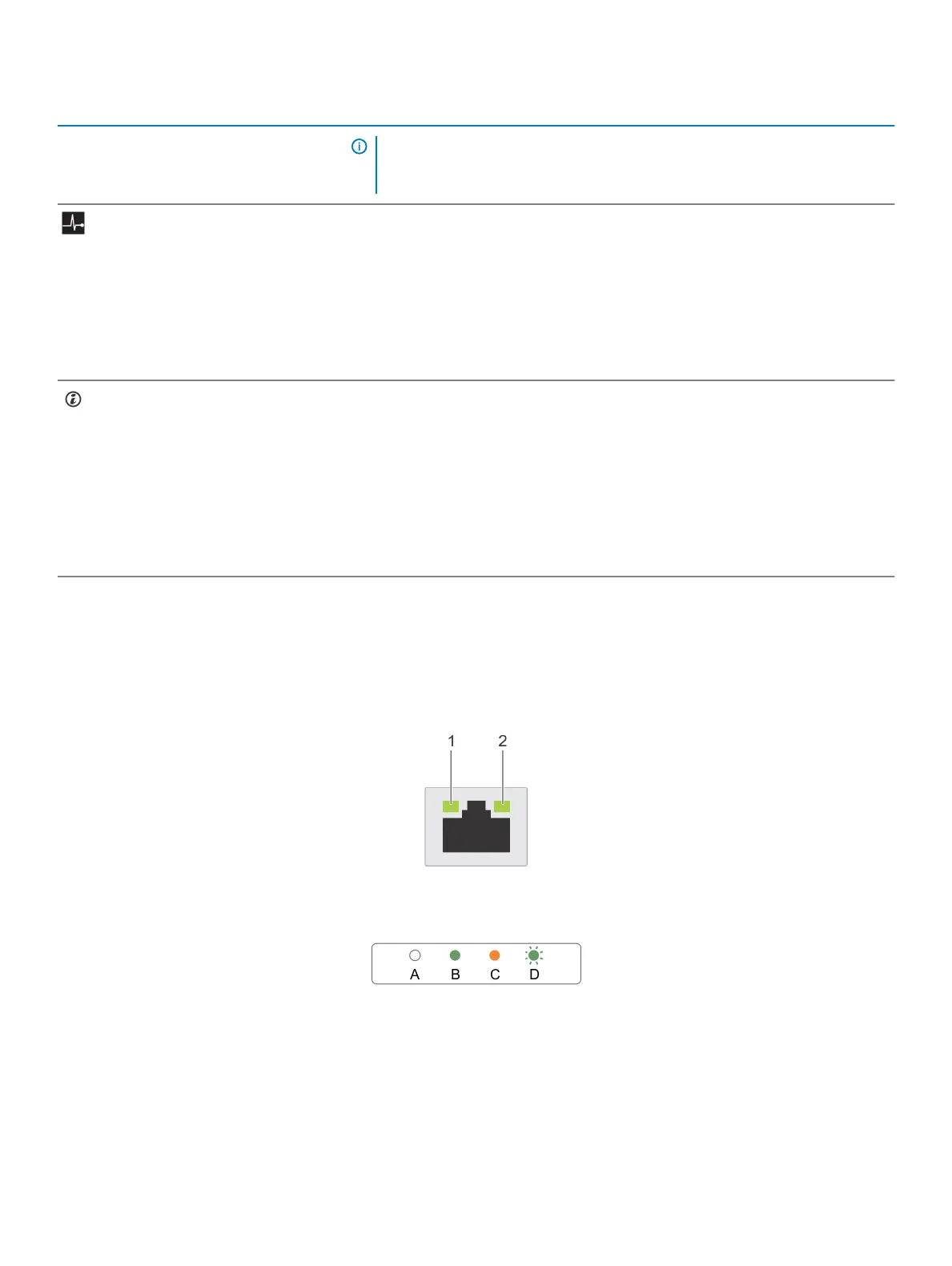
NIC indicator codes
Each NIC on the back panel has an indicator that provides information about the network activity and link status. The activity LED indicates
whether the NIC is connected or not. The link LED indicates the speed of the connected network.
Figure 7. NIC indicators
1
link indicator 2 activity indicator
16 Technical specications















 To Next Page