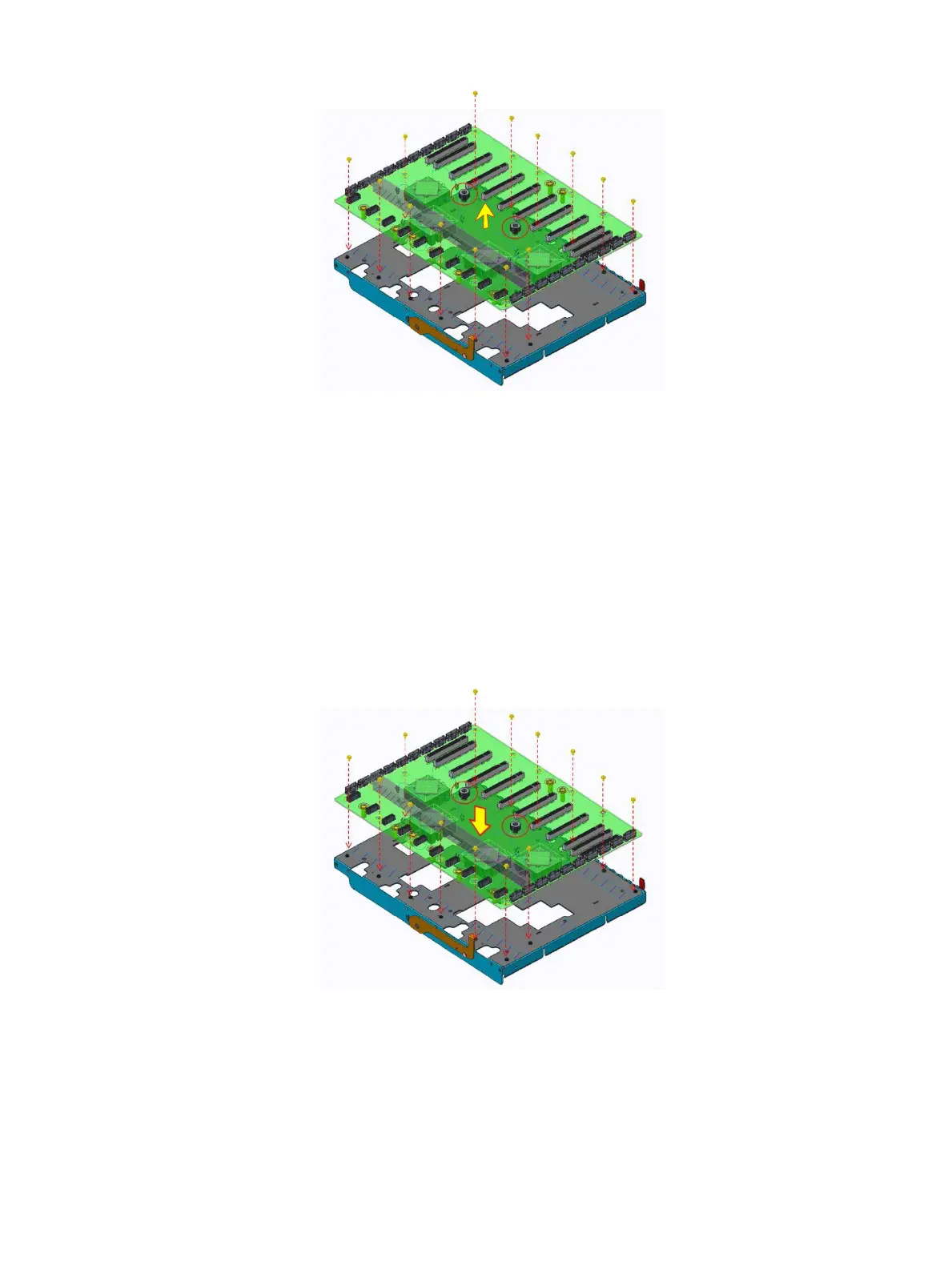
Figure 32. Remove the screws securing the PCIe switch board
5 Lift the PCIe switch board from the GPU base.
Installing the PCIe switch board
Prerequisite
1 Follow the safety guidelines listed in Safety instructions.
Steps
1 Insert the PCIe switch board into GPU base.
2 Secure xing the PCIe switch board by fourteen screws and tighten the two captive screws.
Figure 33. Installing the PCIe switch board
3 Insert the PCIe switch board module into chassis.
4 Insert the two levers at the front and rear side of the PSB module.
Installing and removing system components
59















 To Next Page