Fan cage
Removing the fan cage
Prerequisites
1 Follow the safety guidelines listed in Safety instructions.
2 Follow the procedure listed in Before working inside your system.
3 Remove the system cover.
4 Remove the PCIe switch board module.
5 Remove the air shroud.
6 Remove the GPU support bracket.
7 Remove the system board tray module.
8 Remove the front control module.
9 Disconnect fan cables from the power distribution board.
Steps
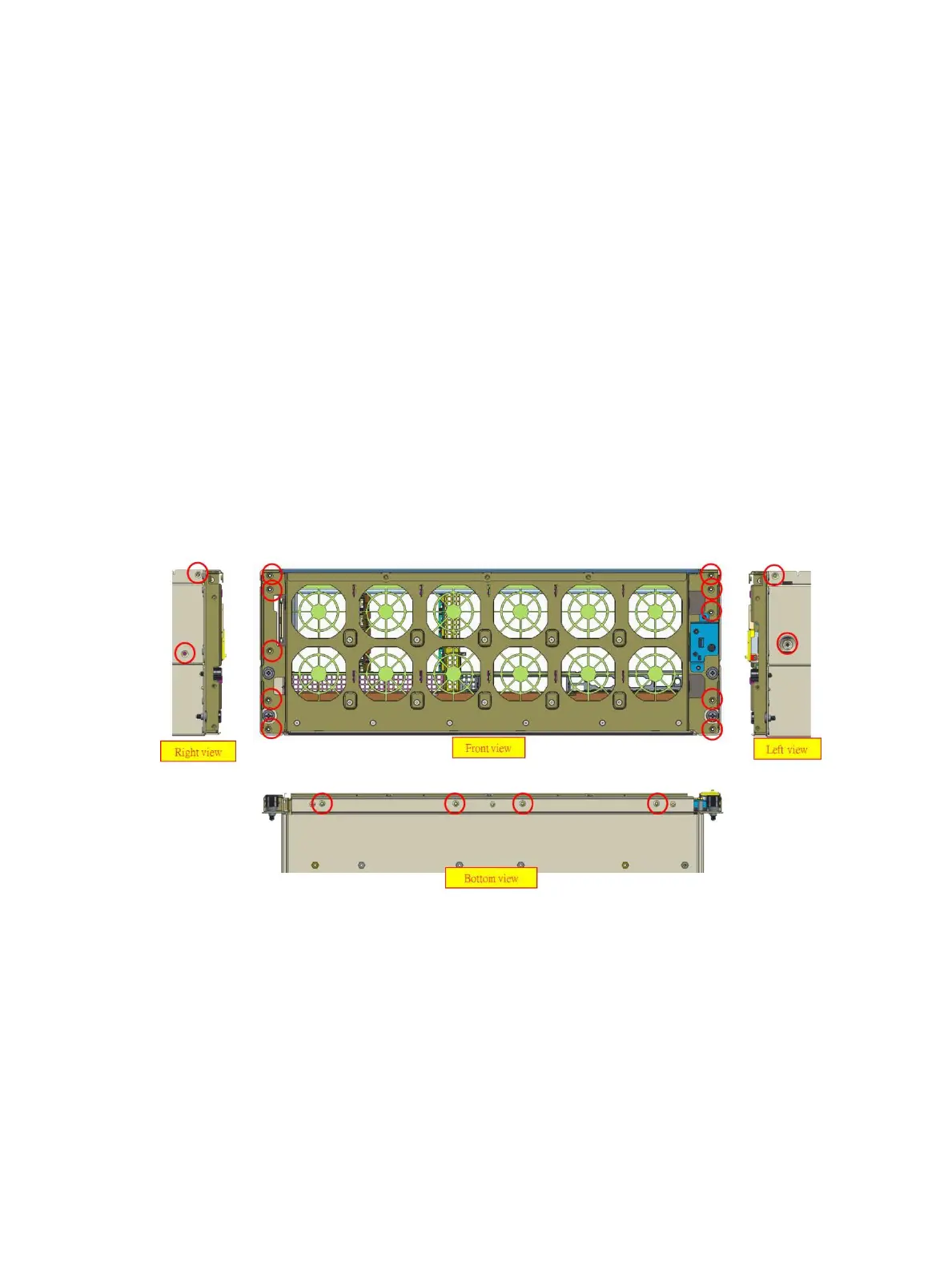
1 Remove the sixteen screws securing the fan cage to the system chassis.
2 Lift the fan cage out of the system chassis.
3 Disconnect the fan cables from the fan cage. For more information, see fan cable assembly to fan bracket cable routing.
Figure 74. Removing the fan cage
Next step
1 Install the fan cage
Installing the fan cage
Prerequisite
1 Follow the safety guidelines listed in Safety instructions.
92
Installing and removing system components















 To Next Page