4 Follow the procedure listed in After working inside your system
Backup battery
Replacing the backup battery
Prerequisites
CAUTION: Dispose the battery according to local ordinance.
NOTE: You will need to run the BIOS Setup to restore the conguration settings to the RTC.
1 Follow the safety guidelines listed in Safety instructions.
2 Follow the procedure listed in Before working inside your system.
3 Remove the system cover.
4 Remove the buttery module.
Steps
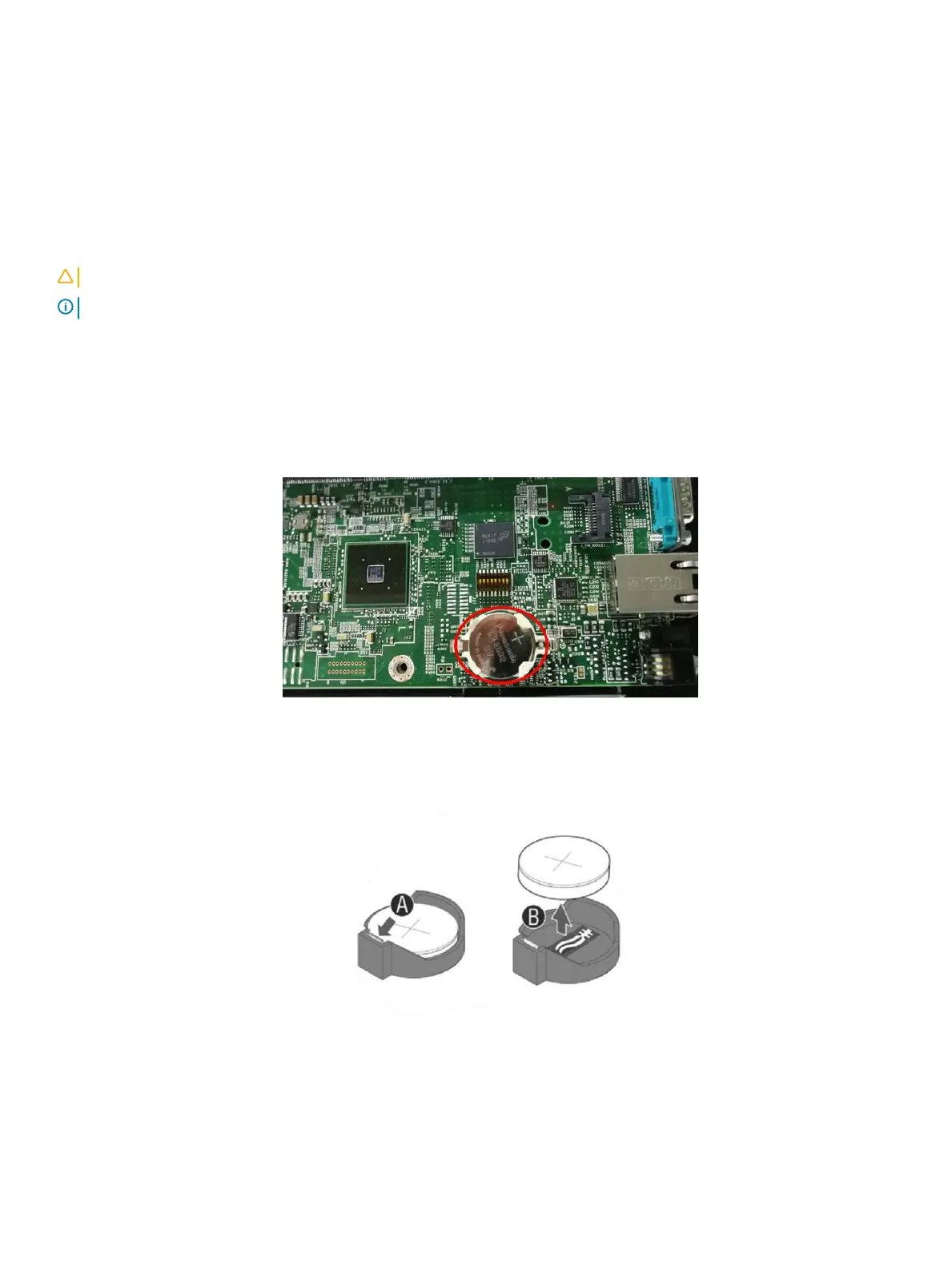
1 Locate the battery on the server board.
Figure 63. Locate the battery on the server board
2 Gently press the metal clip as shown to release the battery.
3 Remove the battery from the plastic socket.
Figure 64. Replacing the backup battery
4 Dispose of the battery according to local ordinance.
5 Remove the new lithium battery from its package, and, being careful to observe the correct polarity, insert it in the battery socket.
82
Installing and removing system components















 To Next Page