Steps
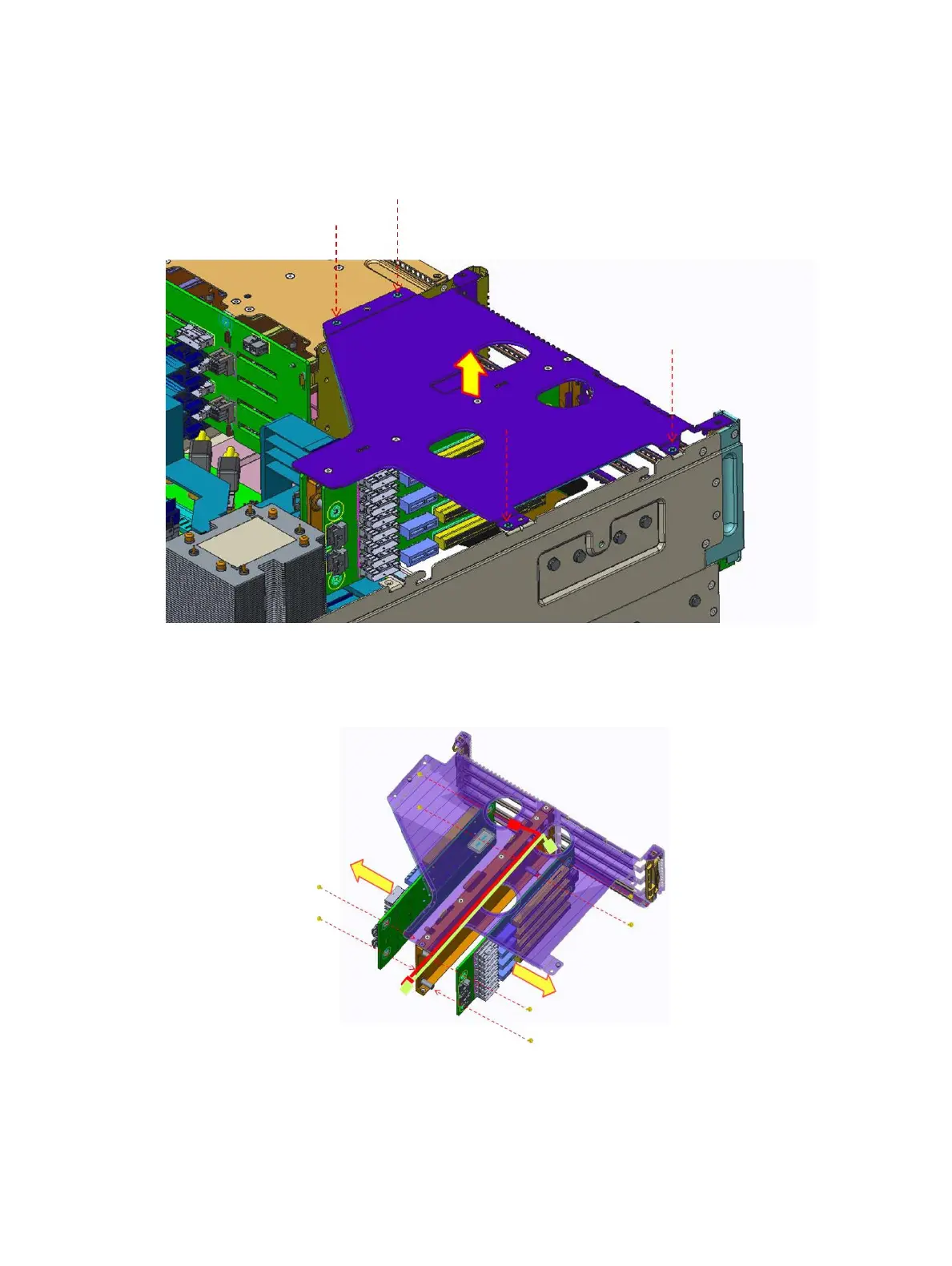
1 Remove the four screws securing the buttery module.
2 Disconnect all the cables and release the cable ties.
Remove 3M cable start from the bottom as the cable release latch facing the bottom of the buttery module.
3 Lift the buttery module from the system.
Figure 38. Removing the buttery module
4 Remove the eight screws securing both the riser 3 board
5 Lift the riser 3 board from the riser bracket.
Figure 39. Removing the riser 3 board
Next step
Install the riser 3 board.
Installing and removing system components
63















 To Next Page