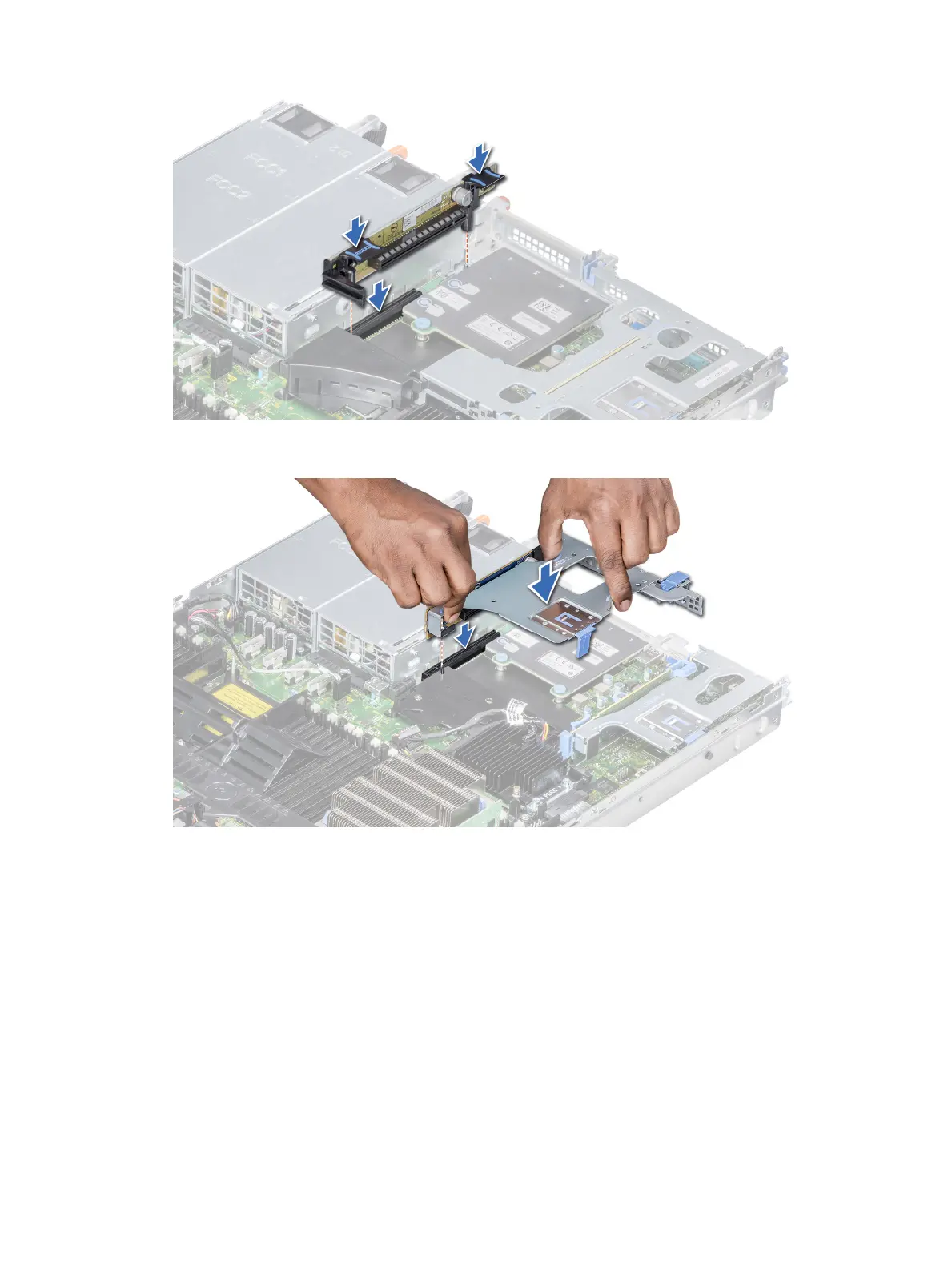
Figure 52. Installing the expansion riser 2A
Figure 53. Installing the expansion riser 2B
Next steps
1 Follow the procedure listed in After working inside your system.
2 Install any device drivers required for the card as described in the documentation for the card.
Removing expansion card from the expansion card riser
Prerequisites
1 Follow the safety guidelines listed in Safety instructions.
2 Follow the procedure listed in Before working inside your system.
3 If applicable, remove the air shroud.
110
Installing and removing system components















 To Next Page