Next steps
1 Reconnect all the disconnected cables to the rear drive backplane.
2 Install all the drives.
3 Follow the procedure listed in After working inside your system.
System battery
Replacing the system battery
Prerequisites
WARNING: There is a danger of a new battery exploding if it is incorrectly installed. Replace the battery only with the same or
equivalent type recommended by the manufacturer. For more information, see the safety information that shipped with your
system.
1 Follow the safety guidelines listed in Safety instructions.
2 Follow the procedure listed in Before working inside your system.
3 If applicable, disconnect the power or data cables from expansion card(s) in the expansion card riser 1A.
4 Remove the low prole or full height X1 expansion card riser 1A.
Steps
1 Locate the battery socket.For more information, see the System board jumpers and connectors section.
CAUTION
: To avoid damage to the battery connector, you must rmly support the connector while installing or
removing a battery.
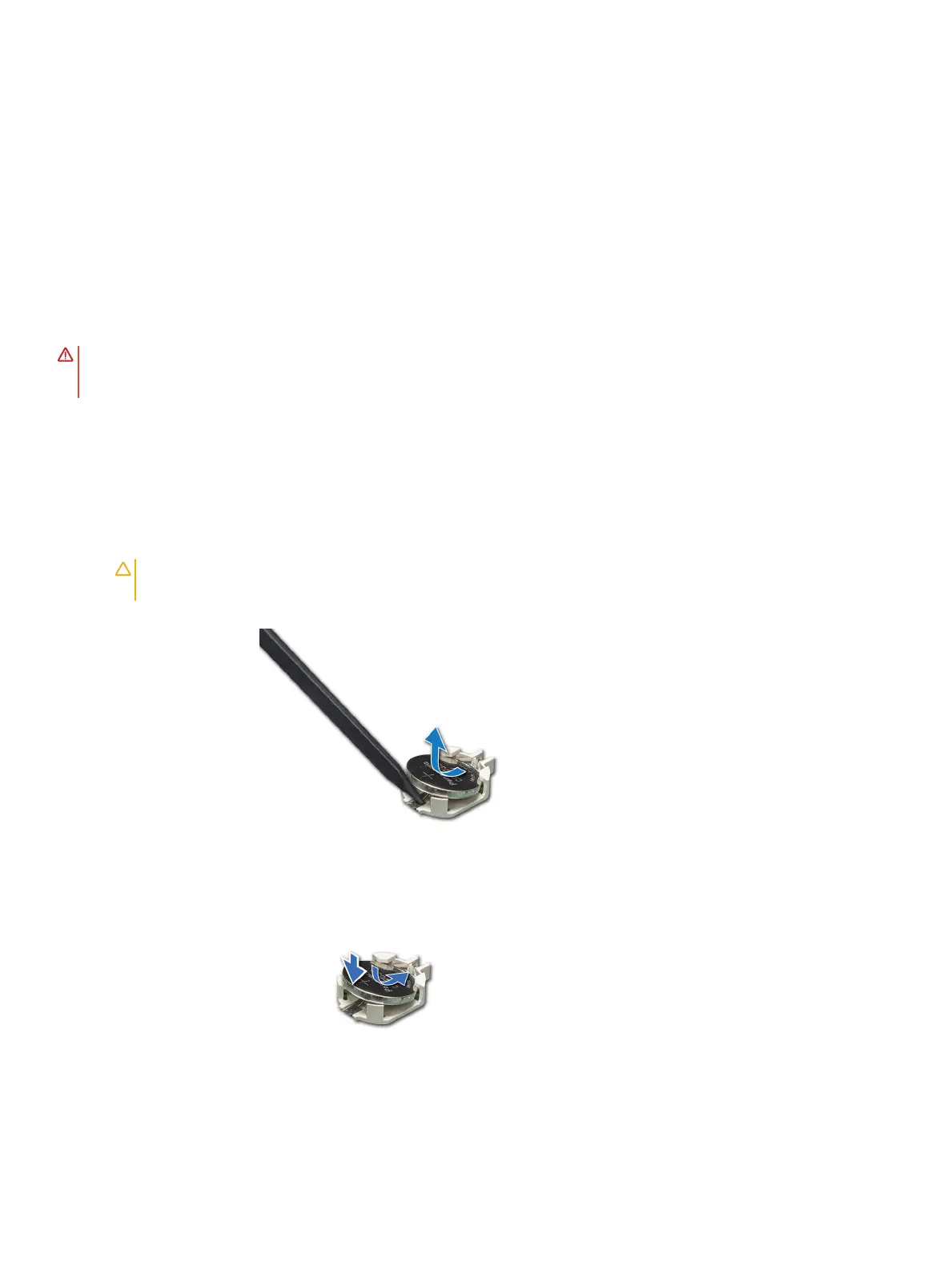
2 Use a plastic scribe to pry out the system battery.
Figure 97. Removing the system battery
3 To install a new system battery, hold the battery with the positive side facing up and slide it under the securing tabs.
4 Press the battery into the connector until it snaps into place.
Figure 98. Installing the system battery
Installing and removing system components
145















 To Next Page