M.2 SSD module
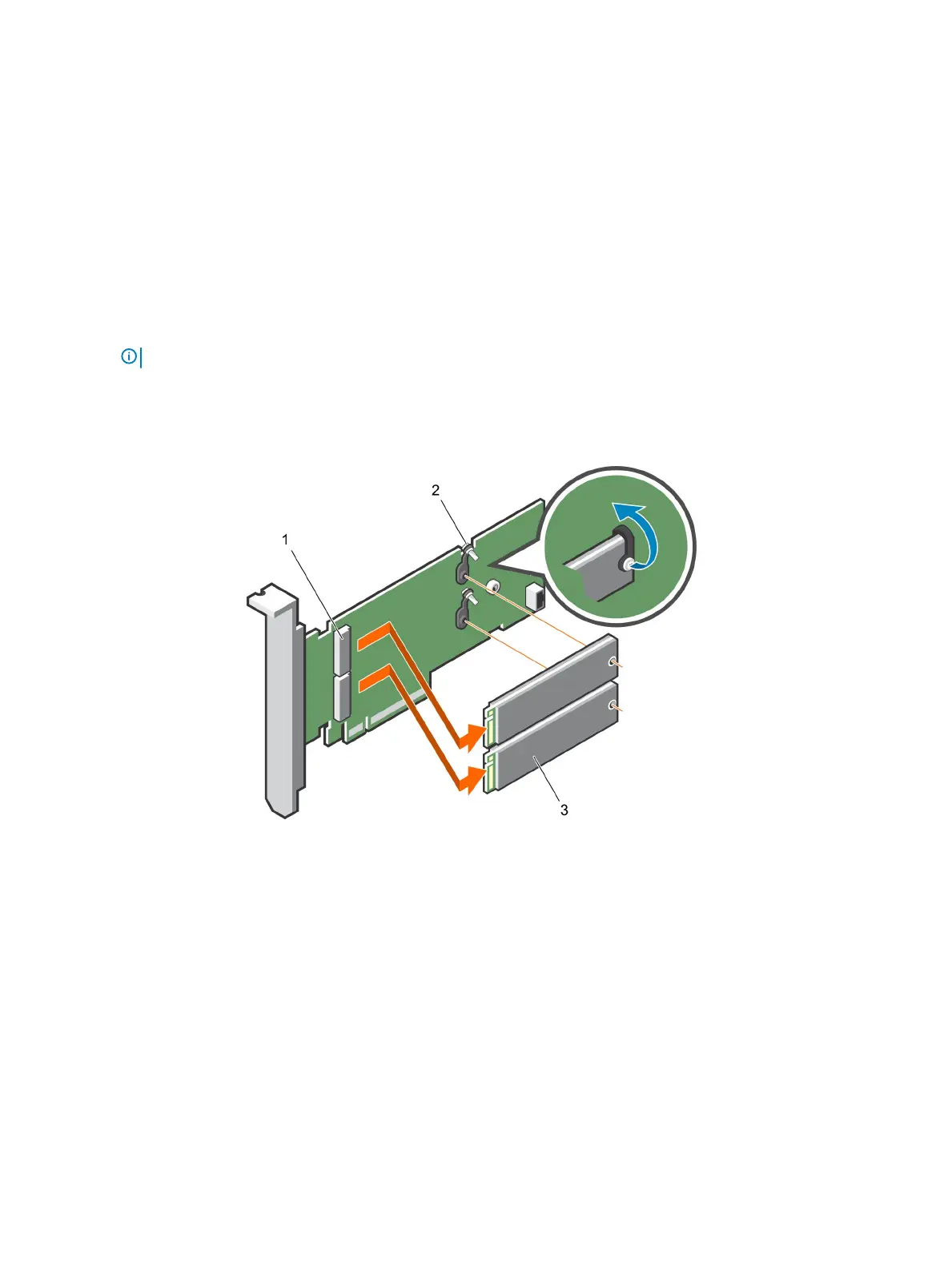
Removing the M.2 SSD module
Prerequisites
1 Follow the safety guidelines listed in Safety instructions.
2 Follow the procedure listed in Before working inside your system.
3 Remove the air shroud.
4 Remove the BOSS card.
NOTE: Removing the BOSS card is similar to the procedure for removing an expansion card riser.
Steps
1 Loosen the screws and lift the retention straps that secure the M.2 SSD module on the BOSS card.
2 Pull the M.2 SSD module away from the BOSS card.
Figure 63. Removing the M.2 SSD module
1
module connector (2) 2 screws (2)
3 module (2)
Next step
Install the M.2 SSD module.
Installing the M.2 SSD module
Prerequisite
1 Follow the safety guidelines listed in Safety instructions.
116
Installing and removing system components















 To Next Page