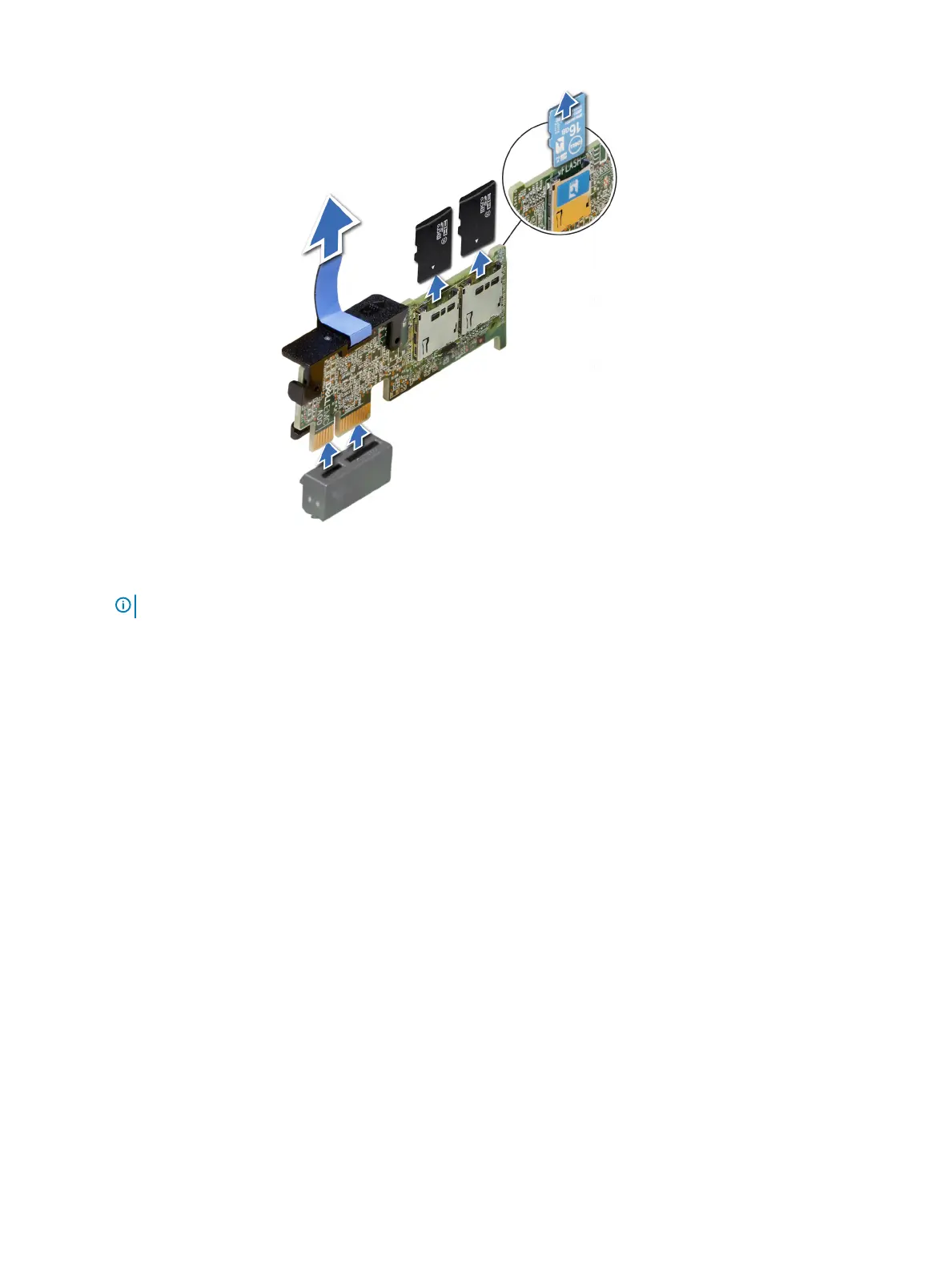
Figure 65. Removing the optional IDSDM/vFlash card
NOTE
: There are two dip switches on the IDSDM/vFlash card for write-protection.
Next step
Install the optional IDSDM/vFlash card.
Installing optional IDSDM or vFlash card
Prerequisite
Follow the safety guidelines listed in Safety instructions.
Steps
1 Locate the IDSDM/vFlash connector on the system board.
To locate IDSDM/vFlash connector, see the Jumpers and connectors section.
2 Align the IDSDM/vFlash card with the connector on the system board.
3 Push the IDSDM/vFlash card until it is rmly seated on the system board.
Installing and removing system components
119















 To Next Page