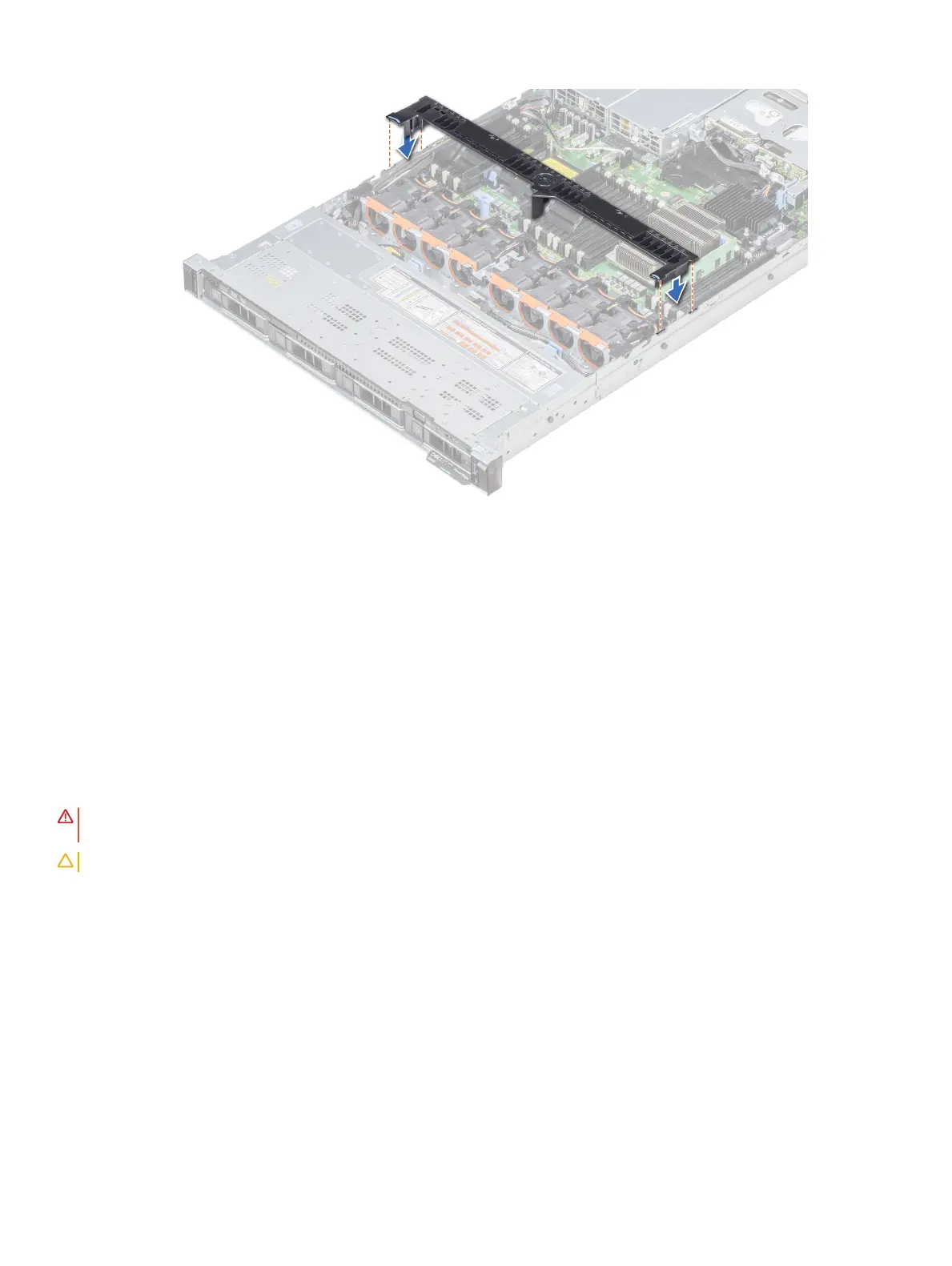
Figure 30. Installing the air shroud
Next step
1 Follow the procedure listed in After working inside your system.
Cooling fans
Removing a cooling fan
The procedure for removing standard and high performance fans is identical.
Prerequisites
WARNING
: Opening or removing the system cover when the system is on may expose you to a risk of electric shock. Exercise
utmost care while removing or installing cooling fans.
CAUTION: The cooling fans are hot swappable. To maintain proper cooling while the system is on, replace only one fan at a time.
1 Follow the safety guidelines listed in Safety instructions.
2 Remove the air shroud.
Steps
1 Holding the touch points on the cooling fan, lift the fan to disconnect the connector on the fan from the connector on the system
board.
2 Lift the fan out of the system.
Installing and removing system components
81















 To Next Page