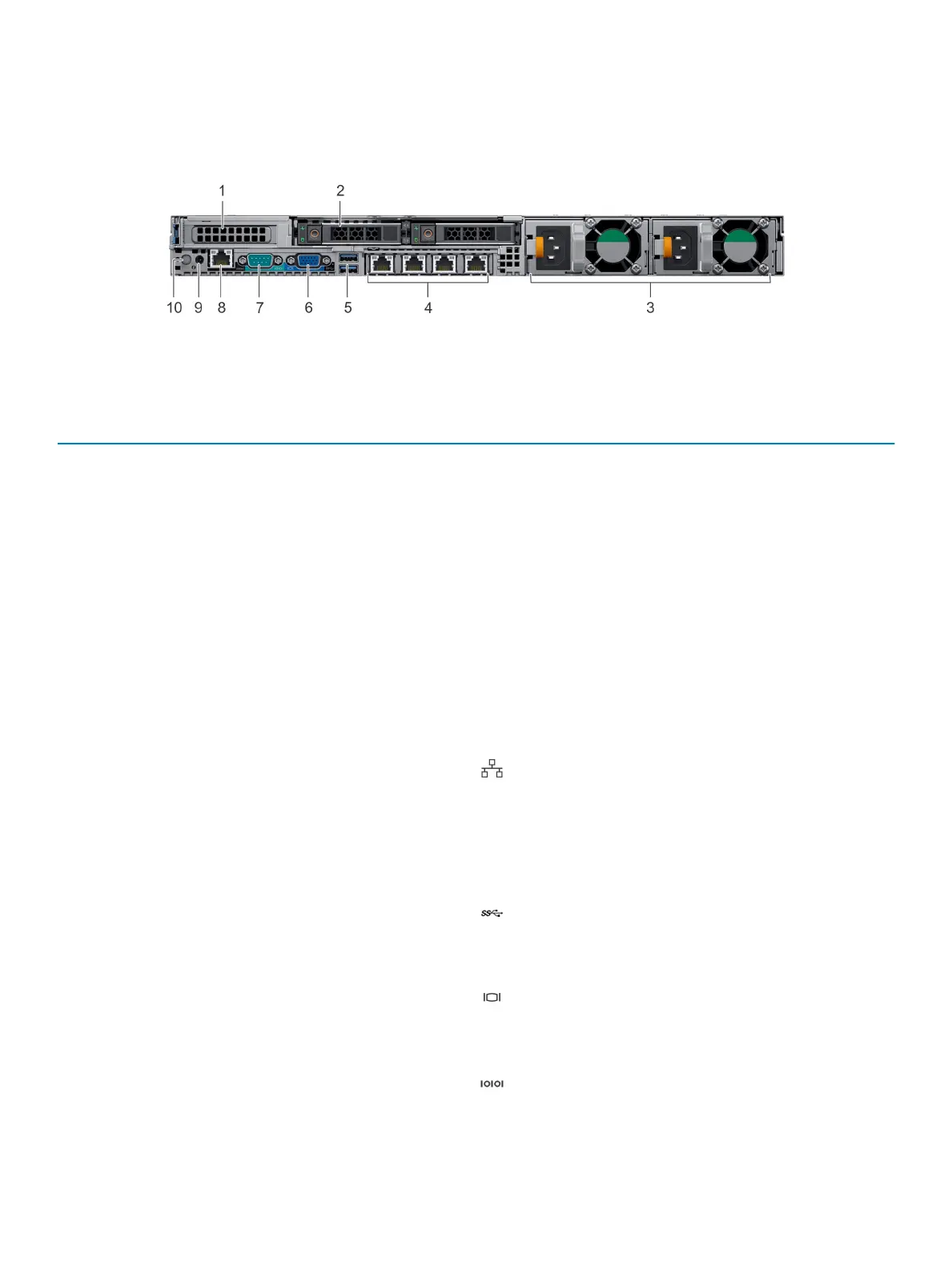
Back view of the system
The back view displays the features available on the back of the system.
Figure 7. Back view of 2 x 2.5-inch drives with 1 PCIe expansion slot
Table 10. 2 X 2.5-inch drive system with 1 PCIe expansion slot
Item Ports, panels, or slots Icon Description
1 PCIe expansion card slot N/A
The expansion slot(s) enable you
to connect PCI Express
expansion cards. For more
information on the expansion
cards that are supported on your
system, see the Expansion card
guidelines.
2 Drive slot (2) N/A Enable you to install drives that
are supported on your system.
For more information about
drives, see the Technical
specications section.
3 Power supply unit (2) N/A For more information about the
PSU congurations, see the
Technical specications section
4 NIC port (4) The NIC ports that are
integrated on the network
daughter card (NDC) provide
network connectivity. For more
information about the supported
congurations, see the Technical
specications section.
5 USB 3.0 port (2)
The USB ports are 9-pin and
3.0-compliant. These ports
enable you to connect USB
devices to the system.
6 VGA port Enables you to connect a display
device to the system. For more
information, see the Technical
specications section.
7 Serial port Enables you to connect a serial
device to the system. For more
18 Dell EMC PowerEdge R640 system overview















 To Next Page