Item Ports, panels, or slots Icon Description
information, see the Technical
specications section.
8 iDRAC9 dedicated network port Use the iDRAC9 dedicated
network port to securely access
the embedded iDRAC on a
separate management network,
see the Integrated Dell Remote
Access Controller User’s Guide
at Dell.com/poweredgemanuals
9 System status indicator cable
port
N/A Enables you to connect the
status indicator cable and view
system status when the CMA is
installed.
10 System identication button
The System Identication (ID)
button is available on the front
and back of the systems. Press
the button to identify a system in
a rack by turning on the system
ID button. You can also use the
system ID button to reset iDRAC
and to access BIOS using the
step through mode.
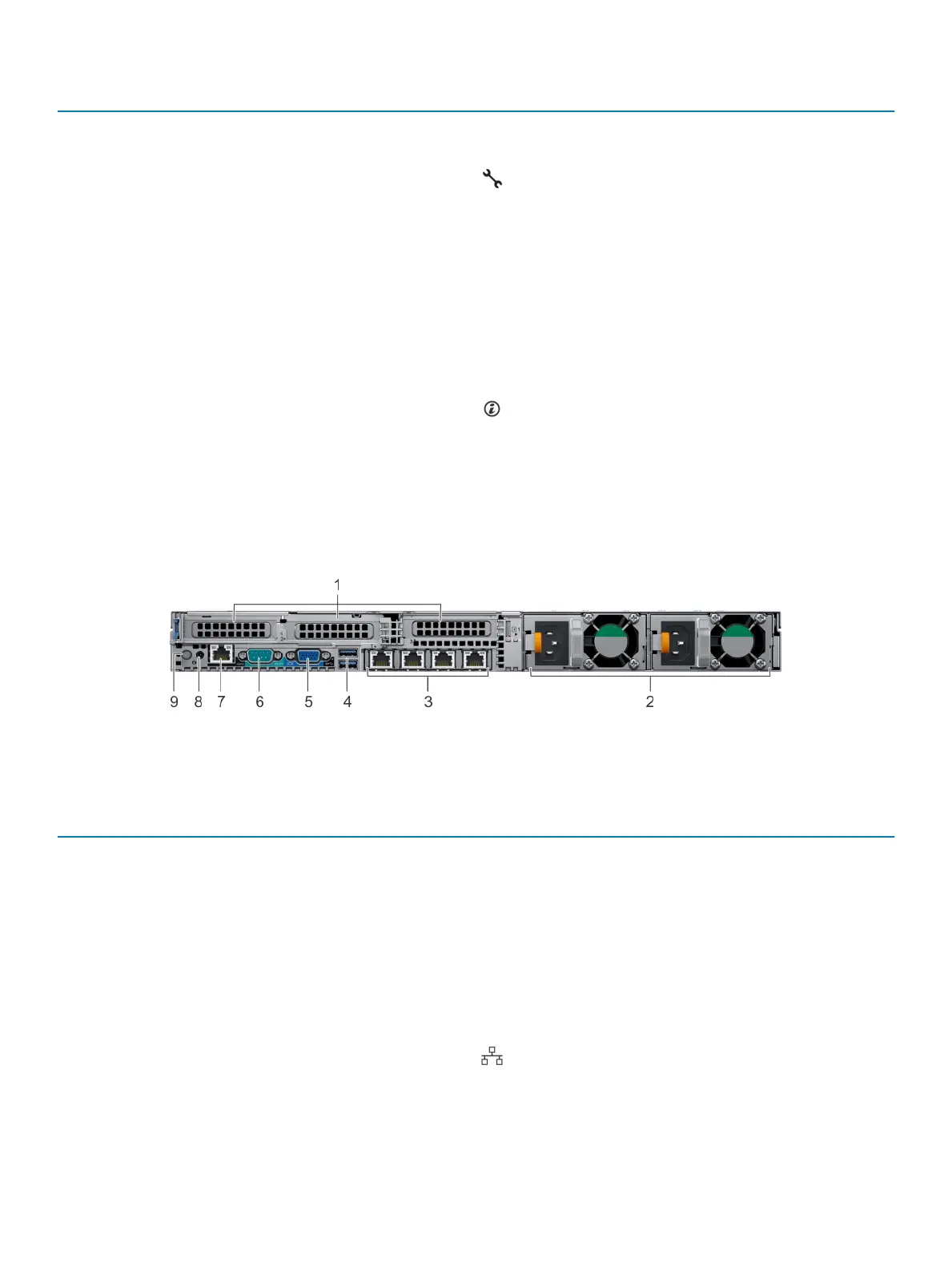
Figure 8. Back view of system with 3 PCIe expansion slots
Table 11. 2 X 2.5-inch drive system with 3 PCIe expansion slot
Item Ports, panels, or slots Icon Description
1 PCIe expansion card slot(3) N/A
The expansion slot(s) enable you
to connect PCI Express
expansion cards. For more
information on the expansion
cards that are supported on your
system, see the Expansion card
guidelines.
2 Power supply unit (2) N/A For more information about the
PSU congurations, see the
Technical specications section
3 NIC port (4) The NIC ports that are
integrated on the network
daughter card (NDC) provide
network connectivity. For more
information about the supported
Dell EMC PowerEdge R640 system overview 19















 To Next Page